Explainer
Sunny 16 Rule for Film: Exposure Chart, Zone Focusing and Metering
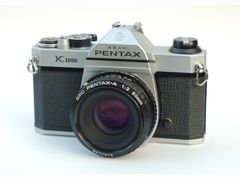
The short answer
The sunny 16 rule says that on a clear day with hard-edged shadows, a good exposure is f/16 with a shutter speed of 1 over your film's ISO: 1/125 for ISO 100, 1/250 for ISO 200 and 1/500 for ISO 400.
As the light drops, open the aperture one stop per step (f/11 for soft shadows, f/8 overcast, f/5.6 heavy overcast, f/4 in open shade) and close down to f/22 on bright sand or snow. Pair it with zone focusing, a preset focus distance at f/8 to f/16, and a camera with no meter is quick to shoot; slide film leaves little room for error, so bracket or use a meter.
- Clear sun, distinct shadows
- f/16 at 1/ISOen.wikipedia.org
- ISO 400 in full sun
- f/16 at 1/500kubusphoto.com
- Backlit subject
- 2 stops more exposureen.wikipedia.org
- Color negative latitude
- About 2 stops over, 1 underkubusphoto.com
- Slide film latitude
- About half a stopkubusphoto.com
- 28mm zone preset
- 12 ft at f/8: 6 ft to infinityfstoppers.com
What is the sunny 16 rule?
The sunny 16 rule is a way to estimate daylight exposure without a light meter. In clear sun with distinct shadows, set the aperture to f/16 and the shutter speed to 1 over the film's ISO, then use the nearest speed your camera has: ISO 200 film is 1/200 in theory and 1/250 on a standard shutter dial.
The rule is based on the light falling on the scene (incident light), not the light bouncing off it. That is why a white wall or a black coat doesn't throw it off the way it fools the reflected-light meter inside a camera. Its numbers are approximate: at ISO 100, 1/100 at f/16 works out to EV 14.67, while the standard bright-sun value is EV 15, about a third of a stop apart and well inside what negative film tolerates.
You don't have to shoot at f/16. Every stop you open the aperture, double the shutter speed: at ISO 100, 1/125 at f/16 gives the same exposure as 1/250 at f/11 or 1/500 at f/8. It's the same trade covered in the exposure triangle for film, and it's how you get a faster shutter for moving subjects or a wider aperture for a softer background. Some cameras even print the rule on their exposure controls as weather symbols.
| Film ISO | At f/16 | At f/11 | At f/8 |
|---|---|---|---|
| 100 | 1/125 | 1/250 | 1/500 |
| 200 | 1/250 | 1/500 | 1/1000 |
| 400 | 1/500 | 1/1000 | 1/2000 |
| 800 | 1/1000 | 1/2000 | 1/4000 |
Color negative film handles extra exposure better than too little, so when the exact speed isn't on the dial, round toward the slower one: 1/250 rather than 1/500 for ISO 400.
Sources: en.wikipedia.org, kubusphoto.com, scantips.com, camera-wiki.org
Sunny 16 chart: which aperture for clouds, shade and snow
Keep the shutter at 1/ISO and let the shadows pick the aperture. Kubus Photo's shadow test is the quickest version: hard edges mean f/16, soft edges mean f/11, no shadows mean f/8 or wider. Each step down the chart below is one stop more exposure.
Sources disagree about open shade. Most charts, including the common one from James Martin's field guide, put open shade and sunset at f/4, four stops more than sunny 16, and Unblinking Eye's classic exposure list also gives open shade four stops more. The ANSI exposure tables rate open shade the same as heavy overcast (EV 12 at ISO 100), which is f/5.6. On negative film, f/4 is the safer pick, because the film handles too much exposure better than too little.
| Light | Shadows | Aperture | ISO 400 example | Change from sunny 16 |
|---|---|---|---|---|
| Bright sun on snow or sand | Dark, sharp edges | f/22 | f/22 at 1/500 | 1 stop less |
| Clear and sunny | Distinct | f/16 | f/16 at 1/500 | None |
| Slightly overcast or hazy | Soft edges | f/11 | f/11 at 1/500 | 1 stop more |
| Overcast | Barely visible | f/8 | f/8 at 1/500 | 2 stops more |
| Heavy overcast | None | f/5.6 | f/5.6 at 1/500 | 3 stops more |
| Open shade or sunset | None | f/4 | f/4 at 1/500 | 4 stops more |
The classic mistake, according to Kubus Photo: walking from sun into a building's shade and staying at f/16, which leaves negatives two to three stops underexposed.
Sources: slrlounge.com, kubusphoto.com, unblinkingeye.com, en.wikipedia.org
When to adjust sunny 16: backlight, side light and time of day
The chart assumes front lighting, with the sun behind you, from about two hours after sunrise to two hours before sunset. Turn the subject and the numbers change: the ANSI tables add one stop for side light and two stops for backlight. For a backlit face, Kubus Photo says to open up two stops, so f/8 instead of f/16 at the same shutter speed.
Low sun is weaker, too. Unblinking Eye's guide says to give 1.5 to 2 stops more than the basic sunny exposure within two hours of sunrise or sunset, and about half a stop to one stop more around 9 am or 3 pm. The same list uses its cloudy-bright exposure, two stops more, for backlit close-ups.
Snow and sand are the one case where sunny 16 closes down, to f/22, because the bright ground adds light. A camera meter goes the other way in the same scene: it reads snow as too bright and turns it gray, so ScanTips suggests adding about one to two stops of exposure when you meter snow.
- Side light: 1 stop more (f/11 instead of f/16)
- Backlit subject or face: 2 stops more (f/8)
- Within 2 hours of sunrise or sunset: 1.5 to 2 stops more
- Around 9 am or 3 pm: half a stop to 1 stop more
- Front-lit snow or sand in full sun: 1 stop less (f/22)
Sources: scantips.com, en.wikipedia.org, kubusphoto.com, unblinkingeye.com, slrlounge.com
Sunny 16 or sunny 11? What Kodak's own table says
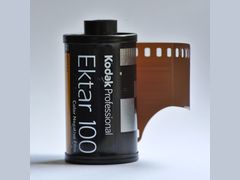 Ektar 100
Not every reference treats f/16 as the bright-sun setting. Kodak's exposure table for Kodak Ektar 100, reproduced on Stockholm Views, lists 1/125 at f/11 for bright or hazy sun with distinct shadows and saves f/16 for light sand or snow. That is one stop more exposure than classic sunny 16, and a sunny 16 reference page by Josef Burger at UW-Madison mentions the same shift as a variation he has seen: bright sun at f/11.
Both versions are defensible. Sunny 16 matches the standard bright-sun value, EV 15 at ISO 100, about 82,000 lux. The f/11 version adds a stop of exposure, which suits color negative film: Kubus Photo says C-41 film tolerates about two stops of overexposure but only one stop of underexposure. Photographer Kim Hildebrand gets there another way, starting Kodak Portra 400 at 1/250 instead of 1/500 at f/16.
In practice: use classic sunny 16 for slide film, and lean toward the f/11 version with color negative film. The moon has its own version, the Looney 11 rule: f/11 at 1/ISO for the moon's surface, one stop more than sunny 16.
Sources: stockholmviews.com, pages.cs.wisc.edu, en.wikipedia.org, kubusphoto.com, kimhildebrand.com, en.wikipedia.org
Does sunny 16 work on film? Negative vs slide film
Yes, and it works best on negative film. Sunny 16 depends on your guess about the shadows, and ScanTips notes that this can get surprisingly close with practice but is usually less accurate than metering. Negative film absorbs most of that error; slide film does not.
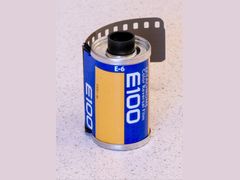
Which way to err depends on the film. The old advice to expose for the shadows is advice for negative film, because shadow detail that isn't recorded at exposure can't be added later. Slide film flips it: protect the highlights, bracket, or meter. With Kodak Ektachrome E100 or any other E-6 film, treat sunny 16 as a starting point, not the answer.
If you rate a film at a different speed, the rule follows the number you set: ISO 400 film rated at 200 means sunny 16 at 1/250. Film ISO explained covers box speed, pushing and pulling.
| Film type | Latitude | If unsure | Examples |
|---|---|---|---|
| Color negative (C-41) | About 2 stops over, 1 under (Kubus Photo) | Give more exposure | Kodak Portra 400, Kodak Gold 200, Kodak Ektar 100 |
| Black-and-white negative | Wide (Kodak lists wide exposure latitude for Tri-X 400) | Give more exposure | Kodak Tri-X 400, Ilford HP5 Plus |
| Slide (E-6) | About half a stop either way (Kubus Photo) | Bracket or meter | Kodak Ektachrome E100 |
Sources: scantips.com, kubusphoto.com, en.wikipedia.org, kodakprofessional.com, en.wikipedia.org
How to use the sunny 16 rule, step by step
- 1
Set the shutter to 1/ISO
Use the nearest marked speed: 1/125 for ISO 100, 1/250 for ISO 200, 1/500 for ISO 400. With negative film, rounding toward the slower speed is the safer side.
- 2
Read the shadows
Hard-edged shadows: f/16. Soft edges: f/11. Barely visible: f/8. None: f/5.6, or f/4 in open shade. Bright sand or snow: f/22.
- 3
Correct for light direction and time
Open one stop for side light and two for a backlit subject. Within two hours of sunrise or sunset, add 1.5 to 2 stops.
- 4
Trade aperture for shutter speed if needed
Each stop you open, double the shutter speed: f/16 at 1/125 equals f/11 at 1/250 and f/8 at 1/500.
- 5
Re-read the light when you move
Check the shadows again every time you step between sun and shade. In tricky light, shoot your guess plus one frame a stop over and one a stop under.
Sources: kubusphoto.com, slrlounge.com, en.wikipedia.org, unblinkingeye.com, scantips.com
What is zone focusing?
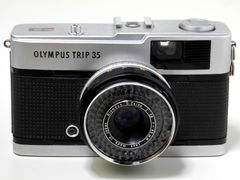 Trip 35
Zone focusing, also called scale focusing, means presetting the focus distance and aperture so you know what will be sharp without looking through the viewfinder. You guess the distance to your subject, dial it on the lens, and shoot the moment something happens inside that zone. The old adage "f/8 and be there" sums it up.
It pairs naturally with sunny 16: bright light lets you shoot at f/8 to f/16, and small apertures give deep zones. Kubus Photo's grab-shot recipe is f/8 or f/11 for deep focus plus a sunny 16 shutter speed.
Hyperfocal focusing is the special case where the far edge of the zone reaches infinity. Focus at the hyperfocal distance and everything from half that distance to infinity is sharp: DOFMaster's example is a 28mm lens at f/16 on 35mm, with a hyperfocal distance of about 5.5 feet and sharpness from 2.75 feet to infinity.
Some cameras only focus this way. The Olympus Trip 35 has a four-position zone focus, the Olympus XA2 has three settings (person, group, mountain), and the current Pentax 17 half-frame focuses in six manual zones from 0.82 feet to infinity, covered in half-frame cameras. Toy and viewfinder cameras such as the Diana Mini and Rollei 35 work the same way.
Sources: casualphotophile.com, analog.cafe, fstoppers.com, kubusphoto.com, dofmaster.com, en.wikipedia.org, en.wikipedia.org, casualphotophile.com, ricoh-imaging.co.jp
Zone focusing settings by lens
Focal length changes everything. On the lenses Casual Photophile compared, a 50mm at f/8 was sharp from about 15 feet to infinity, while an 18mm at f/8 reached down to about 3 feet. That is why street photographers who zone focus usually pick 28mm or 35mm lenses on full frame at f/8 to f/16, and why telephotos are a poor fit: a 200mm at f/16 has a hyperfocal distance of about 275 feet. If you are choosing a lens for this style, go wide, roughly 21mm to 35mm on 35mm film.
Hyperfocal and depth-of-field charts depend on an assumed circle of confusion, the sharpness threshold, and DOFMaster suggests 0.030 mm for 35mm film. Fstoppers notes that Jeff Ascough's presets reflect 35mm film and an 18-megapixel camera: on a 60-megapixel sensor the soft edges of the zone show more, and you may need to stop down further. Either way, keep your subject near the middle of the zone, where sharpness peaks.
| Lens | Focus set at | Aperture | Sharp from | Source |
|---|---|---|---|---|
| 21mm | 6 ft | f/8 | 3 ft to infinity | Jeff Ascough via Fstoppers |
| 28mm | 12 ft | f/8 | 6 ft to infinity | Jeff Ascough via Fstoppers |
| 28mm | 6 ft | f/8 | 4 to 12 ft | Jeff Ascough via Fstoppers |
| 28mm | 5.5 ft (hyperfocal) | f/16 | 2.75 ft to infinity | DOFMaster |
| 50mm | By the f/8 scale marks | f/8 | About 15 ft to infinity | Casual Photophile |
| 200mm | 275 ft (hyperfocal) | f/16 | Half of 275 ft to infinity | DOFMaster |
Sources: casualphotophile.com, slrlounge.com, dofmaster.com, fstoppers.com, en.wikipedia.org
How to zone focus, step by step
This works on any lens with a distance scale, and on autofocus cameras switched to manual focus.
- 1
Pick the aperture
f/11 or f/16 on a bright day, around f/8 in darker conditions. Set the shutter speed for that aperture with sunny 16 or a meter.
- 2
Guess your working distance
Pick the range where your subjects will be; for street work that is often about 6 to 12 feet.
- 3
Set the focus ring
Turn the ring so that range sits between the depth-of-field marks for your aperture. With a 28mm at f/8, focusing at 6 feet covers about 4 to 12 feet.
- 4
On an autofocus camera, switch to manual
Set the distance on the lens. With no distance scale, stand with your back to a wall, walk the distance and focus on the wall. A bit of tape and a silver marker can mark your favorite distance on the barrel.
- 5
Shoot when the subject is mid-zone
Sharpness peaks at the set distance and falls off toward the edges of the zone, so press the shutter when your subject is near the middle.
Sources: fstoppers.com, fstoppers.com, streethunters.net, casualphotophile.com
How to meter for film: camera, handheld and phone meters
When you do use a meter, know which kind you have. Every meter built into a camera is a reflected-light meter, calibrated to give the right exposure for an average scene. The Pentax K1000 has a through-the-lens average, match-needle meter rated EV 1.7 to 18 at ISO 100; the Canon AE-1 meters center-weighted through the lens.
An incident meter reads the light falling on the subject, so pale or dark subjects don't fool it. You hold it at the subject's position with the dome pointed at the camera, under the chin for a portrait, which isn't practical for a distant landscape. A spot meter is a reflected meter with a narrow angle, typically 1 degree, for reading shadows, midtones and highlights separately.
No meter at all? A handheld meter, a phone app or sunny 16 all work. To check a used camera's meter, compare it with a reference meter or app in bright, indoor and dim light: Kubus Photo says healthy readings agree within one stop.
| Meter | What it reads | Best for | Watch out for |
|---|---|---|---|
| In-camera (reflected) | Light bouncing off the scene | Average scenes, fast shooting | Snow, backlight, very light or dark subjects |
| Handheld incident | Light falling on the subject | Portraits, backlight, snow | You need to stand where the subject is |
| Spot (about 1 degree) | A small area you aim at | Zone System, high-contrast scenes | You must judge each tone yourself |
| Phone app | Varies by app | Cameras with no meter, checking an old meter | Snow and backlight, if the app reads reflected light |
Sources: en.wikipedia.org, camera-wiki.org, global.canon, 35mmc.com, dewitcameras.nl, kubusphoto.com
How to meter for film, step by step
- 1
Set the film's ISO
Use box speed, or a little lower for negative film: JK Lockwood at 35mmc describes metering a 400 film at 200 to take more advantage of negative film's latitude.
- 2
Take the reading your meter is built for
Incident: at the subject, dome toward the camera. Reflected or in-camera: meter a midtone, or meter the darkest area you want detail in and place it on Zone III, two stops less than the reading.
- 3
Correct scenes that fool reflected meters
Snow and other very bright scenes push a reflected meter toward underexposure, so add about one to two stops for snow. Very dark scenes push it the other way.
- 4
Sanity-check against sunny 16
SLR Lounge points out that sunny 16 is a quick way to see whether a camera consistently under or over exposes. In plain daylight a working meter should land within about a stop of it, the tolerance Kubus Photo uses when checking a meter against a reference. If it doesn't, try a fresh battery and check the ISO setting before you trust it.
Sources: 35mmc.com, en.wikipedia.org, en.wikipedia.org, scantips.com, kubusphoto.com, slrlounge.com
Light meter prices at US camera stores
| Seller | Item | Price | Note |
|---|---|---|---|
| Glazer's Camera (Seattle) | Keks KM-Q light meter with top display, chrome | $84.99 | Black version listed sold out |
| Unique Photo (Fairfield, NJ) | Keks KM02 shoe-mount light meter, black | $99.99 | In stock when checked |
| Unique Photo (Fairfield, NJ) | Sekonic L-208 Twin Mate ambient meter with case | $149.00 | Usually ships in 7 to 14 days |
| Unique Photo (Fairfield, NJ) | Sekonic L-308X-U Flashmate, incident and reflected | $269.00 | New; used from $185.00 |
| Glazer's Camera (Seattle) | Sekonic L-308X-U Flashmate | $269.00 | New |
| Glazer's Camera (Seattle) | Sekonic Litemaster Pro L-478D-U | $419.00 | New |
Prices checked October 2026. They change often.
Questions people ask
Does sunny 16 actually work?
Yes, for front-lit subjects in daylight, and especially on negative film, which tolerates about two stops of overexposure and one of underexposure. It is a guess based on shadows, so it is less precise than a meter, and it is riskier with slide film, which has only about half a stop of latitude.
Sources: scantips.com, kubusphoto.com
What is the sunny 16 rule for ISO 200?
f/16 at 1/200 second in clear sun, which is 1/250 on a camera without a 1/200 setting. From 1/250, equal exposures are f/11 at 1/500 and f/8 at 1/1000. Under soft-edged shadows, open up to f/11 at 1/250.
Sources: slrlounge.com, kubusphoto.com
What is the sunny 16 rule for ISO 400?
f/16 at 1/400, or the nearest standard speed, 1/500. From 1/500, equal exposures are f/11 at 1/1000 and f/8 at 1/2000. Kim Hildebrand starts Portra 400 at 1/250 instead, one full stop more exposure, as a habit of erring toward overexposure with film.
Sources: kubusphoto.com, kimhildebrand.com
Should my camera be on AF or MF?
For zone focusing, use manual focus: switch to MF and turn the ring to your preset distance. Streethunters lists two payoffs: no focus hunting, and a camera that fires faster than any autofocus system, because the focusing is already done. Zone focusing needs you to guess the distance range ahead of time, so when subjects show up at unpredictable distances, autofocus is the better tool.
Sources: streethunters.net
Why does my SLR look out of focus at the hyperfocal distance?
The viewfinder shows the lens wide open, so near objects look soft. The photo is taken at the aperture you set, and that is what gives the deep zone of sharpness you see in the print or scan.
Sources: dofmaster.com
Is a phone light meter app good enough for film?
Usually, for negative film. De Wit Cameras lists a phone app as an alternative for a camera with no meter, and Kubus Photo uses one as the reference for checking an old camera's meter, accepting readings within one stop. A handheld incident meter is more dependable with backlight, snow and very dark subjects, because it reads the light falling on the subject.
Sources: dewitcameras.nl, kubusphoto.com, en.wikipedia.org, 35mmc.com
Is 24 or 36 exposure better?
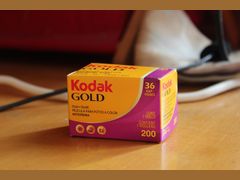
36 exposures cost less per frame. At Glazer's Camera in October 2026, Ilford HP5 Plus was $8.49 for 24 exposures (about $0.35 a frame) and $9.99 for 36 (about $0.28); at Unique Photo, Kodak Gold 200 was $6.95 for 24 (about $0.29) and $8.45 for 36 (about $0.23). A 24 is handy for testing a camera or practicing sunny 16, because you see results sooner.
Sources: glazerscamera.com, glazerscamera.com, uniquephoto.com, uniquephoto.com
What is the 20 60 20 rule in photography?
It isn't an exposure rule and has nothing to do with sunny 16. One version, described by Who Said Photography, splits a shoot into three phases: a safe first 20%, a creative middle 60% and a riskier final 20%.
Sources: whosaidphotography.com
Sources
Every fact on this page comes from one of these. How we choose and check sources is in our methodology.
Show all 40 sources
Manuals and references 11
retailer 11
- Kubus Photo: Sunny 16 Rule Explained
- De Wit Cameras: The Sunny 16 Rule in analog photography
- Kubus Photo: How to test a used film camera
- Unique Photo: Sekonic L-308X-U Flashmate
- Unique Photo: Sekonic L-208 Twin Mate
- Unique Photo: Keks KM02 light meter
- Glazer's Camera: Light meters
- Glazer's Camera: Ilford HP5 Plus 135-24
- Glazer's Camera: Ilford HP5 Plus 135-36
- Unique Photo: Kodak Gold 200 24 exposures
- Unique Photo: Kodak Gold 200 vs Ultramax 400 vs ColorPlus 200
Independent blogs 9
- ScanTips: Sunny 16 Rule for Exposure
- Unblinking Eye: Estimating Exposure (Ed Buffaloe)
- Stockholm Views: Kodak Ektar 100 tech data (copy of Kodak's table)
- Josef Burger (UW-Madison): Sunny 16 Rule
- Kim Hildebrand: How to Use the Sunny 16 Rule for Film Photography
- Analog.Cafe: How to Zone Focus Quickly and Accurately
- Streethunters: Learn Zone Focusing and Hyperfocal Distance
- 35mmc: Metering for Film, Understanding the Basics of Exposure (JK Lockwood)
- Who Said Photography: 20-60-20 rule
Editorial reviews 5
official 3
Forums 1
Keep reading
Techniques and editing
The exposure triangle links aperture, shutter speed and ISO: one stop on any side doubles or halves the light. How it works on film, where the roll sets ISO.
Film stocks
Film ISO is a roll's light sensitivity: double the number, one stop faster, more grain. Which ISO to buy, box speed, push and pull, and what a wrong ISO does.
Film stocks
How to push film: what a stop means, what to set on your camera, how to tell the lab, one-stop fees from $0 to $4, home development times and how to pull film.
Film cameras
What 151 owner and reviewer opinions say about the Olympus Trip 35: restored copies at $269.99 to $349.99, no battery, best film and what to check.
Film stocks
Kodak Portra 400 is an ISO 400 color film loved for skin tones and latitude. What 113 opinions say, how to expose and push it, and US prices from $15.99.
Techniques and editing
Film photography tips for beginners: which film to buy, how to load it and set the ISO, why first rolls come back blank or dark, and what a roll costs in 2026.