Instax Mini Evo review: what reviewers say, problems and film cost
The short answer
The Instax Mini Evo is Fujifilm's $234.95 hybrid instant camera (US list price, October 2026), and most reviewers rate it highly, as long as you buy it for the prints rather than the digital files.
It is a small digital camera with a built-in Instax Mini printer, so you check every shot on the 3-inch screen and spend film, $0.73 to $1.80 a sheet, only on the keepers. The weak spots reviewers agree on are the 4.9MP digital files, an app that only receives photos you have already printed, and dim light.
- US release
- February 2022
- Price
- $234.95
- Film
- Instax Mini
- Per print
- $0.73-1.80
Built from 121 opinions from 21 pages and videos. Not yet tested by Camera Dojo. Updated .
Instax Mini Evo review: the short version
Think of it as a small digital camera and an Instax Mini printer in one retro body. The 1/5-inch sensor records 2560 x 1920 pixels, and Cameralabs notes that the cheaper Instax Mini LiPlay shares its sensor, lens, memory and battery. What the Evo adds is the rangefinder-style body, a print lever styled like a film advance, and 10 lens effects times 10 film effects, 100 looks in all.
It has also gone up in price. It went on sale in the US in February 2022 at $199.95; in October 2026 Fujifilm's US store and independent dealers such as Precision Camera, Glazer's and Pictureline list it at $234.95. The Instax Mini Evo 2, at $289.95 with a 4.5-inch touchscreen, now sits above it, and the original is still on sale.
Good fit if
- You want to pick which shots become prints instead of spending a sheet of film on every press of the shutter.
- You enjoy effects and physical dials: 10 lens effects, such as Light Leak and Double Exposure, and 10 film effects, all previewed on screen before you print.
- You also want a Bluetooth printer for photos that are already on your phone.
- You shoot close-ups, selfies and group shots: it focuses down to 10 cm in macro mode, has 2- and 10-second self-timers and a tripod thread, and your phone can work as a remote shutter.
Think twice if
- You want a good digital camera as well: reviewers say the files trail a recent phone, with blown highlights and noise.
- You want every shot on your phone: the app only receives printed photos, so the rest need a microSD card and a card reader.
- You shoot mostly in dim bars and restaurants: several reviewers report missed focus and soft results in low light.
- You want the surprise of true analog instant film: every Evo print is a printed digital file, and Digital Camera World says the photos look digital.
- You only want prints of phone photos: Fujifilm's Instax Mini Link 3 printer lists at $116.95.
What every photo costs you
Film is the running cost, and on the Mini Evo you pay only for the shots you print. Per print, prices run from $0.73 in a 100-shot box to $1.80 for a Monochrome 10-pack.
100 prints (10 packs)
$0.73 per photo
$73.00 at Unique Photo
60 prints (6 packs)
$0.77 per photo
$46.00 at Unique Photo
20 prints (Twin Pack)
$0.90 per photo
$17.95 at Pictureline
60 prints
$0.92 per photo
$54.99 at Precision Camera
20 prints (Twin Pack)
$1.20 per photo
$23.99 at Fujifilm (instaxus.com)
20 prints
$1.25 per photo
$24.99 at Precision Camera
10 prints, Monochrome
$1.25 per photo
$12.49 at Pictureline
10 prints, Monochrome
$1.80 per photo
$17.99 at Fujifilm (instaxus.com)
Prices checked October 28, 2026. The battery recharges over USB, so there is no battery cost per shot, and phone photos printed through the app use the same film.
What owners and reviewers say about the Mini Evo, topic by topic
We sorted 121 opinions about the Mini Evo from 21 pages and videos on 20 websites and channels. Each row shows how many people raised a topic and how many of them were positive. Open a row to read short quotes, each linked to its source.
Most of these 121 opinions come from editorial reviews, many written at launch in 2022 by UK outlets, and from five YouTube reviews. Confirmed owners are a wedding photographer's blog, a bikepacking blog and three YouTube channels; Reddit threads could not be checked word for word, so long-term ownership reports are thin.
Features and modes75% positiveof 20
The most discussed topic, and mostly praise for the 100 effect combinations and phone printing. The repeated complaint is that the app only receives photos that have already been printed; Creative Bloq also wonders whether the effects are a gimmick.
“It is also hard to get past its gimmicky nature”
Rachael Penn, Creative Bloq 2023-05Hands-on review
“This gives you a lot of creative options in how you use this camera.”
Nic Hilton Photography blog 2024-09Owner
“The myriad of lens effects/film effects (10x10) is unmatched in anything that I have.”
718 Outdoors 2025-05Owner
“I was fond of the various vintage effects, vignettes and colour filters”
Gordon Laing, Cameralabs 2022-03Hands-on review
Image quality50% positiveof 16
Split, and the split is prints versus files. Reviewers like the prints, with punchy color and enough detail for a credit-card-size sheet, while the 2560 x 1920 digital JPEGs draw complaints about blown highlights, noise and softness next to a phone.
“Viewed as a digital camera alone, there’s not much to get excited about here.”
Gordon Laing, Cameralabs 2022-03Hands-on review
“I found the image quality to be charming (resolution 2560 x 1920 jpg), in the same way images from inexpensive digital cameras like CampSnap”
718 Outdoors 2025-05Owner
“Images are decent, with punchy colours and sufficient detail considering their small size.”
Max Parker, Trusted Reviews 2022-05Hands-on review
“the photos taken by the Mini Evo are digital, and they look digital.”
Gavin Stoker, Digital Camera World 2022-06Hands-on review
Design and grip73% positiveof 15
The strongest topic. Reviewers like the rangefinder-style looks and many single out the film-advance-style print lever; the dissent is that the plastic body feels cheaper than it looks, and there is no viewfinder or lens cap.
“Pick it up, though, and it feels very much a fairly cheap instant camera.”
Max Parker, Trusted Reviews 2022-05Hands-on review
“OK, we all know it’s textured plastic but it doesn’t feel tacky”
Simon Cocks, Esquire UK 2022-03Hands-on review
“because the Evo looks so rangefinder cool and does what it does all in one small package”
Pete Duval, Fujilove Magazine 2022-02Hands-on review
“One of our favorite features of the new camera is the lever on the right side of the camera”
Focus Camera Wavelength blog 2025-10Hands-on review
Ease of use64% positiveof 14
Mostly positive: it starts almost instantly and shooting is simple once you hold it upright. The complaints are about menus that Digital Camera World found overwhelming at first and In An Instant calls clunky, and a screen that is hard to see in bright sun.
“Transferring images from the Fuji Instax Mini Evo to use on a phone/social media while remote is kind of a pain.”
718 Outdoors 2025-05Owner
“I can generally do all of this in less than five minutes”
Nic Hilton Photography blog 2024-09Owner
“will rejoice in how easy it is to load the film in this camera”
Rachael Penn, Creative Bloq 2023-05Hands-on review
“Once you remember to hold the camera vertically, the UI is delightfully simple”
Tom Morgan, TechRadar 2022-09Hands-on review
Price and value45% positiveof 11
Leans positive but with conditions. Tom's Guide says it is the instant camera she would buy with her own money and Esquire calls it the best they had tried, while Creative Bloq says it is pricey for the image quality and In An Instant calls it expensive next to conventional instant cameras.
“That said, it is pricey, at £174.99 for the quality of images that it produces.”
Rachael Penn, Creative Bloq 2023-05Hands-on review
“There is one camera which can actually still be purchased for a low amount and I believe is in a class all of it’s own”
Nic Hilton Photography blog 2024-09Owner
“the Instax mini Evo is the one I'd buy with my own money”
Nikita Achanta, Tom's Guide 2024-09Hands-on review
“Although, to be fair, for £174 you really shouldn’t be expecting Fujifilm X Series performance.”
Christian Hopewell, Expert Reviews 2022-11Hands-on review
Size and weight89% positiveof 9
Positive across the board: it is thinner and easier to carry than other Instax cameras, though Photography Blog notes it still needs a small bag rather than a pocket.
“It's lightweight, small-ish, easy to use and produces some unique images.”
718 Outdoors 2025-05Owner
“It's far more pocketable than Fuji's other Instax cameras”
Tom Morgan, TechRadar 2022-09Hands-on review
“with me snapping away as inconspicuously as shooting with a cell phone”
Pete Duval, Fujilove Magazine 2022-02Hands-on review
“the Mini EVO weighs just 10.1 oz, making it comfortable to carry anywhere”
Focus Camera Wavelength blog 2025-10Hands-on review
Automatic exposure63% positiveof 8
No outright complaints. Reviewers say automatic ISO and shutter speed handle most situations and the exposure compensation control gives more say than most instant cameras; TechRadar and pal2tech dial in a little minus compensation in bright sun to save highlights.
“the camera automatically adjusts the exposure so you don't need to worry about it”
Nikita Achanta, Tom's Guide 2024-09Hands-on review
“The ability to adjust exposures before shooting is helpful for preventing over or under-exposed frames”
Jeanette D. Moses, Popular Photography 2022-02Hands-on review
“light sensitivity here ranges from a standard ISO100 to ISO1600 and is fully automatic, meaning that you can’t tweak the settings yourself”
Gavin Stoker, Digital Camera World 2022-06Hands-on review
“There's a tendency towards overexposure in bright outdoor environments, but manually lowering exposure by -2/3EV helped minimise blown highlights.”
Tom Morgan, TechRadar 2022-09Hands-on review
Film cost75% positiveof 8
Mostly positive in a specific way: reviewers and owners say previewing shots before printing keeps you from wasting film. Owners still warn that Instax Mini film adds up if you print a lot.
“the film isn’t very cheap and does add up if you want to print a lot of images”
Nic Hilton Photography blog 2024-09Owner
“This function is ideal for avoiding blurry photos and blinking faces, while still resulting in a keepsake that feels in-the-moment.”
Cathay Pacific InspirationHands-on review
“this camera is certainly worth considering for the benefit of not having to waste pricey ink and paper on a shot that comes out blurry”
Max Parker, Trusted Reviews 2022-05Hands-on review
“the ability to preview all these creative effects before you print will definitely prevent you from burning through film packs (and money) too quickly”
Jeanette D. Moses, Popular Photography 2022-02Hands-on review
Flash and low light29% positiveof 7
Mixed to negative. Tom's Guide says it gave the best low-light performance she has seen from an instant camera, but Photography Blog, Trusted Reviews and Creative Bloq report missed focus and soft shots in dim light, and Fujilove turned the flash down because it blew out highlights.
“anything taken in low light wasn’t really in focus and didn’t have a good amount of detailing”
Rachael Penn, Creative Bloq 2023-05Hands-on review
“include a flash for low-light situations, but I can’t say I’m a fan of how the snaps come out at night”
Max Parker, Trusted Reviews 2022-05Hands-on review
“the flash is powerful enough to handle shooting indoors or at night”
Jeanette D. Moses, Popular Photography 2022-02Hands-on review
“I had dialed back the flash power a stop and a half anyway, as it was blasting out the highlights.”
Pete Duval, Fujilove Magazine 2022-02Hands-on review
Batteries and charging17% positiveof 6
Mostly negative. Fujifilm rates about 100 prints per charge, but Trusted Reviews drained it after about 25 prints and Cameralabs after a day of digital shooting; the battery is built in, and Expert Reviews calls micro-USB charging antiquated.
“I depleted the battery completely printing out about 25 snaps.”
Max Parker, Trusted Reviews 2022-05Hands-on review
“I burned through mine after a day’s worth of digital photography only.”
Gordon Laing, Cameralabs 2022-03Hands-on review
“Battery life is a claimed 100 shots, or 10 packs of Instax Mini film, which is modest compared to most digicams.”
Gavin Stoker, Digital Camera World 2022-06Hands-on review
“Fujifilm’s choice to opt for micro-USB over USB-C for charging does feel a little antiquated.”
Christian Hopewell, Expert Reviews 2022-11Hands-on review
Durability0% positiveof 4
Few comments and no praise: reviewers want a lens cap, and one owner worries about the small microSD hatch. Photography Blog says the plastic body can survive a small drop.
“the hatch to remove the Micro SD card on the Fuji Instax Mini Evo is very small and delicate”
718 Outdoors 2025-05Owner
“Another essential the camera lacks is a lens cap”
Cathay Pacific InspirationHands-on review
“what might also have been useful is a lens cap of any description to protect that element when the camera is being transported”
Gavin Stoker, Digital Camera World 2022-06Hands-on review
“it is robust enough to survive a small drop if you do”
Mark Goldstein, Photography Blog 2022-03Hands-on review
Selfies and close-ups67% positiveof 3
Few comments, all favorable: focus down to 10 cm is rare for an instant camera, and the app works as a remote shutter for selfies and group shots, with some lag and only a few meters of range.
“its 28mm lens that’s capable of close focus distances of 10cm (almost unheard of in instant photography)”
Simon Cocks, Esquire UK 2022-03Hands-on review
“Autofocus from 10cm to infinite allows for relatively sharp landscapes, although closer subjects usually give the best defined photos.”
Tom Morgan, TechRadar 2022-09Hands-on review
“there will be some lag and the maximum distance will only be a few meters, but it really works”
Gordon Laing, Cameralabs 2022-03Hands-on review
PositiveMixedNegative
Photos taken with a Fujifilm Instax Mini Evo
A photo taken with the Instax Mini Evo, shown as the camera's digital file rather than a scanned print.
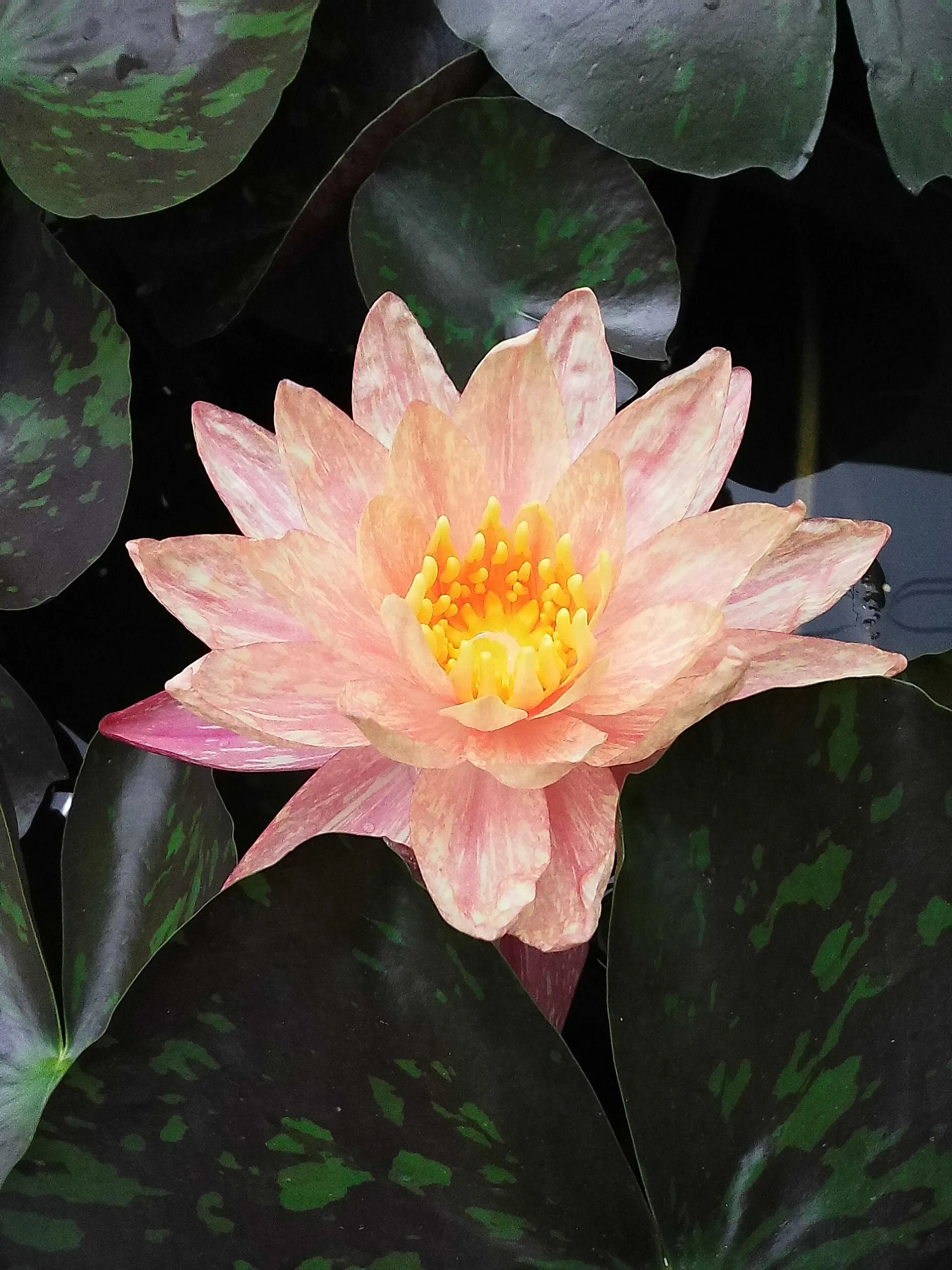
Water lily, August 2025, digital file from the Instax Mini EvoPhoto: Wutthichai Charoenburi from Bangkok, CC BY 4.0

How to shoot and print with the Instax Mini Evo
Shooting and printing are separate steps on the Mini Evo, and that is the point: nothing uses film until you pull the print lever. This is the routine from Fujifilm's support pages and the reviews.
- 1
Charge it first
A new camera ships needing a charge: Fujifilm says to plug it in for 2 to 3 hours before first use, and the manual says it will not charge while switched on. The box has a USB cable but no wall adapter, so use a phone charger or a computer port.
- 2
Load a pack of Instax Mini film
Slide the film door lock on the back of the camera and lift the door; the pack goes in under the 3-inch screen. Line up the yellow mark on the pack with the one in the camera and close the door; the black film cover ejects by itself. If it does not, switch off, open the door, wait at least 2 seconds and close it again.
- 3
Hold it upright and pick your effects
The camera is meant to be held vertically most of the time, with the print slot on top. Set the lens effect and film effect dials before you shoot: Fujifilm says effects can only be applied before the photo is taken, not after, and Cameralabs notes they are baked into the JPEG.
- 4
Shoot with either shutter button
There are two shutter buttons, one for vertical and one for horizontal framing. Each shot appears on screen, and you can keep it, delete it or come back to it later in playback.
- 5
Pull the print lever
With the photo you want on screen, pull the print lever. Digital Camera World notes that the lever does nothing if the image is not displayed. The print comes out in about 16 seconds.
- 6
Let it develop flat
The image appears in about 90 seconds; the manual says the time varies with temperature. Do not shake, bend or crease the print while it develops.
Sources: instax.com, instax.com, cameralabs.com, popphoto.com, instaxus.com, digitalcameraworld.com, instax.com, instaxus.com, instax.com
Best settings for the Instax Mini Evo: exposure, flash, macro and zoom
Exposure is automatic, but there is more control than on an analog Instax. The camera sets ISO (100 to 1600) and shutter speed (1/4 to 1/8000 sec) itself, and you can add -2 to +2 EV of compensation in 1/3-stop steps. Bright sun is where it slips: TechRadar saw a tendency to overexpose outdoors and fixed it with -2/3 EV, and pal2tech also suggests slightly underexposing outdoor shots to keep highlights.
Indoors and at night, use the flash. Photography Blog found the autofocus struggles in dim light even with the AF assist lamp on, and Creative Bloq's low-light shots were often out of focus. The flash reaches about 50 cm to 1.5 m (roughly 1.6 to 4.9 ft), so keep subjects close; Fujilove's reviewer dialed flash power down a stop and a half because it was blowing out highlights.
For close-ups, switch to macro mode, which focuses from 10 cm (about 4 in.). TechRadar found close subjects gave the sharpest results. The zoom is digital only: up and down on the rear rocker crops into the image, and Cameralabs warns that quality drops the further you go. Left and right on the same rocker set exposure compensation, the 2- or 10-second self-timer, flash, macro and white balance.
Two more settings shape the print. White balance has six presets, including shade, fluorescent and incandescent, which helps when auto white balance misjudges artificial light, as Sonder Creative found. In the menu, instax-Rich mode prints more vivid color and instax-Natural mode gives a more conventional Instax look.
Press the Back button to bring up a status screen with the battery level, Bluetooth status, date and current settings.
Sources: instax.com, techradar.com, youtube.com, photographyblog.com, creativebloq.com, fujilove.com, cameralabs.com, youtube.com, instax.com
How to get photos off the Instax Mini Evo and print from your phone
This is the part that trips up new owners. The free instax mini Evo app connects over Bluetooth, but it only receives photos you have already printed. To send one, connect the app and choose Printed Image Transfer in the playback menu; anything in the print history, up to the last 50 prints, can go across. Photography Blog suspects the limit exists to get you to make more prints.
Unprinted shots have to come off on a memory card. The camera holds about 45 photos internally, and a microSD or microSDHC card (sold separately) stores about 850 per GB. Copy internal-memory photos to the card from the playback menu, then read the card in a card reader. The USB port only charges, so plugging into a computer will not move files, which 718 Outdoors found a pain on the road.
Going the other way, the Evo works as a phone printer. Send any photo from the app and it prints on Instax Mini film at 800 x 600 dots, instead of the 1600 x 600 the camera uses for its own shots; TechRadar found phone prints only slightly lower in resolution. Fujifilm also says its X half, X-T30 III and X-M5 digital cameras can send photos to instax hybrid cameras for printing.
The app is optional. Besides printing and transfers, it works as a remote shutter for selfies and group shots (Cameralabs notes some lag and a range of only a few meters) and installs firmware updates. The camera pairs with one phone at a time, and updates need a microSD card, so back up internal-memory photos to the card first. The current firmware, version 1.09, improves Bluetooth pairing security.
Sources: instax.com, instax.com, photographyblog.com, cameralabs.com, 718outdoors.com, techradar.com, instax.com, instax.com, instaxus.com
Which film the Instax Mini Evo uses, print size and cost per print
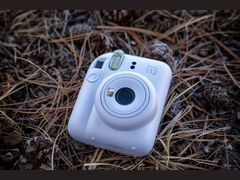 Mini 12
It takes standard instax mini film, 10 shots per pack, the same film as the Instax Mini 12 and Mini 41. It does not take Instax Square, Instax Wide or Polaroid film; if you are still choosing a format, see Instax Mini vs Wide and Polaroid vs Instax.
Each print is 86 x 54 mm (about 3.4 x 2.1 in.), a little bigger than a 2x3 print, but the picture inside the border is only 62 x 46 mm (about 2.4 x 1.8 in.). Cameralabs gives the picture area as 62 x 48 mm; the figure here is Fujifilm's.
Film is the running cost, and the Evo's advantage is that you choose what to print. In October 2026 Unique Photo's 100-shot box of ten packs costs $73.00, or $0.73 a print; Fujifilm's own Twin Pack works out to $1.20 and its Monochrome 10-pack to $1.80. One money-saver from Just Another Chris: the Monochrome film effect makes black-and-white prints on regular color film, so you can skip the pricier Monochrome packs. The film cost per photo calculator runs the numbers for other pack sizes.
The camera is rated to work between 41°F and 104°F (5 to 40°C), and the battery drains faster in the cold, so keep it warm before shooting in winter. Flying with spare packs? See whether instant film can go through airport X-ray.
Sources: instaxus.com, instax.com, cameralabs.com, uniquephoto.com, instaxus.com, instaxus.com, youtube.com, instax.com
Instax Mini Evo vs Mini Evo 2: which one to buy
| Mini Evo | Mini Evo 2 | |
|---|---|---|
| US list price (instaxus.com, Oct 2026) | $234.95 | $289.95 |
| Screen | 3.0-inch LCD with buttons and dials | 4.5-inch touchscreen |
| Charging port | Micro USB on early units, USB-C since the brown version | USB-C |
| Rated prints per charge | About 100 | About 90 |
| Print resolution (Fujifilm's figures, different units) | 1600 x 600 dots | 600 dpi |
| Immersive Movie (records the four seconds before each shot) | No | Yes |
| Shutter buttons | Two, for portrait and landscape | Two, for portrait and landscape |
| Film | Instax Mini | Instax Mini |
Pick the Mini Evo if
- You want the lower price: the original lists for $55 less ($289.95 minus $234.95).
- You are happy composing on a 3-inch screen with buttons and dials, the controls the reviews on this page rate highly.
- You want the camera these reviews describe: every opinion here is about the original.
Pick the Mini Evo 2 if
- You want a 4.5-inch touchscreen for composing and choosing shots.
- You want short motion clips: Immersive Movie records the four seconds leading up to each shot.
- You want USB-C charging without checking which version of the original you are buying.
Sources: instaxus.com, instaxus.com, instax.com
Buying an Instax Mini Evo new or used: what to check
New, buy from an authorized dealer. Fujifilm's US instax store warns about fake websites impersonating Fujifilm and instax, and its one-year US warranty covers cameras bought from authorized US dealers. A new Mini Evo comes with a shoulder strap and USB cable; film, a microSD card and a wall adapter are extra.
Check which charging port you are getting. Early units charge by Micro USB, and Fujifilm switched to USB-C starting with production of the brown model, introduced in June 2023. Both ports only charge. Colors so far are black, brown and Gentle Rose (September 2025).
Used units were hard to find in October 2026. The only one at the camera stores checked was a black Mini Evo in Excellent condition at Unique Photo for $149.95, already sold out; KEH, MPB and eBay block automated checks, so they are not covered. Before buying used, check that the film door lock slides and opens the door cleanly (the switch on Photography Blog's review sample was annoyingly sticky), that the small microSD hatch is intact, that the lens has no scratches, and that the battery holds a charge: it is built in, so a worn one means a Fujifilm repair.
It is not weatherproof: 718 Outdoors packs it in a dry bag. There is no lens cap either, so a case helps; Unique Photo sells Fujifilm's black Mini Evo case for $18.00.
Comparing it with fully analog models? The best instant cameras guide covers both kinds.
Sources: instaxus.com, asset.fujifilm.com, glazerscamera.com, instax.com, instax.com, uniquephoto.com, photographyblog.com, 718outdoors.com, cathaypacific.com, uniquephoto.com
Common Instax Mini Evo problems and fixes
Most Mini Evo problems are design limits or quick resets rather than breakdowns. These fixes come from Fujifilm's support pages and manual, plus what reviewers ran into. For the flashing orange light on analog models such as the Mini 12 and Mini 40, see Instax Mini 12 flashing orange light.
Only printed photos transfer to your phone
Raised in 3 opinions
- How you notice
- You try to send a shot to your phone and the app only offers images that were already printed.
- Fix
- This is a design limit, not a fault. Fujifilm's FAQ says only printed photos and print-history images (up to 50) transfer over Bluetooth. For everything else, copy internal-memory shots to a microSD card in the playback menu and read the card with a card reader; the USB port charges only.
- Typical cost
- $0 with a microSD card and card reader you already own
Sources: instax.com, cameralabs.com, 718outdoors.com, techadvisor.com
Bluetooth will not connect or keeps dropping
- How you notice
- The app cannot find the camera, pairing fails, or a camera that used to connect no longer does.
- Fix
- Fujifilm's FAQ: on an iPhone, give the app Photos and Bluetooth permissions; on Android, files and media plus location. Then delete the pairing on both sides (Forget This Device on the phone, Bluetooth Settings > Delete Pairing Reg. on the camera) and pair again. The camera pairs with one phone at a time, and firmware 1.09 improved pairing, so update it too.
- Typical cost
- $0
Sources: instax.com, instax.com
Print lever does nothing
- How you notice
- You pull the lever and no print comes out.
- Fix
- The lever only prints the image currently on screen, as Digital Camera World points out, so open the photo in playback first. Also check that a pack is loaded and not used up.
- Typical cost
- $0
Sources: digitalcameraworld.com
Screen freezes or the camera stops responding
- How you notice
- The LCD locks up and the buttons do nothing.
- Fix
- Press the small reset button on the side of the camera, as Fujifilm's FAQ advises. If it still misbehaves after a reset and a full charge, the manual says to contact a Fujifilm repair center rather than open the camera yourself.
- Typical cost
- $0 for a reset; under the one-year US warranty a defective camera from an authorized US dealer is repaired or replaced free, and out of warranty Fujifilm's repair department in Edison, NJ emails an estimate before doing any work
Sources: instax.com, instax.com, fujifilm.com, asset.fujifilm.com
Film cover does not eject after loading a pack
- How you notice
- A new pack is in and the door is closed, but the black film cover stays inside.
- Fix
- Turn the power off, open the film door, wait at least 2 seconds and close it again (Fujifilm FAQ). Use only instax mini film and line up the yellow mark on the pack with the yellow mark in the camera.
- Typical cost
- $0
Sources: instax.com, instax.com, instaxus.com
Will not turn on or charge, or the battery drains fast
Raised in 3 opinions
- How you notice
- A new camera seems dead, the charge lamp stays dark after long storage, the lamp flashes while charging, or the battery empties quickly.
- Fix
- Charge 2 to 3 hours before first use. If the lamp stays dark after long storage, leave it plugged in until charging starts. A flashing lamp while charging means the temperature is outside 41 to 104°F. Real-world life is shorter than Fujifilm's 100-print rating: Trusted Reviews emptied it after about 25 prints, so charge it fully before a long day.
- Typical cost
- $0 for the fixes; the battery is built in, so a worn one goes to Fujifilm repair (estimate by email out of warranty)
Sources: instax.com, instax.com, instax.com, trustedreviews.com, fujifilm.com
White or blank prints
- How you notice
- Prints come out white or partly white, often several from the same pack.
- Fix
- Usually caused by opening the film door with film still inside, which exposes the remaining sheets. Only open the door once the pack is used up (Fujifilm manual and instaxus support FAQ).
- Typical cost
- Up to a whole 10-shot pack: about $12 at Fujifilm's Twin Pack price ($23.99 for 20, October 2026)
Sources: instaxus.com, instax.com, instaxus.com
Uneven or streaky development
- How you notice
- Color or density looks uneven across the print.
- Fix
- Do not shake, bend or crease the print while it develops (about 90 seconds), and do not block the film ejection slot as the print comes out (manual and instaxus support).
- Typical cost
- $0; each spoiled print costs $0.73 to $1.80 depending on the pack (October 2026)
Sources: instaxus.com, instax.com
Blurry or noisy shots in dim light; screen hard to see in sun
Raised in 5 opinions
- How you notice
- Indoor and night shots look soft or noisy, autofocus hunts in the dark, and the LCD washes out in bright sunlight with no optical viewfinder to fall back on.
- Fix
- Use the flash (about 50 cm to 1.5 m), keep the AF illuminator on and hold the camera steady. Judge the camera by its prints: TechRadar rates the digital files on par with a basic smartphone, and Cameralabs found a modern phone resolved finer detail. In sun, shade the screen; the accessory shoe takes add-on viewfinders and LED lights.
- Typical cost
- $0
Sources: photographyblog.com, techradar.com, techadvisor.com, instax.com, instax.com, cameralabs.com
Instax Mini Evo price: where to buy it
Fujifilm's US store lists the Mini Evo at $234.95, and every independent US dealer checked charges the same or within a dollar of it. That is up from its $199.95 US launch price in 2022. B&H, Adorama, Best Buy, Walmart and Target could not be checked on their own pages, so they are not listed.
Fujifilm (instaxus.com)
New, camera, list price
$234.95
See listingPrecision Camera (Austin, TX)
New, camera only, in stock
$234.95
See listingCameraX (Austin and San Antonio, TX)
New, camera only, black, in stock
$234.95
See listingGreen Mountain Camera (Burlington, VT)
New, camera only, brown, authorized dealer
$234.95
See listingGlazer's Camera (Seattle, WA)
New, camera, strap and USB cable, black
$234.95
See listingPictureline (Salt Lake City, UT and Boise, ID)
New, camera only, black
$234.95
See listingUnique Photo (Fairfield, NJ)
New, camera only, black, in stock
$234.00
See listingUnique Photo (Fairfield, NJ)
New, camera only, brown, in stock
$234.00
See listingUnique Photo (Fairfield, NJ)
New, camera only, Gentle Rose, in stock
$234.95
See listingUnique Photo (Fairfield, NJ)
Used, Excellent, camera only, black, sold out on the check date
$149.95
See listingUnique Photo (Fairfield, NJ)
New, Fujifilm instax mini Evo camera case, black
$18.00
See listing
Prices checked on October 28, 2026. They move every week, so treat them as a range, not a quote. Used Mini Evos were hard to find: the one Unique Photo listed was sold out on the check date, and KEH, MPB and eBay block automated checks, so they are not covered. Fujifilm warns about fake websites posing as instax stores, so buy from an authorized dealer to keep the US warranty.
Specifications
Camera
- Shutter
- 1/4 to 1/8000 sec, automatic
- Metering
- TTL 256-zone multi metering
- White balance
- Auto, Fine, Shade, Fluorescent 1-3, Incandescent
- Self-timer
- About 2 or 10 seconds
Printer
- Developing time
- About 90 seconds, varies with temperature
- Print modes
- instax-Natural and instax-Rich
Storage, power and connections
- Battery life
- About 100 prints per full charge
Body and release
- Weight
- About 285 g (10.1 oz)
- Operating temperature
- 41°F to 104°F (5 to 40°C), 20-80% humidity
Video reviews worth your time

Fujifilm Instax Mini EVO Review and Setup
The reviewer considers the Fujifilm Instax Mini Evo a versatile and enjoyable hybrid instant camera, highlighting its smartphone printing capabilities while noting minor exposure and visibility limitations.

Fujifilm Instax Mini EVO In-depth review | The best MINI camera ever??
The reviewer considers the Instax Mini Evo a highly enjoyable hybrid instant camera that combines digital flexibility with physical prints, making instant photography accessible and fun.

Fujifilm Instax Mini Evo Review: Is It the Best Instant Camera?
The reviewer considers the Fujifilm Instax Mini Evo a versatile hybrid camera that produces excellent instant prints, though the rear LCD is hard to see in sunlight and the lack of a lens cap is disappointing.
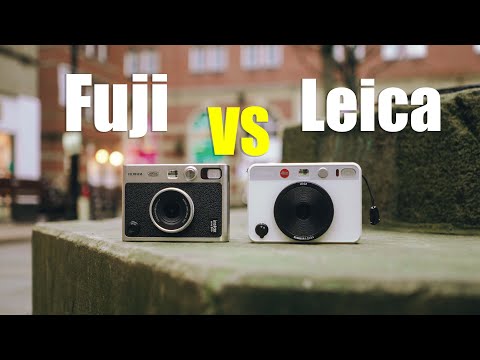
Leica Sofort 2 vs Fujifilm Instax Mini Evo: Detailed Review and Comparison
The Fujifilm Instax Mini Evo offers nearly identical features and image quality to the Leica Sofort 2 at half the price, making it the far better value choice.

FujifIlm Instax Mini Evo: In-depth review, demo, & photoshoot with adorable animals [Instant Review]
The Fujifilm Instax Mini Evo is an entertaining and tactile digital-analog hybrid camera with creative effects and smartphone printing, though its menus are clunky and price is steep.
Questions people ask about the Mini Evo
Is the Instax Mini Evo worth it?
For people who want instant prints with some control, most reviewers say yes. Tom's Guide calls it the instant camera she would buy with her own money, and Esquire rated it the best instant camera they had tried. The case against: Cameralabs and Photography Blog say that if you mainly want good prints of phone photos, a dedicated Instax Mini Link printer makes more sense, and at $234.95 in October 2026 the Evo costs about twice as much as the $116.95 Mini Link 3.
Sources: tomsguide.com, esquire.com, cameralabs.com, photographyblog.com, instaxus.com, instaxus.com
How do I transfer photos from my Instax Mini Evo to my phone?
Over Bluetooth, only printed photos transfer: connect the instax mini Evo app, open the playback menu, choose Printed Image Transfer and pick the image. Anything not printed has to go on a microSD card, copied from internal memory in the playback menu, and then into your phone or computer with a card reader. The USB port only charges.
Sources: instax.com, cameralabs.com, instax.com
Can the Instax Mini Evo zoom?
Only digitally. Pressing up and down on the rear rocker crops into the frame, and Cameralabs notes that image quality drops the further you zoom. The lens itself is a fixed 28 mm equivalent f/2.0, so walking closer usually gives a better print than zooming.
Sources: cameralabs.com, instax.com
How do I check the battery level on the Instax Mini Evo, and how long does it last?
Press the Back button to bring up a status screen with the battery level, Bluetooth status, time and current settings. Fujifilm rates a full charge at about 100 prints, roughly ten packs, but Trusted Reviews drained it after about 25 prints and Cameralabs after a day of digital shooting. A full charge takes about 2 to 3 hours.
Sources: cameralabs.com, instax.com, trustedreviews.com
Why won't my Instax Mini Evo connect to Bluetooth?
Fujifilm's FAQ points to phone permissions first: on an iPhone, allow the app access to Photos and Bluetooth; on Android, allow files and media plus location. If it still fails, delete the pairing on both the phone and the camera and pair again. The camera pairs with only one phone at a time, and firmware 1.09 improved pairing, so update the firmware too.
Sources: instax.com, instax.com
Is Instax Mini film 2x3?
Roughly, but not exactly. The whole sheet is 86 x 54 mm (about 3.4 x 2.1 in.), a little bigger than 2x3 inches, and Creative Bloq calls the prints credit card-sized. The picture inside the white border is smaller, 62 x 46 mm (about 2.4 x 1.8 in.). The Mini Evo uses the same instax mini film as every other Instax Mini camera.
Sources: instaxus.com, creativebloq.com
Does the Instax Mini Evo charge with USB-C?
Newer units do. Fujifilm's spec sheet says early units use Micro USB and that it moved to USB-C starting with production of the brown model, introduced in June 2023. Reviews from 2022 describe the Micro USB version, which Expert Reviews called antiquated. Either port charges only and does not transfer photos.
Sources: instax.com, instax.com, expertreviews.co.uk
Is there an Instax Mini Evo 2?
Yes. Fujifilm's US store lists the Instax Mini Evo 2 at $289.95, with a 4.5-inch touchscreen, USB-C charging and an Immersive Movie feature that records the four seconds before each shot. The original Mini Evo is still on sale at $234.95, and every review summarized on this page is of the original.
Sources: instaxus.com, instaxus.com
What people compare it with
Fujifilm Instax Mini Evo 2
The newer model at $289.95 list: a 4.5-inch touchscreen, USB-C charging and Immersive Movie clips of the four seconds before each shot.
Fujifilm Instax Mini Link 3
If you only want prints of phone photos, this Instax Mini printer lists at $116.95, and Cameralabs calls a phone printer the sensible choice for the best-quality prints.
Fujifilm Instax Mini 99
Fujifilm's premium analog camera at the same $234.95 list price, with brightness and color effect control, for real instant film instead of printed digital files.
Leica Sofort 2
Leica's take on the same idea. Tom's Guide says it has the same specs as the Mini Evo and that you are basically paying an extra $200 for the red Leica badge.
Every source behind this page
Read them yourself. How we pick and count them is in our methodology.
Show all 48 sources
Manuals and references 27
- asset.fujifilm.com: USA INSTAX Camera Warranty Instax.pdf
- instax.com: manual naen type c.pdf
- instax.com: instax mini Evo™
- instax.com: Specifications|instax mini Evo™
- instax.com: FAQ|instax mini Evo™
- instax.com: Firmware|instax mini Evo™
- camerax.com: FUJIFILM INSTAX MINI EVO Hybrid Instant Camera (Black)
- fujifilm.com: Camera Repair
- fujirumors.com: Fujifilm Instax Mini EVO coming for $199 to US and Europe in February
- glazerscamera.com: Fujifilm Instax Mini Evo Instant Camera - Black
- gmcamera.com: Fujifilm Instax Mini EVO Brown Instant Film Camera
- instaxus.com: instax mini Evo 2™ Show how you see the world
- instaxus.com: instax mini Evo™ Hybrid Instant Camera Creative Effects
- instaxus.com: instax™ mini Monochrome Instant Film for Classic Prints
- instaxus.com: instax™ mini Twin Film Pack
- instaxus.com: instax mini Link 3™ Smartphone Printer for Instant Photos
- instaxus.com: instax™ Support
- pictureline.com: Fujifilm INSTAX Mini Evo Hybrid Instant Film Camera
- precision-camera.com: Fujifilm Instax Mini EVO Hybrid Instant Camera
- precision-camera.com: FUJIFILM INSTAX Mini Instant Film - 20 Exposures
- precision-camera.com: FUJIFILM INSTAX Mini Instant Film - 60 Exposures
- techadvisor.com: Instax Mini Evo Review: Strong Hybrid Performer
- uniquephoto.com: Fujifilm Instax Mini Evo Camera Case (Black)
- uniquephoto.com: Fujifilm Instax Mini Evo Hybrid Instant Camera (Brown)
- uniquephoto.com: FUJIFILM instax mini EVO Hybrid Instant Camera (Gentle Rose)
- uniquephoto.com: Fujifilm Instax Mini Evo Hybrid Instant Camera (Black)
- uniquephoto.com: Used Fujifilm Instax Mini Evo Hybrid Instant Camera (Black)
Editorial reviews 13
- Fujilove Magazine: On the Fly
- Photography Blog: Fujifilm Instax Mini Evo Review
- TechRadar: Fujifilm Instax Mini Evo review
- Cameralabs: Fujifilm INSTAX mini EVO review
- Tom's Guide: I used this Fujifilm instant camera instead of my phone on ...
- Popular Photography: Fujifilm Instax Mini Evo Hybrid review
- Cathay Pacific Inspiration: We tested Fujifilm's Instax Mini Evo
- Esquire UK: Instax Mini Evo Review
- Trusted Reviews: Fujifilm Instax Mini Evo Review
- Creative Bloq: Fujifilm Instax Mini Evo review: instant photos, with added class
- Expert Reviews: Fujifilm Instax Mini Evo review: The best Instax instant camera
- Digital Camera World: Fujifilm Instax Mini Evo review: instant film meets digital camera convenience
- Digital Camera World: The best hybrid instant cameras
Video reviews 5
- pal2tech: Fujifilm Instax Mini EVO Review and Setup
- Just Another Chris: Fujifilm Instax Mini EVO In-depth review | The best MINI camera ever??
- Forrest Creates: Fujifilm Instax Mini Evo Review: Is It the Best Instant Camera?
- Sonder Creative: Leica Sofort 2 vs Fujifilm Instax Mini Evo: Detailed Review and Comparison
- In An Instant: FujifIlm Instax Mini Evo: In-depth review, demo, & photoshoot with adorable animals [Instant Review]
Independent blogs 3
Keep reading
Instant cameras
The best instant camera for most people is the Instax Mini 13, $89.95 in October 2026. See 8 picks from reviewer consensus, plus Polaroid film cost per photo.
Instant cameras
Is the Instax Mini 41 worth $116.95? What 114 reviewer and owner opinions say about its exposure, flash and close-ups, plus film cost per photo and fixes.
Instant cameras
We sorted 157 opinions on the Fujifilm Instax Mini 12: what people love, the overexposure and flash complaints, blinking-light fixes and what each print costs.
Instant cameras
Polaroid vs Instax: Instax Mini costs $0.77-0.91 a photo and develops in 90 seconds. Polaroid gives a bigger picture for $2.13-2.37. Here is which to buy.
Instant cameras
Instax Wide prints have about 2.15x the image area of Mini but cost about $1.20 a shot vs $0.91. Compare sizes, cameras, printers and Square at US prices.