Buying guide
Film Emulation Software Compared: 7 Picks for Photos and Video
The short answer
The best film emulation software for photos, going by reviewers, is Dehancer Film for realism and control, or DxO FilmPack 8 as the easiest one-time purchase ($149.99 at DxO, October 2026).
Lightroom users who want one-click profiles can start with RNI All Films 5 ($96 Lite, $192 Pro), and for video, reviewers rate FilmBox Pro highest at $999 perpetual. To try before paying, Dehancer Online edits 3 photos a day free and Osmo is free for video.
- Reviewers' pick for realism
- Dehancer Film, 60+ film profilesdehancer.com
- Easiest one-time buy
- DxO FilmPack 8, $149.99 (Oct 2026)shop.dxo.com
- Lightroom profiles
- RNI All Films 5: $96 Lite, $192 Proreallyniceimages.com
- Top-rated for video
- FilmBox Pro, $999 perpetual, 98 stocksvideovillage.com
- Free to start
- Dehancer Online, 3 photos a daydehancer.com
- Fujifilm simulations
- In camera since 2004, not simple recreations of filmfujifilm-x.com
The best film emulation software in 2026
Camera Dojo has not tested these programs. The picks lean on named reviewers (Fstoppers, Digital Camera World, Cinema Tools, RedShark News and the blogs of Sebastian Schlueter, Chris Wright and Mark G Adams), a DVXuser thread on video plug-ins and each maker's own specs. Owner voices on the photo tools were thin, and Wright discloses ties to both DxO and Dehancer. Prices are from each maker's US-dollar store or the US App Store, checked October 28, 2026.
- 01
Dehancer Film
Realistic film looks with fine control
Sold by subscription or lifetime license; the all-app Studio plan is $49/month billed $588/year, and Dehancer Online is free for 3 photos a day (Oct 2026)
Dehancer models a film chain rather than laying on a filter: 60+ film profiles, Kodak 2383 and Fujifilm 3513 print films, Kodak Endura and Bromportrait paper, plus grain, halation and bloom, inside Photoshop, Lightroom, Capture One and Affinity. Fstoppers called its profiles truly excellent, Schlueter notes they are built from analog darkroom prints, and Chris Wright files it under serious film emulation.
Watch out: Wright says the learning curve is much steeper than FilmPack's, Schlueter found it slow on large batches, and the current Mac plugin needs macOS 15 or newer.
Sources: dehancer.com, dehancer.com, dehancer.com, dehancer.com, dehancer.com, fstoppers.com, sebastian-schlueter.com, chriswright.photography
- 02
DxO FilmPack 8
An easy start with a one-time purchase
$149.99 new, upgrade from FilmPack 7 from $89.99, or $329.99 bundled with PhotoLab 10 (DxO store, Oct 2026)
A perpetual license costs $149.99 and, according to DxO, covers 153 film renderings and works with DxO PhotoLab, Photoshop and Lightroom. Chris Wright calls it basically plug and play next to Dehancer, and Wright notes that a FilmPack 7 license also activates luminosity masking in PhotoLab Elite. DxO offers a 30-day trial with no card required.
Watch out: Wright places it between Instagram filters and serious emulation, and Digital Camera World's review of version 7 disliked the dated interface and found it would not open iPhone ProRAW DNG files.
Sources: shop.dxo.com, dxo.com, dxo.com, chriswright.photography, digitalcameraworld.com
- 03
RNI All Films 5
Lightroom users who want one-click film profiles
$96 Lite, $192 Pro, free demo (RNI store, Oct 2026)
These are profile-based film presets for Lightroom and Adobe Camera Raw that sync to Lightroom mobile on iOS and Android through Creative Cloud. The Pro pack has 180+ presets, from Portra and Ektar to Kodachrome and Aerochrome looks, and RNI says its film-like highlight compression keeps highlights from clipping however far you push them.
Watch out: All sales are final with no seasonal discounts, so start with the free demo, and the Capture One version is a separate product you buy on its own.
Sources: reallyniceimages.com, reallyniceimages.com, reallyniceimages.com
- 04
Mastin Labs Fuji Original
Portrait and wedding shooters who want consistent Fuji 400H-style color
$69 on sale (regular $99) for Lightroom desktop; mobile profiles $21 a pack on sale, regular $30 (Oct 2026)
Mastin Labs says it builds this Lightroom pack from real scans of Fujicolor 160NS, 400H, 400H Blue and 800Z film, not filters, and the pack includes two grain settings (35mm and medium-format). It applies a look in one click across a whole gallery, and Mastin Labs pitches it at outdoor family sessions, engagements and weddings.
Watch out: It requires an Adobe Creative Cloud account, and most of what is published about it comes from Mastin Labs itself rather than independent reviews.
Sources: mastinlabs.com, mastinlabs.com
- 05
VSCO
Film looks on your phone
Plus $39.99/year or $9.99/month; Pro $69.99/year or $14.99/month (US App Store, Oct 2026)
VSCO's photo editor carries a library of 200+ presets, including film-inspired looks, and edits on the phone with no computer involved. If you would rather not subscribe, the RNI Films iPhone app is free with free filters, and Dehancer's iPhone and iPad app has 86 film presets with raw support in beta.
Watch out: The complete preset library needs a paid membership.
Sources: apps.apple.com, mobile.reallyniceimages.com, apps.apple.com
- 06
Fujifilm film simulations
Fujifilm shooters who want a film-inspired look with nothing extra to buy
Included in the camera
Fujifilm has built film simulations into its cameras since 2004. You can also apply them after shooting: Fujifilm X RAW Studio processes your raw files on the camera's own processor over USB, giving the same results as in camera, and Capture One applies Fujifilm film simulations on desktop and mobile.
Watch out: Fujifilm says its simulations are not simple recreations of analog film, and Mark G Adams finds film-named recipes rarely look like the actual film.
Sources: fujifilm-x.com, fujifilm-x.com, captureone.com, onecameraonelens.com
- 07
FilmBox Pro (video)
Video, when realism matters more than price
$999 perpetual or from $129 every 3 months, 14-day free trial (Video Village, Oct 2026)
Video Village's plug-in runs in DaVinci Resolve, Baselight, Premiere Pro, After Effects and Final Cut Pro, and covers 98 film stocks across seven photochemical systems. Cinema Tools rated its film emulation and halation the best on the market, and two posters in a DVXuser thread ranked it above the other plug-ins.
Watch out: Cinema Tools names price as its main downside, and a DVXuser poster notes it is about $1,000 and rarely on sale; FilmBox Looks ($199 perpetual) is the cheaper version.
Sources: videovillage.com, cinematools.co, dvxuser.com
Film emulation software compared: apps, prices and trials
Photo tools split into full emulators (Dehancer), one-time packages (DxO FilmPack 8) and Lightroom profile packs (RNI, Mastin Labs). Video tools are a separate market, where reviewers rate FilmBox highest.
| Software | Works in | Price | License | Free way to try |
|---|---|---|---|---|
| Dehancer Film | Photoshop, Lightroom, Capture One, Affinity (beta); Desktop app; iPhone and iPad | Studio plan $49/month, billed $588/year (all apps) | Subscription or lifetime | Dehancer Online, 3 photos a day |
| DxO FilmPack 8 | DxO PhotoLab, Photoshop, Lightroom | $149.99 | One-time | 30-day trial |
| RNI All Films 5 | Lightroom and Camera Raw, Lightroom mobile; Capture One version sold separately | $96 Lite, $192 Pro | One-time | Free demo pack |
| Mastin Labs Fuji Original | Lightroom (Creative Cloud required) | $69 on sale, $99 regular | One-time | Not checked |
| VSCO | Phone app | $39.99/year Plus, $69.99/year Pro | Subscription | Free app, full library needs membership |
| Exposure X7 | Standalone, Photoshop and Lightroom plug-in | Shown only at checkout | No subscription | Not checked |
| Fujifilm film simulations | In camera, X RAW Studio, Capture One | Included in the camera | Not applicable | Not applicable |
| FilmBox Pro (video) | Resolve, Baselight, Premiere Pro, After Effects, Final Cut Pro | $999 perpetual or from $129 every 3 months | Either | 14-day trial |
| FilmConvert Nitrate (video) | Video plug-in | From $119 | One-time, 3 activation seats | Free trial |
| Osmo (video) | Browser; Resolve, Premiere Pro, Final Cut Pro | Free | Free | No sign-up |
A 2024 Fstoppers review quoted $199 for a Dehancer Film lifetime license, but Dehancer's pricing page now leads with plans, and the individual photo plan and lifetime prices were not shown in the page text when checked on October 28, 2026.
Sources: dehancer.com, dehancer.com, dehancer.com, shop.dxo.com, dxo.com, reallyniceimages.com, reallyniceimages.com, mastinlabs.com, apps.apple.com, exposure.software, fujifilm-x.com, captureone.com, videovillage.com, filmconvert.com, osmo.inc, fstoppers.com
How to choose film emulation software
- 1
Start with the app you edit in
Your host app narrows the list fast, so check the Works in column above. Mastin Labs needs Adobe Creative Cloud and RNI's Capture One version is sold separately. On a phone, VSCO, RNI Films and Dehancer's iPhone app run on their own, and RNI and Mastin Labs profiles also reach Lightroom mobile.
- 2
Decide between an emulator and one-click profiles
Emulators like Dehancer simulate the film, the print, grain and halation, and take longer to learn. Profile packs like RNI and Mastin Labs apply a look in one click, which suits a big shoot, where Schlueter found Dehancer slow.
- 3
Pick a license you can live with
You can pay once for DxO FilmPack 8, RNI All Films 5, FilmConvert Nitrate or a perpetual FilmBox license. VSCO's full library is subscription only, and Dehancer offers plans as well as a lifetime license.
- 4
Try it on your own photos first
Use the free tryouts in the table above, and judge the results on your own raw files, not the maker's sample images. RNI's sales are final, so use its demo pack first.
- 5
Follow the maker's order of edits
RNI recommends getting white balance and exposure right in camera and hitting Reset before applying a preset. Mastin Labs' workflow runs the other way: apply the preset, then adjust exposure and white balance. RNI designs its presets for raw files, though properly exposed JPEGs also work.
- 6
Add grain and halation last, and lightly
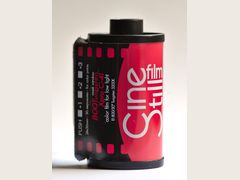
Halation, the glow around bright lights that CineStill 800T is known for, is easy to overdo, Sebastian Schlueter warns. Used sparingly and in the right scenes, he says, it makes the image more believable.
- 7
Check against real film scans
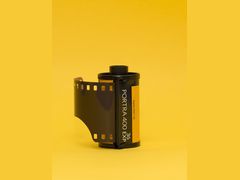
Put your edit next to real scans of the stock you are copying, for example Kodak Portra 400. A film name on a preset is no guarantee: Mark G Adams finds film-named Fujifilm recipes rarely look like the actual stock.
Sources: dehancer.com, dxo.com, reallyniceimages.com, mastinlabs.com, chriswright.photography, shop.dxo.com, reallyniceimages.com, filmconvert.com, videovillage.com, reallyniceimages.com, dehancer.com, sebastian-schlueter.com, onecameraonelens.com
Dehancer vs DxO FilmPack: which should you buy?
| Dehancer Film | DxO FilmPack 8 | |
|---|---|---|
| Price (Oct 2026) | Subscription or lifetime; Studio plan $49/month billed $588/year covers every Dehancer app | $149.99 one-time; upgrade from FilmPack 7 from $89.99 |
| Film library | 60+ film profiles, plus Kodak 2383 and Fujifilm 3513 print films | 153 film renderings, per DxO |
| Works in | Photoshop, Lightroom, Capture One, Affinity (beta) | DxO PhotoLab, Photoshop, Lightroom |
| Learning curve | Much steeper (Chris Wright) | Basically plug and play (Chris Wright) |
| Raw files | Plugin had no raw support in 2024 (Schlueter); Dehancer Desktop now has a raw converter | Version 7 did not open iPhone ProRAW DNGs (Digital Camera World) |
| Extras | iPhone and iPad app; print film and photo paper emulation | License activates luminosity masking in PhotoLab Elite (FilmPack 7, per Chris Wright) |
Pick the Dehancer Film if
- You want serious film emulation and will spend time learning the controls
- You edit in Capture One or Affinity as well as Adobe apps
- You want the same looks on your iPhone or iPad
Pick the DxO FilmPack 8 if
- You want to pay once and own it
- You already edit in DxO PhotoLab
- You want quick, plug-and-play film looks more than deep emulation
Sources: dehancer.com, dehancer.com, dehancer.com, dehancer.com, dehancer.com, shop.dxo.com, dxo.com, dxo.com, chriswright.photography, sebastian-schlueter.com, digitalcameraworld.com
Film emulation vs film simulation: what's the difference?
Film emulation means editing digital photos so they look as if they were shot on photographic film, and in the strict sense it copies a specific real stock. Wikipedia draws the line there: emulation presupposes a real film whose traits are being copied, while simulation gives a general film-like look.
Wikipedia's examples of simulation are Fujifilm's in-camera Classic Chrome and Nostalgic Negative modes. Fujifilm itself says its film simulations, introduced in 2004, are not simple recreations of analog film. A recipe named after a stock can look good and still miss the real film, Mark G Adams says as a Fujifilm shooter.
Dehancer (60+ film profiles) and FilmBox (98 film stocks) are built to match named film. If you only want a film-inspired look, an in-camera simulation or a preset pack may be enough.
Sources: en.wikipedia.org, fujifilm-x.com, onecameraonelens.com
What does film emulation software actually change?
A full emulator changes more than color. Dehancer's photo plugin combines film profiles with print film and photo paper emulation (Kodak 2383, Fujifilm 3513, Kodak Endura), grain, halation and bloom. RNI says All Films 5 compresses highlights the way film does, so they never clip.
A plain LUT only shifts color and contrast. Cinema Tools points out that LUTs add no grain or halation, which is why DaVinci Resolve's free film LUTs are a starting point rather than a finished look.
Adding film traits is easier than removing them. Wikipedia cites cinematographer Steve Yedlin, who found it easier to add halation and grain to digital footage than to take them out of film. Still deciding between software and the real thing? See film vs digital. Chasing early-2000s digital instead of film is a different recipe: the Y2K digicam look.
Sources: dehancer.com, reallyniceimages.com, cinematools.co, en.wikipedia.org
Is there free film emulation software?
Yes. Some are free tiers of paid tools and some are free outright. For photos, Dehancer Online runs in the browser and edits up to 3 photos a day for free, taking JPEG, HEIC, TIFF and DNG files. RNI offers a free All Films 5 demo pack for Lightroom, and its RNI Films iPhone app is free with free filters included.
Raw editors can add film character without a plug-in. darktable, an open source editor, has a grain module that simulates film grain scaled to an ISO number, and Filmulator simulates film development on your raw files as if the film had seen the same light as the sensor. If you mostly want Lightroom looks, start with our free Lightroom film presets.
For video, Osmo is free in the browser and as plug-ins for Resolve, Premiere Pro and Final Cut Pro, with 126 stocks and looks, real grain and halation, no watermark and no sign-up. DaVinci Resolve's built-in film LUTs are free too, but Cinema Tools notes they are made for film scans and need a Cineon log conversion first.
Sources: dehancer.com, reallyniceimages.com, mobile.reallyniceimages.com, docs.darktable.org, darktable.org, filmulator.org, osmo.inc, cinematools.co
Best film emulation software for video
Reviewers and owners rank FilmBox first. Cinema Tools ran the main plug-ins on the same footage and rated FilmBox's film emulation and halation the best on the market, and a DVXuser poster called it far and away the best if you want to come close to truly making footage look like film. FilmBox Pro is $999 perpetual or from $129 every 3 months; the simpler FilmBox Looks is $199 perpetual.
Dehancer also covers video. Cinema Tools calls it very powerful, with excellent grain emulation and plenty of customization, but adds that not all its profiles are usable unless you want a heavily stylized look. One DVXuser poster loved its Fujifilm print film but found the stock emulations came across as a simple LUT pack.
FilmConvert Nitrate is a one-time buy from $119, with three activation seats and no subscription. Opinions on its grain split: a DVXuser poster says it has the best grain, while Cinema Tools says the grain module now looks too digital and that its profiles have not been updated in years.
On a budget, Osmo is free. RedShark noted that DaVinci Resolve Studio 19 ships its own film-look plug-in, which is not tied to a specific stock. Resolve Studio (now version 21) costs $236 from Blackmagic Design in October 2026. If you would rather shoot the real thing, motion picture film like Kodak Vision3 250D is also sold for still cameras.
Sources: cinematools.co, dvxuser.com, videovillage.com, dehancer.com, filmconvert.com, osmo.inc, redsharknews.com, blackmagicdesign.com
Film emulation software prices (October 2026)
| Seller | Item | Price | Note |
|---|---|---|---|
| DxO store | DxO FilmPack 8, new license | $149.99 | Upgrade from FilmPack 7 from $89.99 |
| DxO store | DxO PhotoLab 10 + FilmPack 8 bundle | $329.99 | Regular $399.98 |
| Really Nice Images | RNI All Films 5 Pro (Lightroom/ACR) | $192 | All sales final |
| Really Nice Images | RNI All Films 5 Lite | $96 | |
| Mastin Labs | Fuji Original Lightroom desktop presets | $69 | Sale; regular $99 |
| Mastin Labs | Lightroom mobile profiles, per pack | $21 | Sale; regular $30 |
| Dehancer | Studio plan, 1 seat, all Dehancer apps | $49/month | Billed $588/year |
| US App Store | Dehancer iOS, unlimited photo export | $4.99/month | Or $49.99/year |
| US App Store | VSCO Plus membership | $39.99/year | Or $9.99/month |
| US App Store | VSCO Pro membership | $69.99/year | Or $14.99/month |
| Video Village | FilmBox Pro (video) | $999 | Perpetual; or from $129 every 3 months; 14-day trial |
| Video Village | FilmBox Looks (video) | $199 | Perpetual; or from $29 every 3 months |
| FilmConvert | FilmConvert Nitrate (video) | From $119 | One-time; FilmConvert Pro owners upgrade for $29 |
| Blackmagic Design | DaVinci Resolve Studio | $236 | Free DaVinci Resolve also offered |
Prices checked October 28, 2026. They change often.
Questions people ask
Is Dehancer worth the money?
Most of the reviewers we found think so if realism matters to you. Fstoppers found it pricier than preset libraries but called the profiles truly excellent, and Chris Wright files it under serious film emulation. The trade-offs are a steeper learning curve and slow work on big batches. Try it free first in Dehancer Online, which edits 3 photos a day.
Sources: fstoppers.com, chriswright.photography, sebastian-schlueter.com, dehancer.com
Is there a free version of FilmBox?
No. Video Village offers a 14-day free trial of FilmBox Pro and FilmBox Looks, and the cheaper Looks version is $199 perpetual or from $29 every 3 months. For a free alternative, Osmo's film emulation runs in the browser and in Resolve, Premiere Pro and Final Cut Pro with no watermark.
Sources: videovillage.com, osmo.inc
How much does FilmBox Pro cost?
FilmBox Pro is $999 for a perpetual license or from $129 every 3 months, according to Video Village in October 2026. Cinema Tools quoted $995 in early 2024 and a DVXuser poster about $1,000 in late 2023, so the price has barely moved.
Sources: videovillage.com, dvxuser.com, cinematools.co
Is Dehancer just a LUT?
No. A LUT is one fixed color transform, while Dehancer adds adjustable film profiles, print film and paper emulation, grain, halation and bloom. Sebastian Schlueter notes that, unlike Lightroom presets or LUTs, its profiles are based on analog darkroom prints. Not everyone is convinced: one DVXuser poster found its stock emulations came across as a simple LUT pack.
Sources: dehancer.com, sebastian-schlueter.com, dvxuser.com
Does film emulation software work on iPhone photos?
Some does. Dehancer Online accepts HEIC and DNG files, and Dehancer's iPhone and iPad app has 86 film presets with raw support in beta. VSCO and the free RNI Films app work on the phone itself. Digital Camera World found DxO FilmPack 7 would not open iPhone ProRAW DNG files, so check before buying a desktop tool for phone raws.
Sources: dehancer.com, apps.apple.com, apps.apple.com, mobile.reallyniceimages.com, digitalcameraworld.com
Do film presets work on JPEGs?
Often, yes. RNI says its film presets are designed with a raw workflow in mind but also perform very well on properly exposed JPEGs from modern cameras. Dehancer Online also takes JPEG and HEIC files.
Sources: reallyniceimages.com, dehancer.com
Is Negative Lab Pro film emulation software?
No. [Negative Lab Pro](/developing/negative-lab-pro-guide/) converts scans of real color negatives inside Lightroom Classic. Film emulation software does the opposite job: it makes digital photos look like film. If you shoot film and scan it yourself, you want a converter, not an emulator.
Sources: negativelabpro.com
Is DxO FilmPack a one-time purchase?
Yes. FilmPack 8 is a perpetual license at $149.99 new on DxO's US store, or from $89.99 to upgrade from FilmPack 7 (October 2026). DxO offers a 30-day free trial with no card required.
Sources: shop.dxo.com, dxo.com
Sources
Every fact on this page comes from one of these. How we choose and check sources is in our methodology.
Show all 38 sources
official 28
- Dehancer: home
- Dehancer: plugin for Photoshop, Lightroom, Capture One and Affinity
- Dehancer: Film look for your digital photos
- Dehancer: Desktop
- Dehancer: Online
- Dehancer: Plans and pricing
- App Store: Dehancer Film Emulation
- DxO: FilmPack 8
- DxO: FilmPack 8 features
- Really Nice Images: Store
- Really Nice Images: All Films 5 Pro for Lightroom
- Really Nice Images: FAQ
- Really Nice Images: RNI Films for iPhone
- Mastin Labs: Fuji Original Lightroom presets
- Mastin Labs: All products
- App Store: VSCO Photo and Video Editor
- Exposure Software: Exposure X7
- Fujifilm: Film Simulation
- Fujifilm: X RAW Studio
- Capture One: Fujifilm
- Video Village: FilmBox
- FilmConvert: Nitrate
- Osmo: free film emulation
- Blackmagic Design: DaVinci Resolve
- Negative Lab Pro
- Filmulator
- darktable: home
- darktable user manual: grain
Editorial reviews 4
Independent blogs 3
retailer 1
Forums 1
Manuals and references 1
Keep reading
Techniques and editing
Free Lightroom film presets from RNI, Gridfiti, Luke Taylor, PresetPro and more: what each one emulates, its license terms, and how to install it on any device.
Developing and scanning
How to use Negative Lab Pro: gear and prices ($99 plus Lightroom Classic), scan settings, the convert and edit steps, roll analysis and fixes for blue casts.
Techniques and editing
Film vs digital photography: film costs about $29.94 a roll to shoot and scan, digital almost nothing per frame. Detail, low light, look and which to pick.
Film stocks
Kodak Portra 400 is an ISO 400 color film loved for skin tones and latitude. What 113 opinions say, how to expose and push it, and US prices from $15.99.
Film stocks
CineStill 800T is an ISO 800 tungsten film made for night and neon. What 112 opinions say, how to shoot it in daylight, push it, and US prices from $17.00.
Digicams
Get the Y2K digicam look: force the flash on, zoom out and stand 3 to 10 ft away in a dim room. Cameras, prices, settings and fixes for dark or blown-out shots.