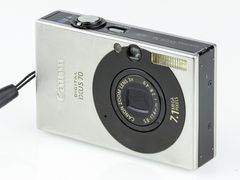
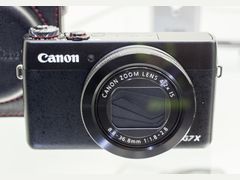
Canon PowerShot G7 X Mark III: is the viral compact worth it?
The short answer
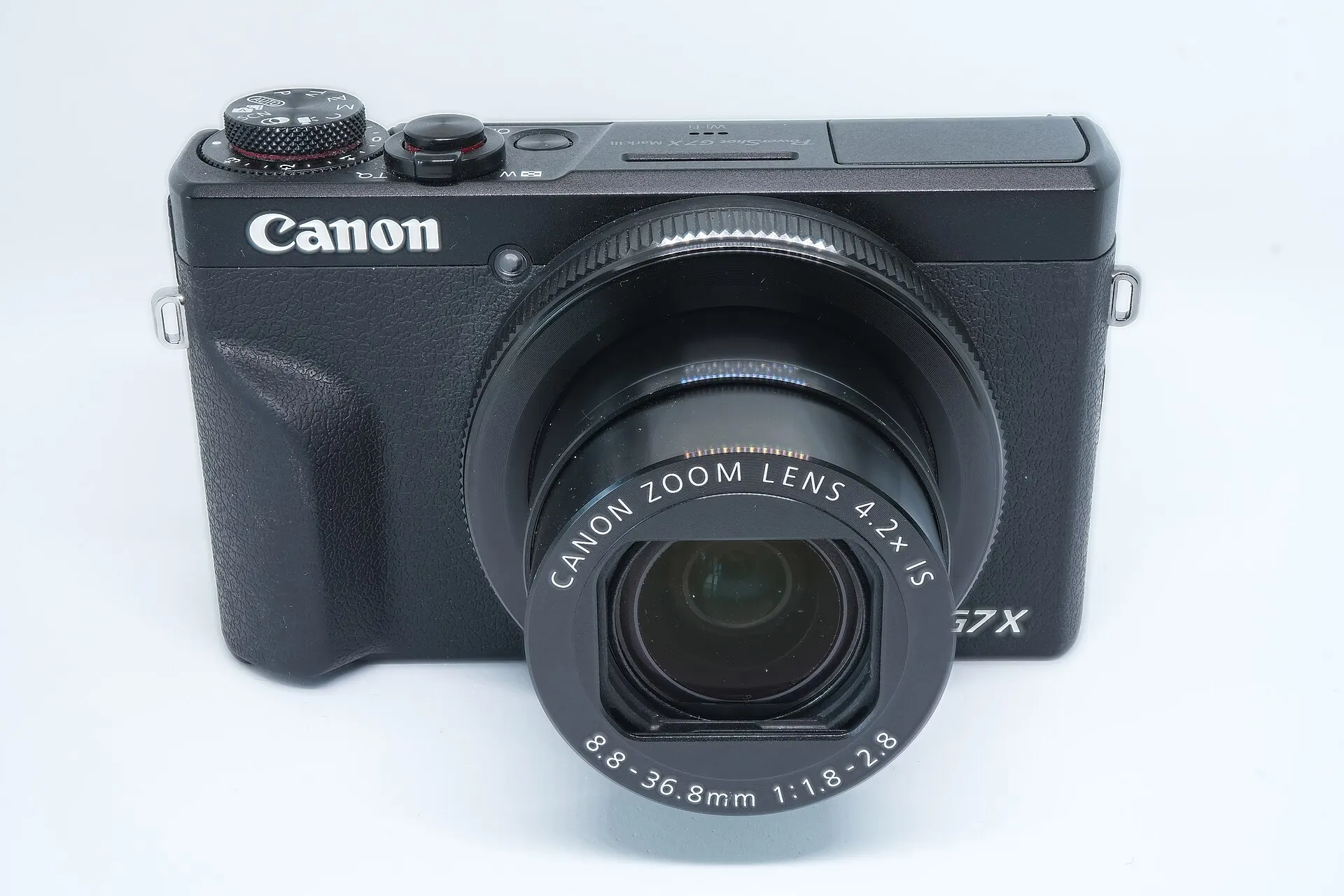
The Canon PowerShot G7 X Mark III is a 2019 pocket camera with a 1-inch, 20.1 MP stacked sensor, a bright 24-100mm f/1.8-2.8 lens and 4K video without crop, and reviewers rate its photos highly for a camera this small.
It launched at $749.99, but after going viral it got hard to find: Digital Camera World reported used copies selling for more than $1,500 at KEH, MPB and Adorama in August 2026.
- Sensor
- 1-inch, 20.1 MP stacked CMOS
- Lens
- 24-100mm, f/1.8-2.8
- Video
- 4K without crop, mic jack
- Launch price
- $749.99 (August 2019)
Built from 74 opinions from 14 pages and videos. Not yet tested by Camera Dojo. Updated .
The short version
The praise repeats across reviews: detailed images with good dynamic range and likable Canon color, a flash that The Verge says lights skin better than a phone's, a touchscreen that flips up for selfies and vlogs, bursts of up to 20 fps, and a body that slips into a coat pocket. For video it brought 4K in place of the Mark II's 1080p, plus a 3.5mm microphone jack and YouTube live streaming.
The complaints are just as consistent: contrast-detect autofocus that hunts in video and low light, no viewfinder, a battery rated at 235 to 265 shots, and 4K clips capped at 9 minutes 59 seconds, with 2019 buyers reporting overheating. Lens and Shutter's advice for today's market: buy it for the pocket size and the bright zoom, at a fair price, not at a panic price.
Good fit if
- You want a 1-inch sensor and a bright 24-100mm f/1.8-2.8 zoom in a camera that fits a coat pocket
- You like the direct-flash look: its xenon flash is stronger than a phone's LED, according to Digital Camera World
- You film sit-down videos or short clips and want 4K without crop, a mic jack and a screen that flips up 180 degrees
- You prefer Canon's simple menus and JPEG color to editing every file
- You shoot mostly in good light, where reviewers found autofocus quick and bursts reach 20 fps
Think twice if
- You need autofocus that tracks moving subjects or walking vlogs: it is contrast-detect only, with no eye detection
- You compose in bright sun: there is no viewfinder and no way to add one
- You film long takes: 4K clips stop at 9 minutes 59 seconds, and 2019 buyers report 4K overheating
- You want a bargain: used copies sold for more than $1,500 in August 2026, about twice the $749.99 launch price, and the G7 X Mark II, with the same lens, still asked $953 to $1,262.89 used on November 2, 2026
- You need long battery life: ratings run 235 to 265 shots per charge
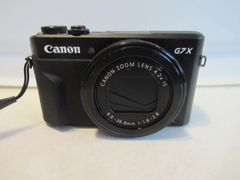
Canon G7 X family: original, Mark II and Mark III
All three share a 1-inch, 20-megapixel class sensor and a 4.2x f/1.8-2.8 zoom, and none has a viewfinder. The differences are speed, video and price.
| Model | Year | Sensor | Why look for it |
|---|---|---|---|
| PowerShot G7 X | 2014 | 20.2 MP 1-inch back-illuminated CMOS, DIGIC 6 | The original, on sale October 15, 2014 at $699.99. Same 4.2x f/1.8-2.8 lens, with 1080p video and a touchscreen that tilts up 180 degrees. See the original G7 X page. |
| PowerShot G7 X Mark II | 2016 | 20.1 MP 1-inch back-illuminated CMOS, DIGIC 7 | Same 24-100mm f/1.8-2.8 lens, US on sale May 2016 at an estimated $699.99. Video tops out at 1080p with no microphone jack, and Imaging Resource rated its battery at 265 shots. Used ones asked $953 to $1,262.89 on November 2, 2026. See the G7 X Mark II page. |
| PowerShot G7 X Mark III | 2019 | 20.1 MP 1-inch stacked CMOS, DIGIC 8 | This camera: 4K without crop, a 3.5mm mic jack, vertical video, YouTube live streaming and bursts up to 20 fps. On sale in early August 2019 at $749.99, in black or silver. |
| G7 X Mark III 30th anniversary edition | 2026 | Same as the Mark III | A Graphite version with special packaging and a strap stamped with the 30th anniversary logo. Canon Asia lists it as limited quantity, in select regions only. |
Sources: photographyblog.com, imaging-resource.com, photographyblog.com, photographyblog.com, imaging-resource.com, imaging-resource.com, imaging-resource.com, photographyblog.com, asia.canon, kamerastore.com, ebay.com
What owners and reviewers say, topic by topic
We sorted 74 opinions about the G7 X Mark III from 14 pages and videos on 14 websites and channels. Each row shows how many people raised a topic and how many of them were positive. Open a row to read short quotes, each linked to its source.
Most opinions come from editorial reviews written on review units, largely from the 2019 launch. Owner voices are thin: six 2019 CDW buyer reviews, mostly unhappy with autofocus and overheating, and one EOSHD forum poster. Reddit, DPReview forums and the B&H, Adorama and Best Buy reviews could not be read, so reliability reports show what can go wrong, not how often.
Ease of use42% positiveof 12
Menus are simple, and lab tests found fast autofocus and low shutter lag in good light. The complaints are the thin, cramped rear wheel, a shallow grip on long days, and owners and one reviewer who found focus or shutter response slow.
“The autofocus is extremely slow”
AndrewDN, CDW customer review 2019-09Owner
“The Canon menu system is simple to understand and fairly intuitive.”
Greg Cromie, Shotkit 2020-09Hands-on review
“focusing is still generally very good. It's speedy enough in good light”
TechRadar 2019-08Hands-on review
“the speed of focusing and zooming isn't exactly lightning-fast”
Jan Rybář, Photo Bohemian 2026-04Hands-on review
Video30% positiveof 10
Video draws the most complaints: contrast-detect autofocus that hunts, wobbly walking footage, a 9 minute 59 second cap in 4K and, per Trusted Reviews, 4K only in the dedicated movie mode. On the plus side, 4K is uncropped, there is a mic input and reviewers call the footage decent.
“Nice colors and picture but when you shooting the video - autofocus just slow.”
Serg, CDW customer review 2019-08Owner
“the video autofocus performance of the Canon G7X Mark III is a little lackluster”
Greg Cromie, Shotkit 2020-09Hands-on review
“And the video is very decent too.”
Jan Rybář, Photo Bohemian 2026-04Hands-on review
“Continuous video recording is limited to 9 minutes, 59 seconds for 4K, 7:29 for Full HD at 120fps”
Jaron Schneider, Imaging Resource 2019-07Hands-on review
Screen and viewfinder44% positiveof 9
The touchscreen flips up 180 degrees and suits selfies and vlogging. The missing viewfinder is the most repeated complaint, and reviewers split on bright light: TechRadar says the screen holds up, while Skylum and Photo Bohemian found it hard to see in direct sun.
“It washes out in direct sunlight, so you have to max out the brightness outdoors.”
Skylum Blog 2026-05
“For seasoned photographers, the G7X Mark III’s lack of an electronic viewfinder may also be a deal breaker.”
Wilson Wong, Techgoondu 2019-10Hands-on review
“it tilts to face all the way forward, meaning you can easily compose your musings as you record video.”
Amy Davies, Trusted Reviews 2019-07Hands-on review
“As for the screen, it tilts up 180 degrees making it perfect for selfie-style stills and especially vlogging”
Greg Cromie, Shotkit 2020-09Hands-on review
Image look86% positiveof 7
Reviewers agree the images look detailed, with good dynamic range and likable Canon color, and one prefers them to over-processed phone shots. The one reservation comes from TechRadar: it overexposes easily and the lens is soft at the edges.
“these are not over-sharpened and over-processed photos from mobile phones.”
Jan Rybář, Photo Bohemian 2026-04Hands-on review
“the images from the PowerShot G7X Mark III look very good, with a nice level of detail.”
Angela Nicholson, Digital Camera World 2019-08Hands-on review
“Images display a good degree of dynamic range, with plenty of detail in most shooting conditions.”
Amy Davies, Trusted Reviews 2019-07Hands-on review
“The camera can be easily led to overexposure, however, and some softness can be seen at the edges of the lens too”
TechRadar 2019-08Hands-on review
Low light and flash57% positiveof 7
Files stay clean to about ISO 1600 and show noise at ISO 3200, so several reviewers treat ISO 800 to 1600 as the practical ceiling and suggest a tripod at night. The flash gets praise for its reach, quick recycling and softer light on skin than a phone's.
“It recorded noise-free images at ISO 125-1600, with some noise at ISO 3200.”
Photography Blog 2019-07Hands-on review
“can illuminate a subject that’s farther away with a more diffuse light that gives skin a nice glow.”
Allison Johnson, The Verge 2025-04
“Digital noise appears around ISO 1600 and intensifies at ISO 3200.”
Skylum Blog 2026-05
“the Canon camera can still take good night shots. You just need time to set up the camera on a tripod”
Wilson Wong, Techgoondu 2019-10Hands-on review
Batteries and charging33% positiveof 6
Most sources say to carry a spare NB-13L, and the ratings differ between 235 and 265 shots per charge. USB-C charging is handy on the go, but Techgoondu could not charge from its own power banks.
“For travel, I would treat a spare NB-13L battery as mandatory, not optional.”
Andrew, Lens and Shutter 2026-06
“I could not charge the battery with the port using my regular power bank or chargers.”
Wilson Wong, Techgoondu 2019-10Hands-on review
“Battery life is exactly the same as the G7 X II at around 265 shots from a full charge, which is impressive”
Photography Blog 2019-07Hands-on review
“A spare battery solves this for most shooters on longer days.”
Skylum Blog 2026-05
Size and weight83% positiveof 6
Nearly everyone praises the size, since the lens retracts fully and there is no viewfinder bump. Photography Blog adds that it just about fits a trouser pocket but is happier in a coat pocket or small bag.
“it was always a lot smaller than a Fuji X100 and has a zoom.”
Andrew - EOSHD, EOSHD Forum 2025-04Owner
“this camera simply fits in a pocket, which for me personally is a massive plus.”
Jan Rybář, Photo Bohemian 2026-04Hands-on review
“with its fully retracting lens and no viewfinder housing to get in the way, it's very pocketable.”
Angela Nicholson, Digital Camera World 2019-08Hands-on review
“will just about fit into a trouser or shirt pocket, but is more at home in a deep coat pocket or small camera bag.”
Photography Blog 2019-07Hands-on review
Memory cards and transfer60% positiveof 5
Phone transfer works well once paired, and the Camera Connect app can control the camera. The single UHS-I slot keeps up with bursts and 4K, but live streaming and direct uploads take real setup.
“The write speed is enough for continuous shooting and working with 4K without buffer delays.”
Skylum Blog 2026-05
“Buffer clearing was reasonably quick considering the buffer depths with our fast Sony SF-G SDXC card”
Jaron Schneider, Imaging Resource 2019-07Hands-on review
“once you have completed the setup process, from there on, it's as simple as hitting the connectivity button on the side of the camera.”
Greg Cromie, Shotkit 2020-09Hands-on review
“Downloading photos to the smartphone is easy enough. However, live streaming and uploading images directly from the camera requires some serious setup work”
Wilson Wong, Techgoondu 2019-10Hands-on review
Price and value0% positiveof 5
No source calls it a bargain. Launch reviewers flagged the price, The Verge found used copies above $1,000 in April 2025, and in 2026 Lens and Shutter advised against paying a panic price.
“Should give people pause for thought spending a grand on a compact!”
Andrew - EOSHD, EOSHD Forum 2025-04Owner
“if you can manage to find a used one, you can still expect to pay over $1,000 for it.”
Allison Johnson, The Verge 2025-04
“It is not worth buying at a panic price just because social media made it trendy again.”
Andrew, Lens and Shutter 2026-06
“The only downsides are the lack of a viewfinder (but maybe you don't need one?) and the price.”
Angela Nicholson, Digital Camera World 2019-08Hands-on review
Build quality75% positiveof 4
Reviewers call the all-metal body solid and well made, even though many controls are plastic. The one negative is the lack of weather sealing for beach, rain and dust.
“There is no weather sealing. That matters less for city trips and everyday shooting, but it matters a lot around beaches, rain, dust”
Andrew, Lens and Shutter 2026-06
“It has an all-metal body that feels solid in use”
Photography Blog 2019-07Hands-on review
“it's actually quite a robust and well-built camera.”
Greg Cromie, Shotkit 2020-09Hands-on review
“While most of the physical controls appear to be made from polycarbonate rather than metal, build quality and attention to detail overall are high.”
TechRadar 2019-08Hands-on review
Reliability today0% positiveof 3
Reports are few and all about heat: 2019 CDW buyers reported overheating in 4K, one in a house kept at 75F, while Shotkit's reviewer saw none. Canon also published a fix for a false overheat warning on some units.
“Twice it overheated on 4k, on a house the AC was set at 75F”
RicardoC, CDW customer review 2019-08Owner
“One of the performance issues that users have been reporting is that the camera tends to overheat. Personally, I didn't experience any such issues”
Greg Cromie, Shotkit 2020-09Hands-on review
“The overheating when shooting 4k video sucks, but with the little time you get with it. You can get great video results”
Misael, CDW customer review 2019-09Owner
PositiveMixedNegative
Why is the Canon G7 X Mark III so expensive and hard to find?
The G7 X Mark III went on sale in August 2019 at $749.99. About five years later, influencers discovered what its 1-inch sensor and zoom lens could do, Digital Camera World reports, and the camera sold out. The Verge spent two weeks in April 2025 trying to buy one at its $799 retail price, failed, and wrote that a used one would still cost over $1,000.
Much of the appeal is the flash. Where a phone fires an LED, the G7 X Mark III has a xenon flash that is stronger and gives the retro direct-flash look, according to Digital Camera World, and The Verge says the creator settings guides it watched keep the flash on day or night. If that look is the goal, our guide to getting the Y2K digicam look covers the direct-flash style.
Supply has not caught up. Canon raised compact camera production several times and said production would increase again in the second half of 2026, Digital Camera World reported in August 2026, when the list price was $879 and used copies sold for more than $1,500 at KEH, MPB and Adorama. CDW's listing says the camera was discontinued on June 9, 2026, and Canon Asia lists a limited Graphite 30th anniversary edition for select regions.
Sources disagree on the current US list price: $799 according to The Verge in April 2025, $879 according to Digital Camera World in August 2026.
Sources: imaging-resource.com, digitalcameraworld.com, theverge.com, cdwg.com, asia.canon
Is the Canon G7 X Mark III good for vlogging?
For sit-down clips and short creator videos, mostly yes. The 3-inch touchscreen flips up 180 degrees to face you, there is a 3.5mm microphone jack, 4K is recorded without a crop, so framing matches Full HD, and the camera can record vertical video. Photography Blog notes that 4K replaced the Mark II's 1080p.
The limits show up when you move. Autofocus is contrast-detect only, with no phase detection or eye detection. 2019 CDW buyers complained that video autofocus was slow or kept hunting, one returned the camera, and Lens and Shutter says walking footage can wobble. Canon's firmware 1.1.0 added a quicker Movie Servo AF mode, and Shotkit says a late-2019 update with new focus modes much improved subject acquisition and face tracking, so update before you judge it.
Clip length is capped at 9 minutes 59 seconds in 4K, 7 minutes 29 seconds at 1080p 120 fps and 29 minutes 59 seconds in other modes, according to Imaging Resource. The 120 fps slow-motion mode records without autofocus, stabilization or sound. There is no hot shoe or cold shoe for mounting a microphone, and no headphone jack.
YouTube live works after you register the camera on Canon's image.canon service, and YouTube requires 50 channel subscribers to stream from a mobile device. Live streams are horizontal only. If the camera shows error code 126 when you start a stream, install firmware 1.3.2 or later.
If you need long 4K takes or dependable walking-vlog autofocus, see our list of Canon G7X alternatives.
Sources: photographyblog.com, digitalcameraworld.com, imaging-resource.com, imaging-resource.com, trustedreviews.com, cdwg.com, lensandshutter.com, shotkit.com, id.canon, asia.canon, id.canon
Best settings for the Canon G7 X Mark III
These come from the launch reviews, Canon's support pages and the creator guides The Verge rounded up. They target the common complaints: blown highlights, missed focus and noisy night shots.
- 1
Pop up the flash for the look
The flash stays down until you release it with the switch on the side. On auto ISO it reaches about 23 ft at 24mm and 13 ft at full zoom, according to Imaging Resource. Expect darker corners at 24mm: Photography Blog saw good exposure and no red-eye indoors, but noticeable vignetting at the wide end.
- 2
Dial exposure down when highlights clip
TechRadar found the camera easily led to overexposure. The exposure compensation dial on the top plate gives plus or minus 3 EV in 1/3-stop steps, so a quick turn fixes it.
- 3
Keep ISO at 1600 or lower
Photography Blog got noise-free files from ISO 125 to 1600 and some noise at ISO 3200. Lens and Shutter calls ISO 800 to 1600 usable for web and social sharing, and Techgoondu suggests a tripod for night shots.
- 4
Use the ND filter to stay at f/1.8 in sun
The lens opens to f/1.8 at 24mm with a 9-blade aperture, the setting for the softest background. The built-in 3-stop ND filter, set to on, auto or off in the function menu, lets you keep that aperture in bright light.
- 5
Tap to focus, and check Touch Shutter
Touch focus and shoot is on by default, so a tap can fire the shutter. Switch off Touch Shutter in the main menu if you only want to pick the focus point; AF+MF then lets you fine-tune focus by hand after autofocus locks.
- 6
Set up the lens ring
There is no front dial, so the lens control ring and the rear wheel handle aperture and shutter speed. The ring can be assigned to one of nine settings in the Ring Function menu, but the click switch from the Mark II is gone.
- 7
Pick the right Movie Servo AF mode
With firmware 1.1.0 or later, Mode 1 (renamed Responsive in 1.2.0) focuses quickly for walking shots and Mode 2 (Smooth) suits landscapes and still scenes. Digital stabilization for handheld video has low, standard and high levels.
- 8
Try the creative filters
For a film-like look without editing, Canon's spec page lists in-camera filters including grainy black and white, soft focus and toy camera effect.
Sources: photographyblog.com, imaging-resource.com, techradar.com, lensandshutter.com, techgoondu.com, theverge.com, id.canon, asia.canon, asia.canon
G7 X Mark III battery, charging and memory cards
The camera runs on Canon's NB-13L battery (1,250 mAh). Ratings differ: Imaging Resource quotes about 235 shots per charge, or about 320 in Eco mode, in one part of its review and 265 in another, and Photography Blog says about 265, the same as the Mark II. Imaging Resource calls that below average, and Lens and Shutter treats a spare as mandatory for travel. A genuine NB-13L cost $54.95 at Kenmore Camera, $59.95 at Focus Camera and $59.99 at District Camera on November 2, 2026.
A dedicated charger comes in the box, and a replacement Canon CB-2LH was $54.95 at Abt. The battery also charges inside the camera through the USB-C port, and Photography Blog says the camera can run from a power bank, outlet or computer while you shoot. Results vary: Techgoondu could not charge from its regular power bank or chargers, and Imaging Resource suspects third-party adapters need USB Power Delivery. Canon's own PD-E1 adapter listed for about $190 in 2019.
Canon's firmware 1.4.0, released in November 2025, adds support for the NB-15L battery pack, so check the firmware version before buying that battery.
There is one SD slot for SD, SDHC and SDXC cards. The camera can't use UHS-II speeds, so a UHS-I card rated at least U3 is the right buy: Alik Griffin's benchmarks put 4K at about 120 Mbps, and a 64GB card holds roughly 71 minutes of it. The wired ports are USB-C and micro HDMI, so for bulk copying most people pull the card and use a reader; once paired over Bluetooth, the Camera Connect app reconnects with one button on the side of the camera.
Skylum says heavy video use pulls real-world battery life below the 235-shot rating, so buy a spare NB-13L before a full day out.
Sources: focuscamera.com, imaging-resource.com, imaging-resource.com, photographyblog.com, lensandshutter.com, blog.skylum.com, kenmorecamera.com, districtcamera.com, abt.com, techgoondu.com, asia.canon, asia.canon, alikgriffin.com, shotkit.com
Canon PowerShot G7 X Mark III specs that matter
Canon's spec page and the launch reviews agree on most numbers. Where they differ, both are listed.
| Spec | G7 X Mark III |
|---|---|
| Sensor | 1-inch stacked CMOS, 20.1 MP effective per Canon (Imaging Resource lists 20.2), 13.2 x 8.8 mm |
| Processor | DIGIC 8 |
| Lens | 8.8-36.8mm (24-100mm equivalent), 4.2x, f/1.8-2.8, 9-blade aperture, optical stabilization |
| ND filter and close focus | Built-in 3-stop ND; focuses down to 5 cm |
| ISO | 125-12,800, expandable to 25,600 |
| Shutter | 30 s to 1/25,600 s plus bulb; mechanical shutter to 1/2000 s |
| Autofocus | Contrast detect, 31 points, face detection; no phase detection or eye detection |
| Bursts | Up to 20 fps with focus locked, 8.3 fps with AF tracking, 30 fps RAW burst |
| Video | 4K without crop; 1080p up to 60 fps plus 120 fps slow motion; 3.5mm mic jack |
| Screen | 3.0-inch touchscreen, 1.04 million dots, tilts 180 degrees up and 45 degrees down; no viewfinder |
| Battery | NB-13L, about 235 or 265 shots (CIPA, sources differ) |
| Size and weight | 105.0 x 60.9 x 41.4 mm; 304 g (10.7 oz) with battery |
Sources: asia.canon, imaging-resource.com, imaging-resource.com, photographyblog.com
What to check before buying a used G7 X Mark III
With used prices far above the launch price, a few minutes of checks protect a big purchase. Do them in person, or ask the seller for photos and a short clip.
- 1
Ask which warranty applies
Some marketplace units are imports: a Walmart marketplace listing is titled 'sold without manufacturer warranty', and an eBay listing is labeled 'English Japanese'. Confirm the warranty before paying.
- 2
Check the firmware
Version 1.4.0 is current. Older firmware lacks the faster Movie Servo AF mode, the YouTube error 126 fix and NB-15L support.
- 3
Record a 4K clip to the limit
Set the date, time and time zone first, since Canon says the camera needs them for proper temperature control. Then record 4K in a warm room until the clip stops at 9 minutes 59 seconds, and watch for an overheat warning.
- 4
Run the lens and screen
Lens and Shutter suggests checking lens extension, dust inside the lens area, the touchscreen hinge, the battery door, the USB port and whether the zoom moves smoothly. A lens that sticks or shows an error is a repair job.
- 5
Test focus and flash
Pop the flash with the side switch and fire a few frames, then take tap-to-focus shots of a close subject in dim light to make sure focus locks on it, not the background.
- 6
Check what's in the box
Make sure the NB-13L battery and charger are included. Replacing them costs $54.95 for a battery at Kenmore Camera and $54.95 for a CB-2LH charger at Abt.
Sources: walmart.com, ebay.com, asia.canon, hk.canon, lensandshutter.com, discovercameras.com, photographyblog.com, shotkit.com, kenmorecamera.com, abt.com
Known problems and what fixing them costs
Canon has published one fault notice for this camera, the false overheat warning; the rest come from reviews, 2019 CDW buyer reports and Canon's firmware notes, so they show what can go wrong rather than how often.
False overheat and shutdown warning in movie mode (Canon notice)
- How you notice
- On some cameras the temperature warning appears in movie mode even when the camera is not hot, and you can't record while it shows. Canon's notice is dated September 10, 2019.
- Fix
- Canon's steps: turn the camera on, set the date, time and time zone, turn it off and leave it off for at least 90 minutes. Canon says the date, time and zone setting is required for proper temperature control.
- Typical cost
- Free; it is a settings fix, not a repair.
Overheating and clip limits in 4K and 120 fps video
Raised in 4 opinions
- How you notice
- 2019 CDW buyers report the camera overheating in 4K, one twice in a house kept at 75F. Clips are also capped at 9 minutes 59 seconds in 4K and 7 minutes 29 seconds at 1080p 120 fps.
- Fix
- Canon's support page says to turn the camera off and wait at least 20 minutes before recording 4K up to 9 minutes 59 seconds or high frame rate clips up to 7 minutes 29 seconds, and that the actual recording time may be shorter depending on conditions. Other Full HD modes run up to 29 minutes 59 seconds per clip.
- Typical cost
- Free; it is how the camera manages heat.
Sources: hk.canon, imaging-resource.com, cdwg.com
Slow or hunting autofocus, mostly in video
Raised in 6 opinions
- How you notice
- 2019 CDW buyers describe slow autofocus, focus jumping to the background and face tracking that kept searching. The camera uses contrast-detect AF only, with no eye detection.
- Fix
- Update to the current firmware, 1.4.0 as of November 2025. Firmware 1.1.0 added a quicker Movie Servo AF mode, later named Responsive; use it for walking shots and Smooth for still scenes. Shotkit says the late-2019 update much improved subject acquisition and face tracking, though low light is still weaker.
- Typical cost
- Free firmware download from Canon.
Sources: id.canon, asia.canon, shotkit.com, cdwg.com, photographyblog.com
Short battery life and fussy USB charging
Raised in 4 opinions
- How you notice
- Ratings run from about 235 to 265 shots per charge. Techgoondu could not charge over USB-C from its own power bank or chargers, while Photography Blog and TechRadar describe USB-C charging as working.
- Fix
- Carry a spare NB-13L and the charger from the box. Imaging Resource suspects power banks may need USB Power Delivery. Firmware 1.4.0 also adds support for the NB-15L pack.
- Typical cost
- $54.95 to $59.99 for a genuine NB-13L at US camera stores (November 2, 2026); Canon's PD-E1 USB adapter listed for about $190 in 2019.
Sources: imaging-resource.com, photographyblog.com, techradar.com, techgoondu.com, kenmorecamera.com, districtcamera.com, asia.canon
Lens error, or a lens that won't extend or retract
- How you notice
- The camera stops at startup, the barrel sticks or stops part way, or an error message appears. A repair blog lists grit, impact damage, a weak battery and a failed motor or gear train as causes. We found no Canon notice about it for this model.
- Fix
- Turn the camera off, remove the battery and card, wait at least 60 seconds, check the barrel for grit or a case pressing on it, then try again with a charged battery. If it still jams, stop forcing it and ask Canon U.S.A. or an independent repair shop for an estimate.
- Typical cost
- No published US repair price found for this model; ask for a quote.
Sources: discovercameras.com
YouTube live fails with error code 126
- How you notice
- On older firmware the camera shows error code 126 and can't connect when you start a YouTube live stream.
- Fix
- Install firmware 1.3.2 or newer (1.4.0 is current) and register the camera on image.canon first. YouTube also requires 50 channel subscribers to stream from a mobile device.
- Typical cost
- Free firmware.
Sources: id.canon, asia.canon, asia.canon
Imported units sold without a US warranty
- How you notice
- Marketplace listings sold as new may be imports: a Walmart marketplace listing is titled 'sold without manufacturer warranty', and an eBay listing is titled 'English Japanese'.
- Fix
- Ask which warranty applies before paying, or buy from a dealer that states its own warranty on used gear. Check that the battery and charger are included.
- Typical cost
- Not a repair cost; the risk is paying well over the launch price for a camera with no US warranty.
Sources: walmart.com, ebay.com
Photos taken with a Canon PowerShot G7 X Mark III
These photos were taken with a G7 X Mark III by Wikimedia Commons contributors, from a street in Queens, New York, to Munich, Stralsund and an alpine lake.
Flushing, Queens, New York, 2022Photo: Kevauto, CC BY-SA 4.0 
Achensee seen from the Feilalm, 2024Photo: Strubbl, CC BY-SA 4.0 
U7 train leaving Sendlinger Tor, Munich, 2023Photo: Strubbl, CC BY-SA 4.0 
Ossenreyerstrasse, Stralsund, Germany, 2023Photo: Strubbl, CC BY-SA 4.0 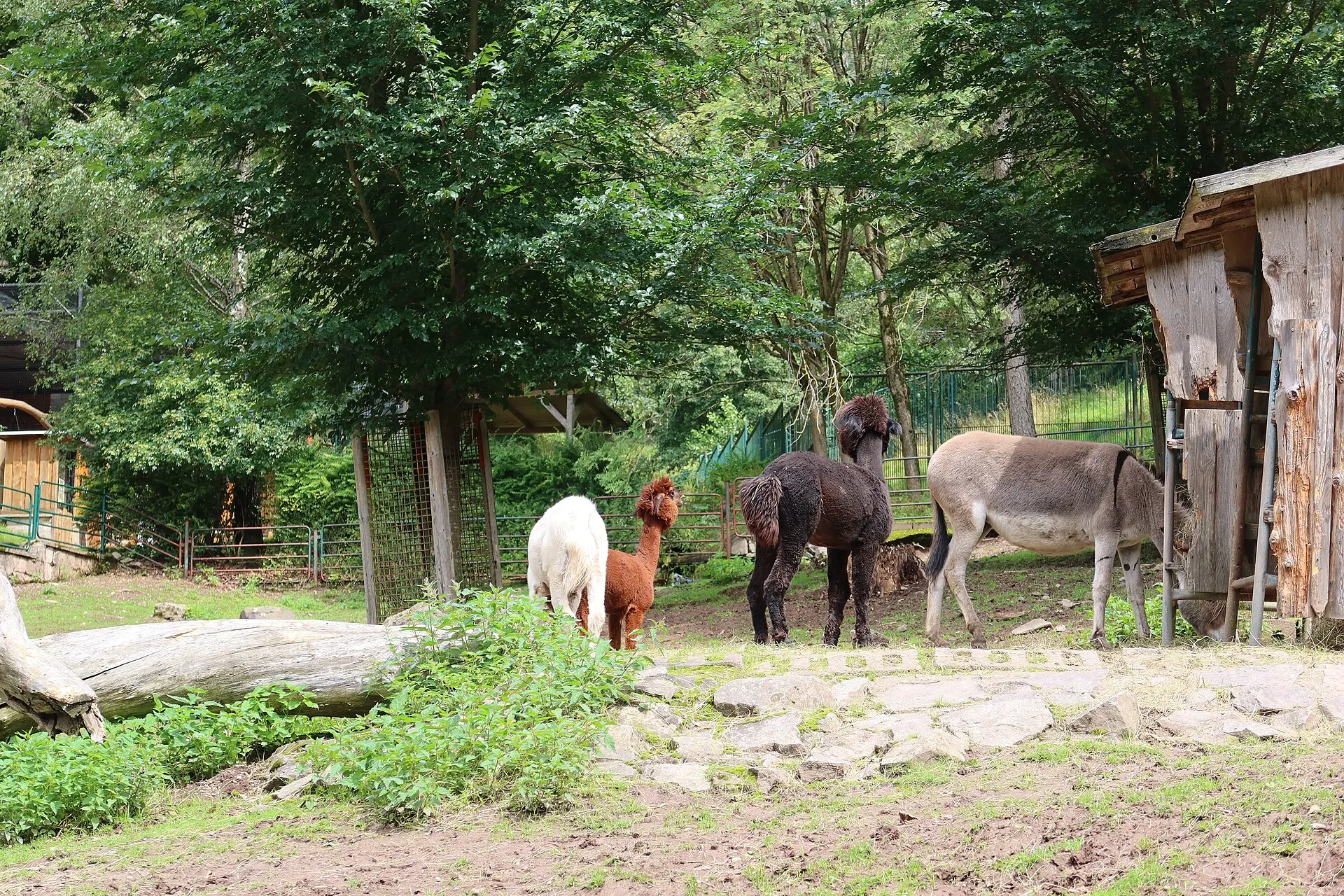
Tierpark Suhl, Germany, 2023Photo: Strubbl, CC BY-SA 4.0 
The A8 leaving Munich at sunset, 2023Photo: Strubbl, CC BY-SA 4.0
Canon G7 X Mark III price today: new, used and spare batteries
New G7 X Mark IIIs are scarce, and CDW lists the camera as discontinued since June 9, 2026. Digital Camera World put the list price at $879 in August 2026 and said used copies were selling for more than $1,500 at KEH, MPB and Adorama. On November 2, 2026, eBay sellers asked $1,099.99 to $1,959.25 before shipping.
eBay (catalog page, 19 listings)
Mostly new, third-party sellers, Asking prices before shipping; the two cheapest add $599.99 shipping each
$1,099.99 to $1,959.25
See listingeBay (active listing)
Used, titled 'English Japanese', Black, plus $39 shipping
$1,299.99
See listingKamerastore (US storefront, USD)
Used, certified (sold out), Average certified condition price shown on a sold-out listing, not a live ask
$906
See listingKenmore Camera
New, Canon NB-13L battery (genuine)
$54.95
See listingFocus Camera
New, Canon NB-13L battery (genuine)
$59.95
See listingDistrict Camera
New, Canon NB-13L battery (genuine)
$59.99
See listingAbt
New, Canon CB-2LH charger for the NB-13L
$54.95
See listing
Prices checked on November 2, 2026. They move every week, so treat them as a range, not a quote. eBay rows are asking prices from eBay's catalog page, not sold prices. MPB, KEH, Adorama, B&H and Walmart block automated checks, so their live prices are not listed here; check them directly before you buy.
Video reviews worth your time

Canon PowerShot G7 X Mark III Product Overview
The Canon PowerShot G7 X Mark III is a versatile compact camera tailored for travel photography, vlogging, and live streaming.
Questions people ask about the G7 X Mark III
Is the Canon PowerShot G7X Mark III good for photography?
Mostly yes, especially in good light. Digital Camera World says its images look very good with a nice level of detail, and Trusted Reviews praises the dynamic range. TechRadar warns that it overexposes easily and that the lens is softest at the wide and telephoto ends, and the autofocus is contrast-detect only, with no eye detection.
Sources: digitalcameraworld.com, trustedreviews.com, techradar.com, photographyblog.com
Is the Canon G7X Mark III discontinued, and is it in stock?
CDW's listing says it was discontinued on June 9, 2026, but no source we opened gives Canon's reason, and Digital Camera World reported in August 2026 that Canon planned to raise compact production again in the second half of the year. New stock has been scarce since it went viral: The Verge couldn't find one at retail price in April 2025. Expect used prices well above the $749.99 launch price.
Sources: cdwg.com, digitalcameraworld.com, theverge.com, imaging-resource.com
How long does the Canon G7X Mark III battery last?
Sources disagree. Imaging Resource quotes about 235 shots per charge (about 320 in Eco mode) in one section and 265 in another, and Photography Blog says about 265. Reviewers call that below average, so plan on a spare NB-13L, which cost $54.95 to $59.99 at US camera stores on November 2, 2026.
Sources: imaging-resource.com, photographyblog.com, kenmorecamera.com, districtcamera.com
Why do my Canon G7X photos look blurry?
Two causes come up most. In low light, Shotkit found the automatically chosen focus point would jump to the background, and a 2019 CDW buyer had the same problem, so pick the subject with a tap on the touchscreen. TechRadar also found the lens softest at 24mm and 100mm, improving in the middle of the zoom. At night, keep ISO at 1600 or below, where Photography Blog saw clean files, or use a tripod.
Sources: shotkit.com, cdwg.com, techradar.com, photographyblog.com, techgoondu.com
How do you change exposure on the Canon G7X Mark III?
Turn the exposure compensation dial on the top plate, which Photography Blog lists at plus or minus 3 EV in 1/3-stop steps. In the manual and semi-automatic modes, the lens control ring and the rear wheel set aperture and shutter speed. TechRadar found the camera easily overexposes, so dialing exposure down is the most common fix.
Sources: photographyblog.com, techradar.com
Why is my Canon G7X Mark III screen hard to see or not working?
We found no source covering a screen that has died on this model, so a blank screen with a charged battery is a question for Canon U.S.A. or a repair shop. The common complaint is glare: Skylum says the screen washes out in direct sunlight unless you max out the brightness, and there is no viewfinder to fall back on. If taps on the screen take pictures you didn't intend, turn off Touch Shutter in the main menu.
Sources: blog.skylum.com, photographyblog.com
Does the Canon G7X Mark III have a viewfinder, hot shoe or mic jack?
It has a 3.5mm microphone jack but no headphone jack, no viewfinder, no way to add one and no hot shoe or cold shoe for accessories. If you want a viewfinder in a similar pocket camera, Lens and Shutter points to the Sony RX100 VII and the Canon G5 X Mark II.
Sources: imaging-resource.com, photographyblog.com, trustedreviews.com, lensandshutter.com
Is the G7X Mark III worth upgrading from the Mark II?
Mainly for video. Both use a 1-inch, 20.1 MP sensor and a 24-100mm f/1.8-2.8 lens; the Mark III adds 4K in place of 1080p, a microphone jack, bursts up to 20 fps and YouTube live streaming. Trusted Reviews suggested the older model for buyers on a budget who don't need the advanced video features, and used Mark IIs asked $953 at Kamerastore to $1,262.89 on eBay on November 2, 2026.
Sources: photographyblog.com, photographyblog.com, trustedreviews.com, kamerastore.com, ebay.com
What people compare it with
The 2016 model with the same 24-100mm f/1.8-2.8 lens and a 20.1 MP 1-inch sensor, but 1080p video and no mic jack. Used ones asked $953 to $1,262.89 on November 2, 2026, below most Mark III asks.
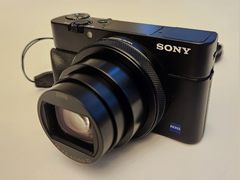
Also from 2019, and it still has a flash. Lens and Shutter says the Sony has better autofocus, a longer zoom and a pop-up viewfinder, while the Canon is simpler and has a faster lens; Digital Camera World notes the Sony's list price is far higher, though about what used G7 X Mark IIIs sell for.
Canon PowerShot G5 X Mark II
Announced alongside the G7 X Mark III, with a pop-up electronic viewfinder and a 24-120mm lens. Photography Blog listed it at about $899 for preorder, about $100 more than the roughly $799 it listed for the G7 X Mark III.
Canon PowerShot V1
Canon's newer creator compact. Photography Blog notes it has no pop-up flash and a 16-50mm range, so it is not a like-for-like swap if you want the flash look. More options in our Canon G7X alternatives guide.
Every source behind this page
Read them yourself. How we pick and count them is in our methodology.
Show all 38 sources
Manuals and references 24
- alikgriffin.com: Best Memory Cards for Canon G7X Mark III (2026)
- asia.canon: Digital Compact Cameras - PowerShot G7 X Mark III
- asia.canon: PowerShot G7 X Mark III Firmware Update, Version 1.4.0 [Windows]
- discovercameras.com: Canon PowerShot G7 X Mark III Lens Error: Causes, Fixes, and Prevention
- focuscamera.com: Canon NB-13L Lithium-Ion Battery Pack (3.6V, 1250mAh)
- hk.canon: A warning screen "Overheated! Shutting down." has shown up. (PowerShot G7 X Mark III)
- id.canon: To Users of PowerShot G7X Mark III Digital Compact Camera
- id.canon: PowerShot G7 X Mark III firmware Version 1.1.0 [Windows]
- id.canon: PowerShot G7 X Mark III Firmware Update, Version 1.3.2 [Windows]
- kamerastore.com: Canon Powershot G7X Mark II - Camera
- kamerastore.com: Canon Powershot G7X Mark III - Camera
- kenmorecamera.com: CANON NB
- abt.com: Canon Battery Charger For NB-13L Li-Ion Batteries
- digitalcameraworld.com: A year after Canon increased production, this PowerShot compact camera is still so viral that used models are nearly twice the new cost
- districtcamera.com: Canon NB-13L Lithium
- ebay.com: Canon PowerShot G7 X Mark II 20.1 MP Compact Digital Camera - Black for sale online
- ebay.com: 25+ Canon PowerShot G7 X Mark III - 20.1MP Point & Shoot Digital Camera - Black for sale
- imaging-resource.com: Canon G7X Mark II Review
- imaging-resource.com: Canon G7X Mark III Review
- imaging-resource.com: Canon G7X Review
- photographyblog.com: Canon PowerShot G7 X Mark II
- photographyblog.com: Canon PowerShot G7 X Mark II Review
- photographyblog.com: Canon PowerShot G7 X Review
- walmart.com: Canon PowerShot G7 X Mark III 20.1 Megapixel Compact ...
Editorial reviews 7
- Digital Camera World: Canon PowerShot G7 X Mark III review
- Photography Blog: Canon PowerShot G7 X Mark III Review
- TechRadar: Canon PowerShot G7 X Mark III review
- Trusted Reviews: Canon G7X Mark III Review
- Techgoondu: Goondu review: Canon G7X Mark III
- Imaging Resource: Canon G7X Mark III Review
- The Verge: In pursuit of a viral, five-year-old compact camera
Independent blogs 4
Forums 1
Retailer customer reviews 1
Video reviews 1
Keep reading
Digicams
Canon G7X alternatives you can buy: Sony ZV-1 II ($998), ZV-1F ($598) and RX100 VII ($1,498, on order). Eight picks by use, US prices checked October 2026.
Digicams
Canon G7X Mark II: what reviewers and owners say, the flash and lens faults to check, best settings, and used listings from $953 to $1,262.89 in October 2026.
Digicams
Canon PowerShot G7 X (2014): what reviewers and owners say, the faults to check, best settings, and used eBay asks of $629.99 to $794.99 in November 2026.
Digicams
Sony RX100 VII: what reviewers and owners say, the battery, heat and screen problems, best settings, and prices from $1,087 used to $1,498 new in October 2026.
Digicams
Get the Y2K digicam look: force the flash on, zoom out and stand 3 to 10 ft away in a dim room. Cameras, prices, settings and fixes for dark or blown-out shots.
Digicams
A digicam is a digital camera, but today the word means a 2000s compact point-and-shoot. Why they're back, US prices and how a digicam compares with an iPhone.