Canon G7X Mark II: is the 2016 PowerShot still worth buying used?
The short answer
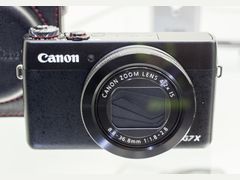
The Canon G7X Mark II (PowerShot G7 X Mark II) is a 2016 pocket camera with a 1-inch, 20.1 MP sensor and a bright 24-100mm f/1.8-2.8 lens, and reviewers and owners most often praise its image quality.
Canon has discontinued it, and the used listings we checked on November 2, 2026 asked $953 to $1,262.89 at Kamerastore and on eBay, above the $699.99 it cost new in 2016.
- Sensor
- 1-inch, 20.1 MP CMOS
- Lens
- 24-100mm, f/1.8-2.8
- Video
- 1080p up to 60p, no 4K
- Used asking, Oct 2026
- $953 to $1,262.89 (Kamerastore, eBay)
Built from 128 opinions from 41 pages and videos. Not yet tested by Camera Dojo. Updated .
The short version
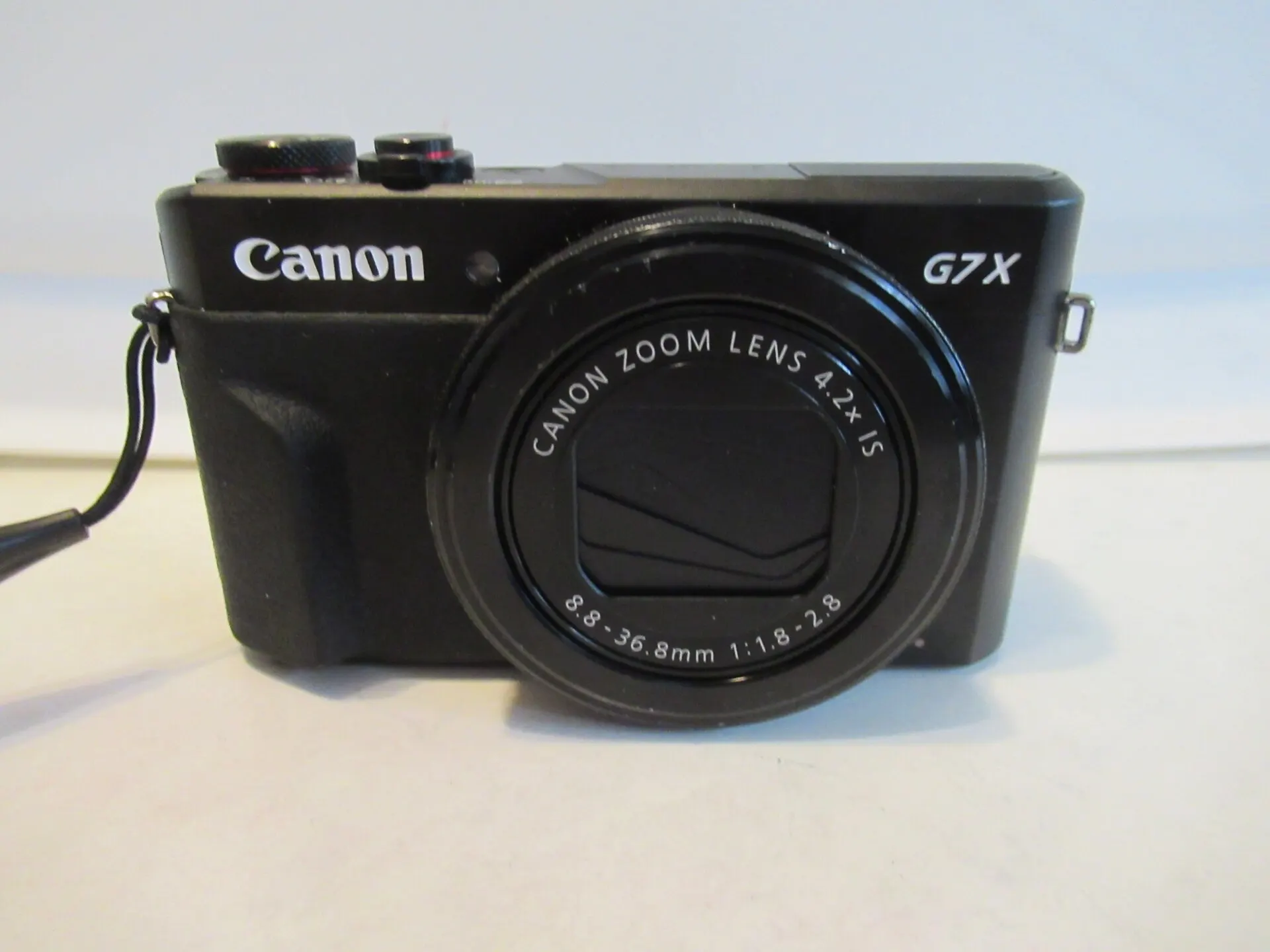
The praise is consistent across launch reviews and owner write-ups: warm, punchy JPEG color, low-light files that hold up to about ISO 3200, a flip-up touchscreen that selfie shooters and vloggers like, and a mostly metal body with a real front grip. Against the 2014 original, the Mark II added the DIGIC 7 processor, 14-bit RAW at 8 frames per second and a screen that also tilts down.
The complaints are just as consistent: no viewfinder, no 4K, no microphone jack, a battery Canon rates at about 265 shots, and video clips that stop at 4GB. Age adds its own risks. Canon will repair a failed flash free for some serial numbers until March 31, 2027, and owners report lens errors and dust inside the lens.
Good fit if
- You want a bright 24-100mm zoom and a 1-inch sensor in a camera that fits a jacket pocket
- You shoot photos first, in JPEG or RAW, and like Canon's warm, saturated color
- You want a touchscreen that flips up 180 degrees for selfies and casual vlogs
- You shoot indoors and at night: What Digital Camera calls ISO 3200 a sensible ceiling
- You like physical dials and a lens ring more than menu diving
Think twice if
- You need 4K or an external microphone: it records 1080p only and has no mic jack, while the G7 X Mark III has both
- You compose in bright sun and want a viewfinder: there is none, and no hot shoe to add one
- You film long takes: clips stop without warning at 4GB, about 16 minutes according to Expert Reviews
- You want a cheap compact: the used listings we checked sit above the $699.99 launch price
- You need a camera that tracks moving subjects reliably: reviewers say focus can slip in tracking and with touch shutter
Canon G7 X family: original, Mark II and Mark III
All three share a 1-inch sensor and a 24-100mm f/1.8-2.8 zoom, so the differences are speed, video and price. Neither the Mark II nor the Mark III has a viewfinder.
| Model | Year | Sensor | Why look for it |
|---|---|---|---|
| PowerShot G7 X | 2014 | 20.2 MP 1-inch back-illuminated CMOS, DIGIC 6 | The original, announced September 15, 2014. Same lens range, but 12-bit RAW, RAW bursts of 1.2 fps according to What Digital Camera, a screen that does not tilt down and no front grip. See the original G7 X page. |
| PowerShot G7 X Mark II | 2016 | 20.1 MP 1-inch back-illuminated CMOS, DIGIC 7 | This camera: 14-bit RAW at 8 fps for up to 19 frames, a front grip, a screen that also tilts down 45 degrees, a 3-stop ND filter and USB charging. Video stays at 1080p. |
| PowerShot G7 X Mark III | 2019 | 20.1 MP 1-inch stacked CMOS, DIGIC 8 | Adds 4K video without crop, a microphone jack and 20 fps bursts with focus locked. It launched at $749.99 and costs more used than the Mark II. See the G7 X Mark III page. |
Sources: en.wikipedia.org, photographyblog.com, whatdigitalcamera.com, photographyblog.com, aol.com, imaging-resource.com, photographyblog.com, asia.canon, imaging-resource.com, digitalcameraworld.com
What owners and reviewers say, topic by topic
We sorted 128 opinions about the G7 X Mark II from 41 pages and videos on 20 websites and channels. Each row shows how many people raised a topic and how many of them were positive. Open a row to read short quotes, each linked to its source.
Most opinions come from launch-era editorial reviews from 2016, some republished later. Owner voices are thinner: a one-year blog, two forum threads, eBay and ProductReview.com.au buyer reviews, iFixit repair questions and one six-month YouTube review. Reddit, DPReview and Canon Community threads could not be read, so the reliability picture shows what fails but not how often.
Image look72% positiveof 18
Image quality draws the most praise from reviewers and owners, with warm, punchy JPEG color straight from the camera. A few say Canon pushes reds too far, and one owner found daytime shots soft at 24mm.
“Very pleased with early results.”
beercan, Talk Photography 2018-02Owner
“I like Canon's colors in both RAW and JPEG.”
atmtx photo blog 2019-01Owner
“extremely high quality images for the small size”
mosaicolor, eBay Canada customer review 2021-11Owner
“Colours look sharp, although reds seem to get an unnatural amount of favour.”
Souvik Das, Digit 2023-08Hands-on review
Video44% positiveof 16
Owners who vlog like the flip screen, face-tracking autofocus and smooth 60p footage. Reviewers mark it down for 1080p only, no mic jack, no stills while recording and clips that stop at 4GB.
“In contrast to some of its peers, the G7 X Mark II doesn't support 4K video recording”
Matt Golowczynski, What Digital Camera 2016-06Hands-on review
“It's a small, 1inch sensor compact camera, that does good video, and it has a flip over screen for self monitoring.”
Thomas Fitzgerald Photography 2018-01Owner
“I am so impressed at how good my videos look”
alinav, ProductReview.com.au 2018-04Owner
“I don't care much for video but it generally works so well, I've started to shoot more short video clips during my travels.”
atmtx photo blog 2019-01Owner
Low light and flash79% positiveof 14
Low light is a strength: What Digital Camera calls ISO 3200 a sensible ceiling, and reviewers praise the pop-up flash indoors. The one complaint is an owner whose flash stopped working, the kind of fault Canon's service notice covers.
“pictures are stunning also pictures taken in low light condition”
barbi80, eBay UK customer review 2018-04Owner
“Night time photos, indoor photos, zoom, speed with/without flash, wifi/nfc connectivity, flip screen are all top notch”
Michael, ProductReview.com.au 2017-09Owner
“it does have improved noise at higher ISO sensitivities”
Lori Grunin, CNET 2016-06Hands-on review
“ISO 3,200 would be a good upper limit to set, but ISO 6,400 can be usable with careful post-processing.”
Matt Golowczynski, What Digital Camera 2016-06Hands-on review
Ease of use54% positiveof 13
Most find it easy, with quick autofocus in good light, physical dials and menus that beginners and Sony switchers like. Reviewers knock the long-winded ISO and custom white balance settings and say focus can slip with touch shutter or tracking.
“setting the ISO speed is still a rather convoluted affair”
Mark Goldstein, Photography BlogHands-on review
“The mechanical controls are excellent and doesn't frustrate me, when I need to quickly change settings.”
atmtx photo blog 2019-01Owner
“Canon has very simple menu and it's very easy to set up especially for someone who is not familiar with detailed manual settings.”
barbi80, eBay UK customer review 2018-04Owner
“I found the camera would occasionally end up taking the shot even if focus has not been acquired”
Matt Golowczynski, What Digital Camera 2016-06Hands-on review
Price and value73% positiveof 11
At launch most reviewers saw it as better value than Sony's pricier RX100 models, though one forum member saw too little gain over the original G7 X to justify the extra cost. Those 2016 verdicts were made at the $699.99 launch price, below today's used asking prices.
“As for the G7x-II it offers very little over the G7x, certainly not worth the extra £200 odd.”
snerkler, Talk Photography 2016-07
“The main reason is that the current Sony version (RX100 Mark V) is over twice the price”
Thomas Fitzgerald Photography 2018-01Owner
“Great value and good fun.”
grasto-81, eBay UK customer review 2019-08Owner
“it a perfectly wonderful camera at a great price that will serve you well for years to come”
iiijmc, eBay Canada customer review 2023-05Owner
Build quality80% positiveof 10
The mostly metal body and the front grip added on the Mark II get consistent praise. The two complaints come from owners whose strap lug snapped or whose screen came loose after a fall.
“The tiny strap lug on the body, where the strap attaches, broke off.”
Bill Hunton, iFixit Answers 2020-10Owner
“The G7X Mark II also has a surprisingly nice front and rear grip, especially for such a small camera.”
atmtx photo blog 2017-12Owner
“The images are superb and the build quality is fantastic”
smithglen, eBay UK customer review 2021-06Owner
“the addition of a grip on the front makes it much more comfortable to hold.”
Gordon Laing, Cameralabs 2016-07Hands-on review
Screen and viewfinder60% positiveof 10
The flip-up, tilt-down touchscreen is a favorite for selfies, vlogging and picking focus points. The missing viewfinder is the most repeated complaint among reviewers.
“The only disappointment is the continued absence of a viewfinder.”
Amy Davies, TechRadar 2018-11Hands-on review
“Most significantly, and most importantly for enthusiasts, is the lack of an built-in viewfinder.”
Amy Davies, Trusted ReviewsHands-on review
“great image quality and touch screen is very useful”
elijanewto-7, eBay UK customer review 2020-05Owner
“The folding touch screen is the real star as I keeps you from wasting time scrolling through menus.”
iiijmc, eBay Canada customer review 2023-05Owner
Batteries and charging50% positiveof 10
USB charging is welcome, but battery life is short and most sources say to carry at least one spare. One owner reports the camera forgetting the date and time whenever the battery comes out.
“every time I take my battery out of the camera, even just for a few seconds, the camera forgets the date and time”
iFixit Answers 2023-04Owner
“I can charge or top off the battery via USB charging.”
atmtx photo blog 2019-01Owner
“Battery life is improved, up to 265 shots per charge, a 25% increase on the G7 X.”
Amy Davies, TechRadar 2018-11Hands-on review
“but you'll still need to budget for at least one spare battery”
Mark Goldstein, Photography BlogHands-on review
Memory cards and transfer50% positiveof 10
Sending photos to a phone over Wi-Fi or NFC works well for most, and reviewers say Canon's Camera Connect app improved. Owners report zoom and settings locking while RAW bursts write to the card, plus occasional card and pairing errors.
“Power Shot G7 X Mark II will not save picture on the SD Card.”
Paul Gomes, iFixit Answers 2023-07Owner
“I can't zoom or change settings while the camera is writing to the card.”
atmtx photo blog 2019-01Owner
“Uploads pictures to phone lightning fast with the touch of a button.”
jillybean35226, eBay Canada customer review 2022-02Owner
“It was a breeze connecting to my LG G5 smartphone”
Chester Tan, Music Photo Life 2016-11Hands-on review
Reliability today25% positiveof 8
Reliability reports are few and mostly owner repair questions on iFixit: lens errors, a black screen, a power fault and dust inside the lens. They show what can fail, not how often, and two owners say their cameras work fine.
“After power on the following message is displayed on the LCD: Lens Error”
Manu, iFixit Answers 2024-11Owner
“Everything is functioning properly.”
twechad_0, eBay UK customer review 2022-12Owner
“I have a G7x Mk2 that only stays on if I don't let go of the power button”
Tom tom, iFixit Answers 2019-06Owner
“When you turn it off, the lens either stays extended or it retracts half way.”
Pil Yang, iFixit Answers 2020-08Owner
Size and weight75% positiveof 8
Owners call it small enough for a pocket or purse and easy to take on trips. Reviewers add that it fits a loose jeans pocket but is happier in a coat pocket or small bag, and one buyer found it a little heavy.
“Little on the heavy side though.”
jonbeeza, Talk Photography 2018-04Owner
“The camera is small enough that, I don't find it awkward to use, almost anywhere.”
atmtx photo blog 2019-01Owner
“It's great being so small, because no one really pays any attention to you when using it.”
Thomas Fitzgerald Photography 2018-01Owner
“It fits in the pocket and is easy to use.”
mike24122, eBay UK customer review 2019-10Owner
PositiveMixedNegative
Canon G7X Mark II vs Mark III: which one to buy
 G7 X Mark II |  G7 X Mark III | |
|---|---|---|
| Released | 2016 (US on sale May 2016) | 2019 (on sale August 2019) |
| Launch price | $699.99 | $749.99 |
| Sensor and processor | 1-inch, 20.1 MP back-illuminated CMOS, DIGIC 7 | 1-inch, 20.1 MP stacked CMOS, DIGIC 8 |
| Lens | 24-100mm, f/1.8-2.8 | 24-100mm, f/1.8-2.8 |
| Video | 1080p up to 60p | 4K without crop |
| Microphone jack | No | Yes |
| Fastest burst | About 8 fps, RAW for up to 19 frames | Up to 20 fps with focus locked |
| Viewfinder | None | None |
| Used price | $953 to $1,262.89 asked (Oct 2026) | Above $1,500 at KEH, MPB and Adorama (Aug 2026, per Digital Camera World) |
Pick the G7 X Mark II if
- You shoot photos more than video: a Cosmopolitan reviewer who used both said casual shooters don't need to pay more for the Mark III
- 1080p is enough for your clips and you can live with the built-in stereo mics
- You want the same lens and sensor size for less money
Pick the G7 X Mark III if
- You need 4K or want to plug in an external microphone
- You shoot action and want faster bursts
- You can accept a higher price: used Mark IIIs cost more than used Mark IIs
Sources: photographyblog.com, photographyblog.com, hk.canon, imaging-resource.com, photographyblog.com, asia.canon, imaging-resource.com, digitalcameraworld.com, aol.com, kamerastore.com, ebay.com
Best settings for the Canon G7X Mark II
These come from the launch reviews and Canon's support pages. They fix the most common complaints: soft-looking JPEGs, missed focus and noisy night shots.
- 1
Turn off touch shutter
Touch shutter is on by default, so a tap on the screen takes the picture, and What Digital Camera saw it fire before focus was confirmed. Switch off 'touch shutter' in the main menu if you want tap-to-focus only.
- 2
Choose a picture style
Standard gives saturated but accurate color, though blue skies can look flat, so What Digital Camera suggests Auto or Landscape for skies. Canon describes Neutral and Faithful as subdued-color styles for pictures you plan to process on a computer.
- 3
Raise sharpness a notch
Photography Blog found the default JPEGs a little soft and suggests sharpening further in editing or changing the in-camera setting. Each picture style lets you adjust sharpness, contrast and saturation.
- 4
Keep ISO at 3200 or lower
What Digital Camera calls ISO 3200 a good upper limit, with ISO 6400 usable after careful processing. Photography Blog says ISO 12800 is best avoided.
- 5
Use the ND filter in bright light
The built-in 3-stop ND filter cuts light so you can keep the lens near f/1.8 on a sunny day. Set it to on, auto or off in the FUNC menu.
- 6
Set the lens ring to click or smooth
A small lever at about 4 o'clock switches the control ring between a clicking action and a smooth one. Photography Blog says the ring can be assigned to one of nine different settings.
- 7
Shoot RAW when it matters
The Mark II records 14-bit RAW at 8 fps for up to 19 frames. It can also convert RAW files to JPEG in the camera, adjusting brightness, white balance and picture style, up to 500 images at once.
Sources: photographyblog.com, whatdigitalcamera.com, whatdigitalcamera.com, whatdigitalcamera.com, whatdigitalcamera.com, asia.canon, id.canon
G7X Mark II battery, charging and memory cards
The G7 X Mark II runs on Canon's NB-13L battery. Canon rates it at about 265 shots per charge, or about 355 in Eco mode; Photography Blog's spec table and Expert Reviews say 240, and Digit got nearly 300 in its use. Plan on a spare: a genuine NB-13L was $54.95 at Kenmore Camera and $59.95 at Focus Camera on November 2, 2026.
You can charge the battery inside the camera over USB. Canon says to use its CA-DC30 adapter or IFC-600PCU cable, not to charge for more than 24 hours straight, and that you can't shoot while it charges; from a computer's USB port it takes about seven hours. Canon's CB-2LH wall charger takes about 2 hours 10 minutes and was $59.99 at Natcam, while Kenmore Camera listed a third-party Power2000 charger at $15.99.
Any SD, SDHC or SDXC card works, and UHS-I cards are supported. Use a fast card if you shoot RAW bursts: What Digital Camera needed one to reach the full 19 frames, and the card still took about 12 seconds to finish writing, with zoom and menus locked until it did.
A small built-in backup battery runs the clock. According to the user guide quoted on iFixit, it keeps the date and time for about 3 weeks with the main battery out and recharges in about 4 hours once a charged pack is back in. If you buy used, check for a USB cable: Photography Blog says none came in its box, and Canon's charging page lists the IFC-600PCU cable as sold separately.
Buy at least one spare NB-13L before a full day out, and use Eco mode when you don't need the screen at full brightness.
Sources: hk.canon, hk.canon, photographyblog.com, expertreviews.co.uk, digit.in, kenmorecamera.com, focuscamera.com, natcam.com, whatdigitalcamera.com, ifixit.com
Is the Canon G7X Mark II good for vlogging?
G7 X Mark IIIFor casual vlogs, owners say yes. The 3-inch touchscreen flips up 180 degrees to face you, it records 1080p at up to 59.94 frames per second, and buyers on eBay and ProductReview.com.au bought it for exactly this; one vlogger rates its face-tracking autofocus the best he has used. Thomas Fitzgerald picked it for a small 1-inch camera that does good video with a flip screen.
The limits are real. There is no 4K and no microphone or headphone jack, so sound comes from small stereo mics on top of the camera. Owners disagree about them: one eBay reviewer says you have to put up with the sound quality, while a ProductReview.com.au buyer calls it crystal clear. Clips stop without warning at 4GB, about 16 minutes at Full HD according to Expert Reviews, and Photography Blog lists the cap as 4GB or 29 minutes 59 seconds per clip. Music Photo Life notes it can't take a still while recording.
For walking shots, video adds a five-axis dynamic image stabilizer, which What Digital Camera says helps most when you walk with the camera. For stills, it rates the Dual Sensing IS at up to 4 stops. Sean Farrell's six-month video review praises the 60p slow motion and the time-lapse and star time-lapse modes, which build the clip inside the camera. If you need 4K or an external mic, look at the G7 X Mark III or our list of Canon G7X alternatives.
Sources: asia.canon, photographyblog.com, expertreviews.co.uk, whatdigitalcamera.com, imaging-resource.com, youtube.com
What to check before buying a used G7X Mark II
Canon's flash notice and owner repair reports point to a short list of checks. Do them in person, or ask the seller for photos and a short video.
- 1
Read the serial number
It is shown on the back of the LCD monitor. If the first two digits are 21 to 62 and the sixth digit is 0 to 4, Canon's flash notice covers the camera, with free inspection and repair of a failed flash until March 31, 2027.
- 2
Fire the flash several times
Pop it up and take a few flash shots. Canon blames the fault on broken flash wiring from excessive pop-up operations, so don't flip it up and down for no reason after you buy, either.
- 3
Switch it on and off a few times
The lens should extend and retract fully every time. An iFixit answer calls 'Lens Error' a common message when the camera detects a stuck lens that fails to extend or retract, and says the lens may need replacing if nothing else works.
- 4
Shoot toward a bright light
Sean Farrell found dust inside the lens after six months of use, showing up as green spots and flare against bright light. A test shot toward a window or lamp may show it.
- 5
Check the screen, hinge and strap lugs
Tilt the screen through its full range and make sure it sits firmly. iFixit owners report a screen left hanging by its ribbon cable after a fall and a snapped strap lug.
- 6
Test your own card and the Wi-Fi
Take a few shots on your card and pair the camera with Canon's Camera Connect app. If pairing stalls, one iFixit owner fixed it by resetting all settings in the setup menu.
- 7
Check what comes with it
Make sure the NB-13L battery and a charger are included. A genuine spare NB-13L cost $54.95 to $59.95 new at US camera stores on November 2, 2026.
Sources: asia.canon, usa.canon.com, ifixit.com, youtube.com, ifixit.com, ifixit.com, ifixit.com, kenmorecamera.com, focuscamera.com
Known problems and what fixing them costs
Canon's flash notice is the only official fault; the rest come from owner repair questions on iFixit and one long-term video review, so they show what can go wrong rather than how often.
Built-in flash stops working (Canon service notice)
Raised in 1 opinion
- How you notice
- The flash pops up but does not fire. Canon says a very small number of units are affected, caused by breakage in the flash wiring from excessive pop-up operations.
- Fix
- Check the serial number on the back of the LCD monitor. If the first two digits are 21 to 62 and the sixth digit is 0 to 4, contact Canon U.S.A.: affected units are inspected and repaired free until March 31, 2027 (extended from September 30, 2026). Any other repair on the same camera is charged.
- Typical cost
- Free at Canon for serials in range until March 31, 2027; no published Canon price otherwise.
Sources: usa.canon.com, asia.canon, ifixit.com
Lens Error, or a lens that sticks halfway
Raised in 3 opinions
- How you notice
- 'Lens Error' at power-on with the lens staying down, or, after a drop, a barrel that stays extended or retracts only halfway when the camera is switched off.
- Fix
- An iFixit answer says the camera has detected a stuck lens and the lens may need replacing. No home fix is confirmed in the sources, so ask Canon U.S.A. or an independent repair shop for an estimate.
- Typical cost
- No verified repair price found. Weigh any quote against used asking prices of $953 to $1,262.89 (October 2026).
Sources: ifixit.com, ifixit.com
Dust inside the lens
Raised in 2 opinions
- How you notice
- Green spots and flare in shots taken toward bright light. Sean Farrell says dust and dirt get under the lens cover and onto the inner glass.
- Fix
- The video offers no fix. Test for it before buying with a shot toward a bright window or lamp.
- Typical cost
- No price found.
Sources: youtube.com
Black screen, power or screen faults
Raised in 3 opinions
- How you notice
- iFixit owners report a screen that goes black while sounds and buttons still work, a camera that only stays on while the power button is held, and a screen hanging by its ribbon cable after a fall.
- Fix
- None of these threads reports a confirmed fix, so ask a repair shop for an estimate.
- Typical cost
- No price found.
Sources: ifixit.com, ifixit.com, ifixit.com
Memory card locked, photos not saving or phone won't pair
Raised in 3 opinions
- How you notice
- A 'Memory card locked' message with the card's switch in the right position, pictures that won't save to the card, or a phone that paired once and then won't reconnect.
- Fix
- Check the card's lock switch, then try a different card. If the message stays with the switch open, an iFixit answer says the card is usually at the end of its life: copy the files off and format it in the camera. For pairing, one owner fixed it by resetting all settings in the setup menu and setting up Wi-Fi again.
- Typical cost
- $0 to try; a new card if yours has failed.
Sources: ifixit.com, ifixit.com, ifixit.com
Camera forgets the date and time
Raised in 1 opinion
- How you notice
- The date and time reset every time the battery comes out, even for a few seconds.
- Fix
- The camera's built-in backup battery keeps the clock for about 3 weeks and recharges in about 4 hours with a charged pack inside, according to the user guide quoted on iFixit. Leave a charged battery in the camera for a few hours, then set the clock again.
- Typical cost
- $0 to try.
Sources: ifixit.com
Soft or blurry-looking photos
Raised in 2 opinions
- How you notice
- Pictures look soft. Reviewers give three causes: soft default JPEG sharpening, soft corners at 24mm especially up close, and a touchscreen tap that fires before focus locks.
- Fix
- Raise sharpness in your picture style or sharpen later, zoom in a little for close subjects, and turn off touch shutter or wait for the focus box to confirm.
- Typical cost
- $0 (settings).
Sources: photographyblog.com, cameralabs.com, whatdigitalcamera.com
Photos taken with a Canon PowerShot G7 X Mark II
These photos were taken with a G7 X Mark II by Wikimedia Commons contributors, from countryside walks in daylight to the stands of an Olympic arena.
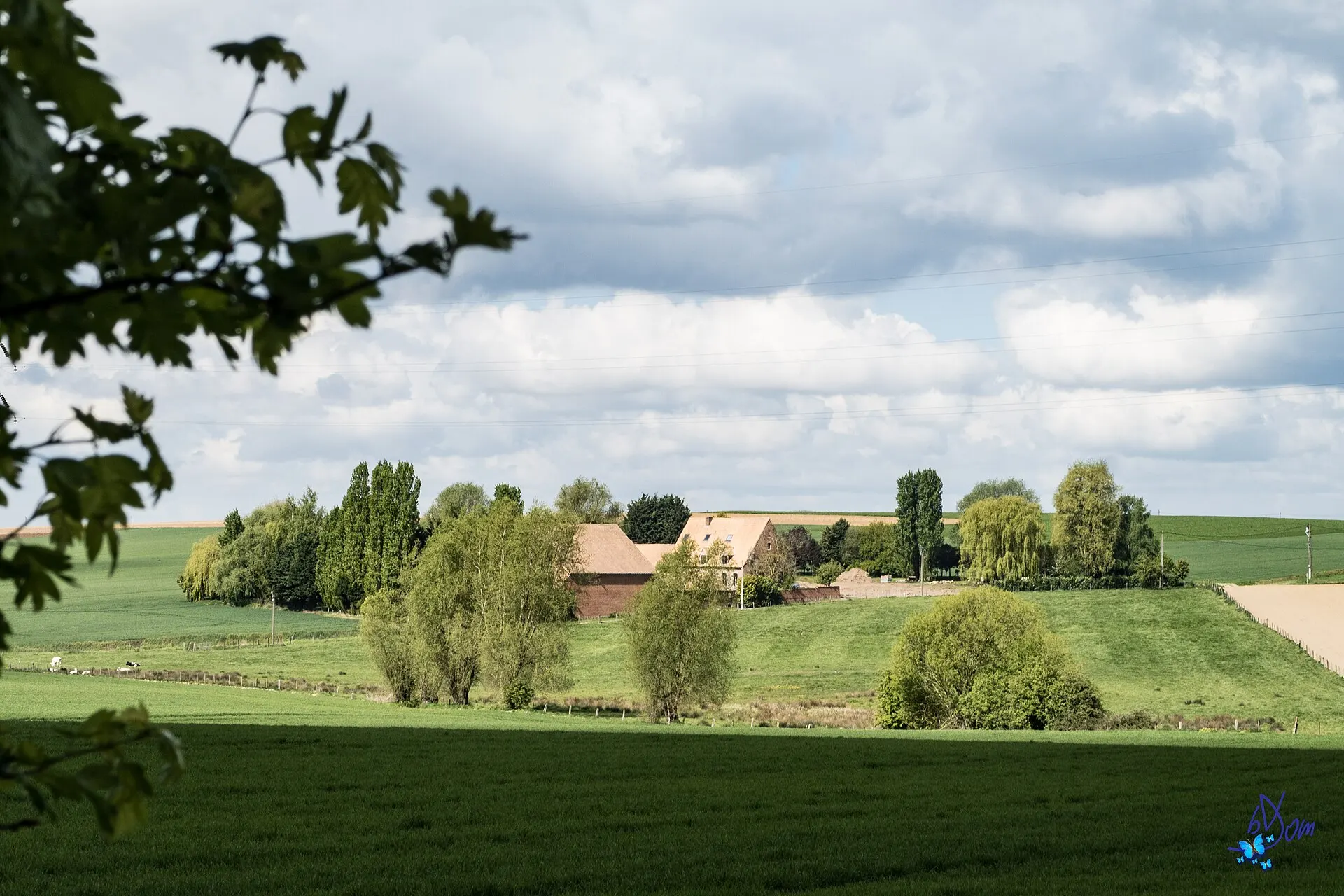
On a walk between Enghien and Braine-le-Comte, Belgium, April 2017Photo: bDom - artiste - www.bdom.info from Enghien, Belgique, CC BY 2.0 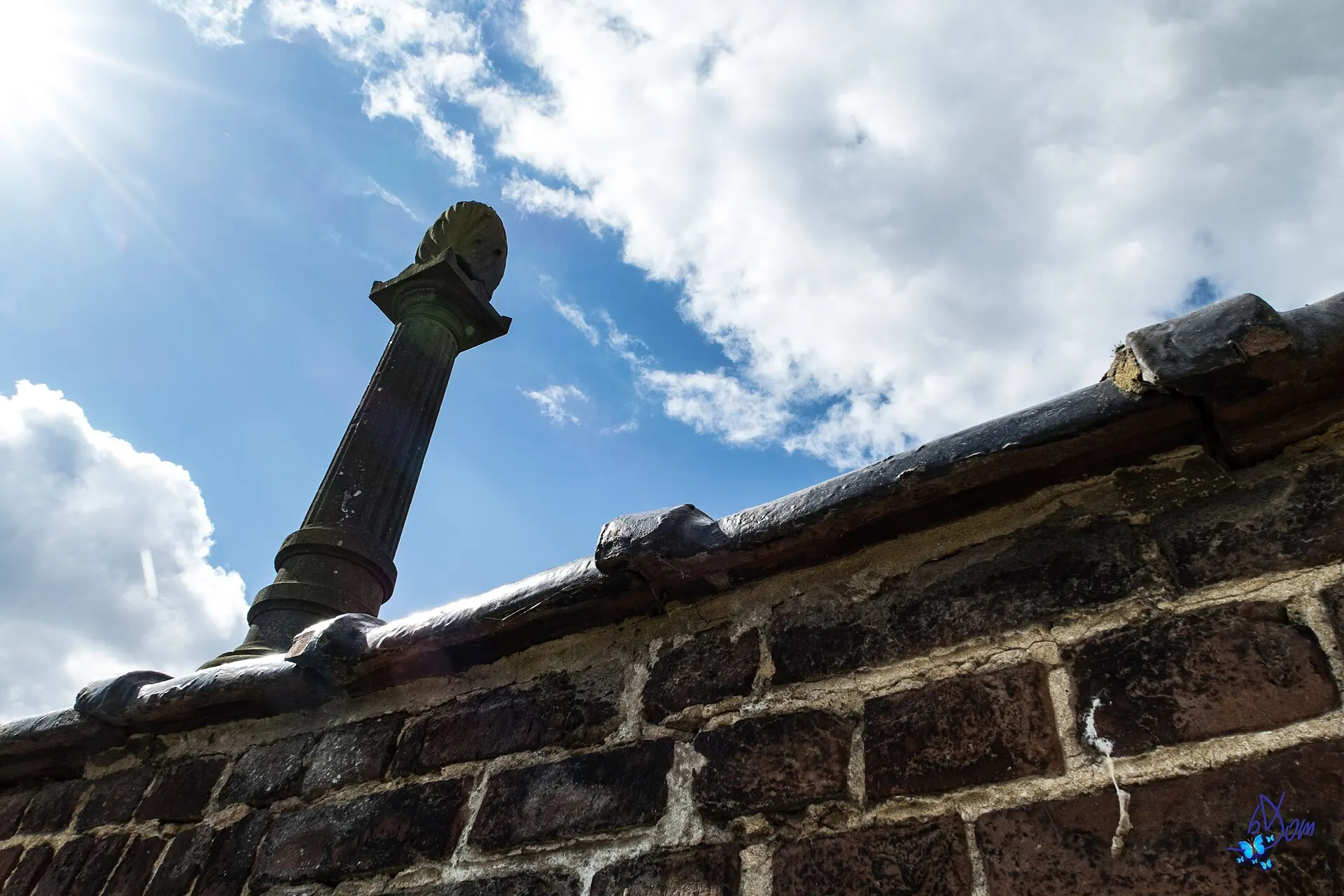
Enghien to Braine-le-Comte walk, Belgium, April 2017Photo: bDom - artiste - www.bdom.info from Enghien, Belgique, CC BY 2.0 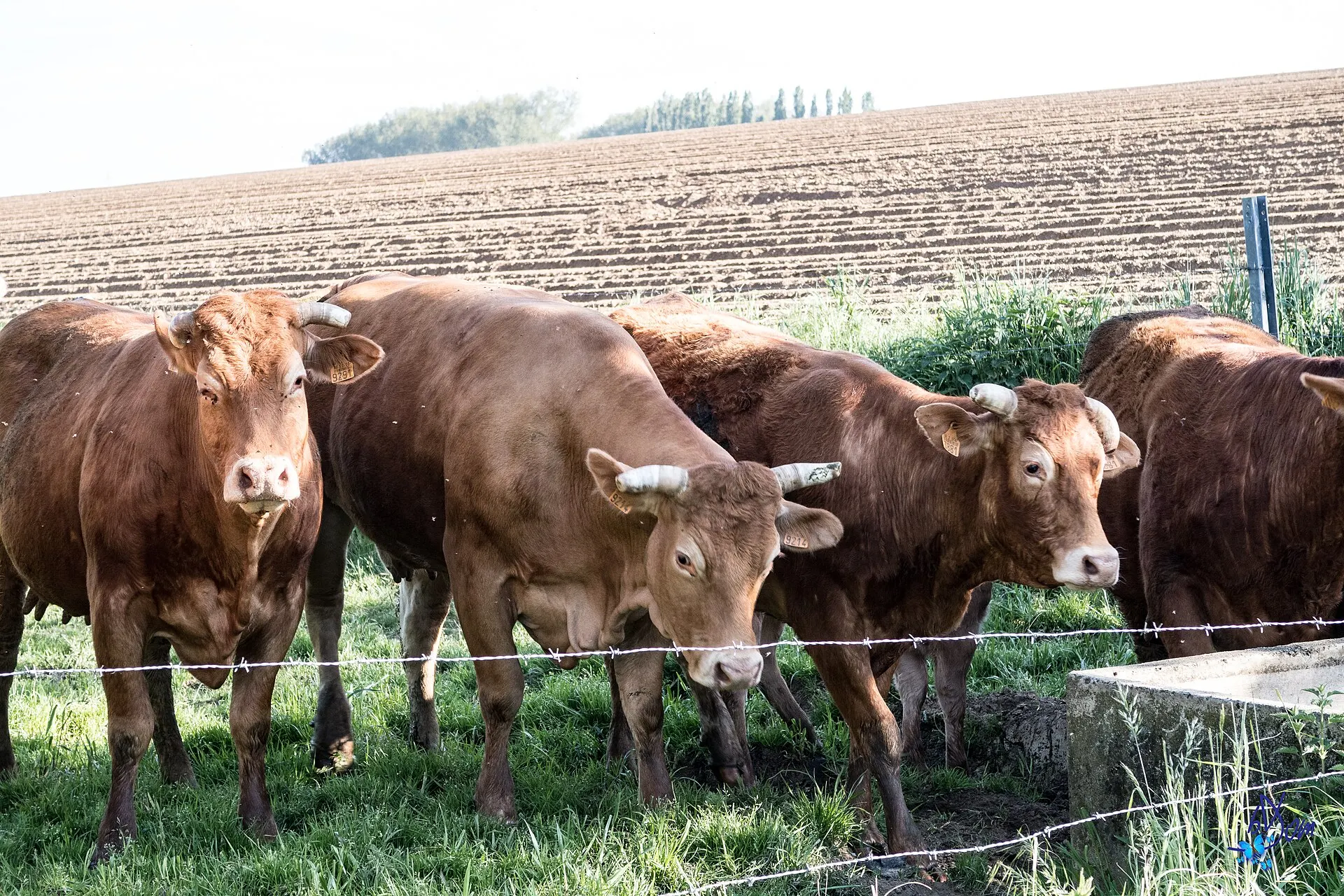
Countryside walk, May 2017Photo: bDom - artiste - www.bdom.info from Enghien, Belgique, CC BY 2.0 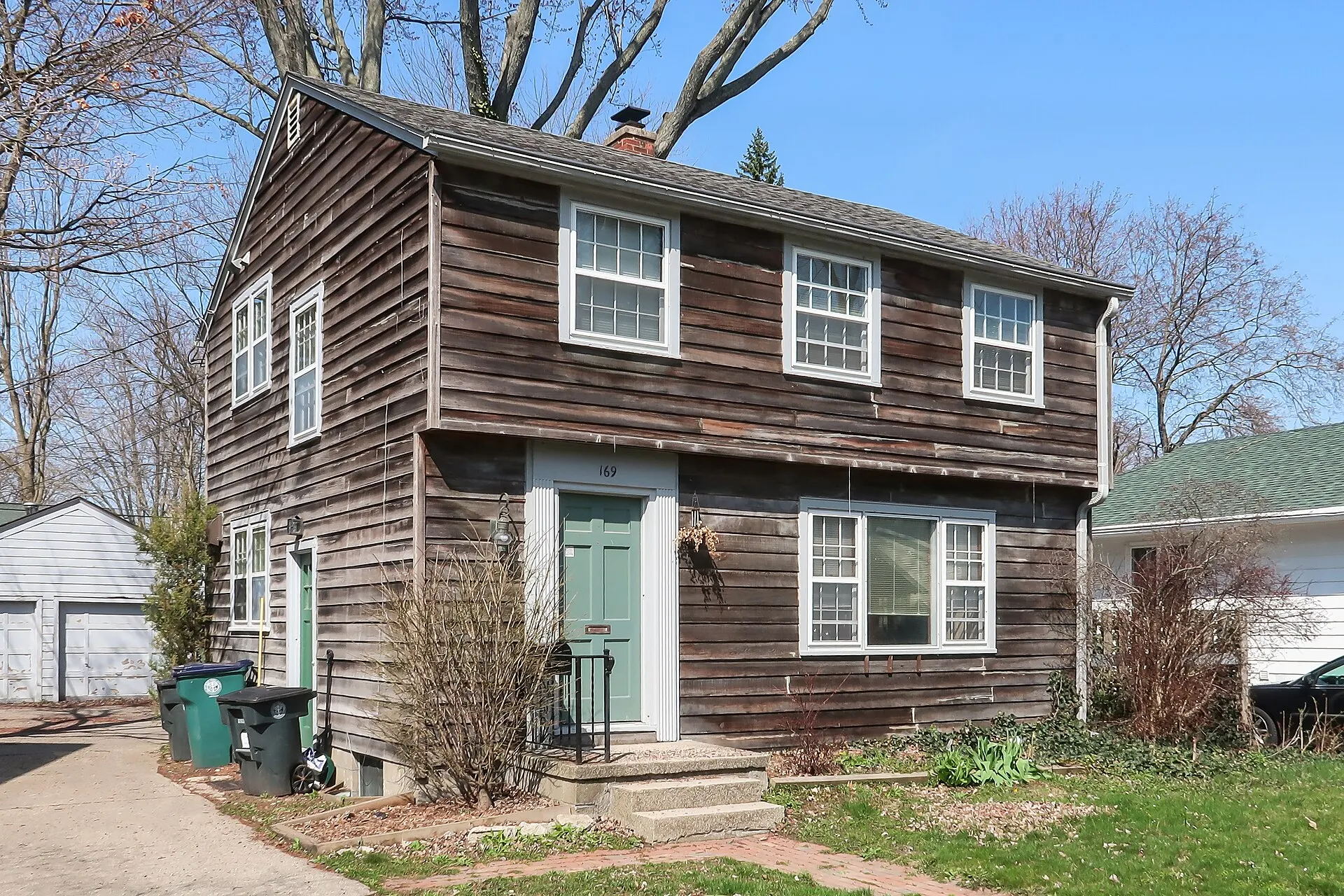
Kedzie Street, East Lansing, Michigan, April 2020Photo: Tim Kiser, CC BY-SA 4.0 
2024 Summer Olympics, July 2024Photo: steph3xx, CC BY-SA 2.0 
2024 Summer Olympics, August 2024Photo: steph3xx, CC BY-SA 2.0
What a used Canon G7X Mark II costs today
Canon Asia lists the G7 X Mark II as discontinued, so most copies for sale are used, and the used listings we checked ask more than the $699.99 it cost new in 2016. On November 2, 2026, Kamerastore had a certified unit at $953 and eBay sellers asked $1,094.90 to $1,262.89 for used ones before shipping.
Kamerastore (US storefront, USD)
Used, certified, One unit in stock; the listing shows an average certified price of $1,059
$953
See listingeBay (active listing)
Used, 'N mint+++' with box, Imported from Japan, plus $45.00 shipping
$1,094.90
See listingeBay (active listing)
Used, mint, Black, with case and SD card, plus $39.73 shipping
$1,135.63
See listingeBay (active listing)
Used, With battery and charger, free shipping
$1,262.89
See listingeBay (catalog page)
Used, eBay's catalog 'used' figure; it does not say what it measures
$673
See listingeBay (active listing)
New, accessory bundle, With 32GB card and accessories, plus $99.99 shipping
$1,739.95
See listingKenmore Camera
New, Canon NB-13L battery (genuine)
$54.95
See listingFocus Camera
New, Canon NB-13L battery (genuine)
$59.95
See listingNatcam
New, Canon CB-2LH charger for the NB-13L
$59.99
See listingKenmore Camera
New, Power2000 third-party NB-13L charger
$15.99
See listing
Prices checked on November 2, 2026. They move every week, so treat them as a range, not a quote. eBay rows are asking prices, not sold prices. eBay's catalog also shows a 'used' figure of $673 without saying whether it is a low, an average or a last sale. KEH and MPB pages block automated checks and B&H and Adorama could not be read, so their prices are not listed.
Video reviews worth your time

CANON POWERSHOT G7X MARK II REVIEW (AFTER 6 MONTHS)
The Canon PowerShot G7 X Mark II is an excellent portable camera for vlogging and timelapses, though dust can get trapped inside the lens element.
Questions people ask about the G7 X Mark II
In what year was the Canon PowerShot G7 X Mark II released?
2016. Canon announced it on February 18, 2016, and it went on sale in the US in May 2016 at an estimated $699.99. The original G7 X came out in 2014 and the G7 X Mark III in 2019.
Sources: photographyblog.com, en.wikipedia.org, aol.com
What makes the Canon G7X Mark II so expensive?
The sources don't pin it on one cause, but two facts stand out. Canon no longer makes it, so most copies for sale are used, and its successor, the G7 X Mark III, became a viral hit that Digital Camera World says sold above $1,500 used in August 2026. Used Mark IIs asked $953 to $1,262.89 on November 2, 2026, above the $699.99 launch price.
Sources: asia.canon, digitalcameraworld.com, kamerastore.com, ebay.com
Why do my Canon G7X photos look blurry?
Reviewers point to three causes. Default JPEG sharpening is soft (Photography Blog), corners are soft at 24mm, especially up close (Cameralabs), and a tap on the touchscreen can take the picture before focus locks (What Digital Camera). Raise sharpness in your picture style, zoom in a little for close subjects, and turn off touch shutter.
Sources: photographyblog.com, cameralabs.com, whatdigitalcamera.com
Is the Canon PowerShot G7 X Mark III good, and is it better than the Mark II?
For video, yes: the Mark III keeps the same 24-100mm f/1.8-2.8 lens and adds 4K without crop, a microphone jack and 20 fps bursts with focus locked. For photos, a Cosmopolitan reviewer who used both said casual shooters don't need to pay more for the Mark III. It also costs more used, above $1,500 at KEH, MPB and Adorama in August 2026.
Sources: photographyblog.com, asia.canon, imaging-resource.com, aol.com, digitalcameraworld.com
Does the Canon G7X Mark II have a viewfinder?
No. There is no built-in viewfinder and no hot shoe to add an external one, according to What Digital Camera. You compose on the 3-inch touchscreen, which can be hard to read in harsh sun.
Sources: whatdigitalcamera.com
Can the Canon G7X Mark II shoot 4K or use an external microphone?
Neither. It records Full HD 1080p at up to 59.94 frames per second, and it has no microphone or headphone jack, so sound comes from the built-in stereo mics. Clips stop at 4GB, about 16 minutes according to Expert Reviews.
Sources: photographyblog.com, imaging-resource.com, expertreviews.co.uk
How long does the Canon G7X Mark II battery last?
Canon rates the NB-13L at about 265 shots per charge, or about 355 in Eco mode. Photography Blog's spec table and Expert Reviews give 240, and Digit got nearly 300 in its use. Carry a spare for a full day; a genuine one cost $54.95 to $59.95 at US camera stores in October 2026.
Sources: hk.canon, photographyblog.com, expertreviews.co.uk, digit.in, kenmorecamera.com
Is the Canon G7X Mark II worth buying used?
Reviewers and owners rate it well for photos in a pocketable body, but most of those verdicts date from 2016 to 2019, when the launch price was $699.99. A one-year owner on the atmtx blog paid $649 and found it small enough to use almost anywhere. Used listings now ask $953 to $1,262.89 at Kamerastore and on eBay (November 2, 2026), so weigh the caveats: no viewfinder, 1080p video and short battery life. Check the serial number, flash and lens before you pay.
Sources: blog.atmtxphoto.com, whatdigitalcamera.com, asia.canon, kamerastore.com, ebay.com
What people compare it with
The 2019 follow-up keeps the 24-100mm f/1.8-2.8 lens and adds 4K and a mic jack, but Digital Camera World says used copies sold above $1,500 in August 2026.
The 2014 model with the same lens range and sensor size, but 12-bit RAW and slow RAW bursts; What Digital Camera calls the Mark II's 8 fps RAW bursts a massive improvement on the original's 1.2 fps.
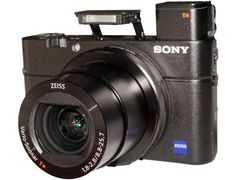
Cameralabs' main rival in 2016: a pop-up viewfinder and a 24-70mm f/1.8-2.8 lens, but a tilting screen without touch.
Panasonic Lumix ZS100 (TZ100)
A built-in viewfinder, 4K video and a 25-250mm f/2.8-5.9 zoom with a fixed screen; Cameralabs called it the best value of the three in 2016.
Every source behind this page
Read them yourself. How we pick and count them is in our methodology.
Show all 70 sources
Manuals and references 29
- asia.canon: Digital Compact Cameras - PowerShot G7 X Mark II
- asia.canon: Digital Compact Cameras - PowerShot G7 X Mark III
- asia.canon: Using Picture Style Effectively (PowerShot G7 X Mark II)
- asia.canon: To Users of PowerShot G7 X Mark II Digital Compact Camera
- en.wikipedia.org: Canon PowerShot G7 X
- focuscamera.com: Canon NB-13L Lithium-Ion Battery Pack (3.6V, 1250mAh)
- hk.canon: Specifications (PowerShot G7 X Mark II)
- hk.canon: Using a USB cable to charge the camera's battery (PowerShot G7 X Mark II)
- id.canon: Processing RAW Images on the Camera (PowerShot G7 X Mark II)
- kamerastore.com: Canon Powershot G7X Mark II - Camera
- kenmorecamera.com: CANON NB
- digitalcameraworld.com: A year after Canon increased production, this PowerShot compact camera is still so viral that used models are nearly twice the new cost
- ebay.com: Canon PowerShot G7 X Mark II 20.1 MP Compact Digital Camera - Black for sale online
- ebay.com: Canon Powershot G7x Mark II 20.1MP Digital Camera with Accessories for sale online
- ifixit.com: Canon G7x 2 turns on but screen is completely black. No picture. - PowerShot G7 X Mark II
- ifixit.com: Camera does not store picture on the SD card. - PowerShot G7 X Mark II
- imaging-resource.com: Canon G7X Mark II Review
- imaging-resource.com: Canon G7X Mark III Review
- imaging-resource.com: Canon G7X Mark III Review
- natcam.com: » Canon NB-13L Lithium
- photographyblog.com: Canon PowerShot G7 X Mark II
- photographyblog.com: Canon PowerShot G7 X Mark III Review
- photographyblog.com: Canon PowerShot G7 X Review
- usa.canon.com: Access Denied
- whatdigitalcamera.com: Canon PowerShot G7 X Mark II review - Page 2 of 10
- whatdigitalcamera.com: Canon PowerShot G7 X Mark II review - Page 4 of 10
- whatdigitalcamera.com: Canon PowerShot G7 X Mark II review - Page 6 of 10
- whatdigitalcamera.com: Canon PowerShot G7 X Mark II review - Page 7 of 10
- whatdigitalcamera.com: Canon PowerShot G7 X Mark II review - Page 8 of 10
Editorial reviews 18
- TechRadar: Canon PowerShot G7 X Mark II review
- TechRadar: Build, handling and AF - Canon PowerShot G7 X Mark II review - Page 2
- TechRadar: Performance and image quality - Canon PowerShot G7 X Mark II review - Page 3
- TechRadar: Verdict and competition - Canon PowerShot G7 X Mark II review - Page 4
- Expert Reviews: Canon G7 X Mark II review: Pocket-sized brilliance
- Trusted Reviews: Canon G7X Mark II Review
- What Digital Camera: Canon PowerShot G7 X Mark II review - Page 2 of 10
- What Digital Camera: Canon PowerShot G7 X Mark II review - Page 4 of 10
- What Digital Camera: Canon PowerShot G7 X Mark II review - Page 5 of 10
- What Digital Camera: Canon PowerShot G7 X Mark II review - Page 6 of 10
- What Digital Camera: Canon PowerShot G7 X Mark II review - Page 7 of 10
- What Digital Camera: Canon PowerShot G7 X Mark II review - Page 8 of 10
- Cameralabs: Canon PowerShot G7X Mark II review
- Photography Blog: Canon PowerShot G7 X Mark II Review
- Digit: Canon PowerShot G7 X Mark II Review : A good all
- Imaging Resource: Canon G7X Mark II Review: Lab Tests & Sample Images
- CNET: The G7 X Mark II is a good choice when you're ready to step up to better photos
- AOL: I Tested the Viral Canon PowerShot G7 X Camera to Find Out If the Hype Is Deserved
Forums 13
- Talk Photography: Canon G7X mkII - why no love?
- Talk Photography: Canon compact
- iFixit Answers: Lens Error - Will shutdown automatically - Restart camera - PowerShot G7 X Mark II
- iFixit Answers: Canon G7x 2 turns on but screen is completely black. No picture. - PowerShot G7 X Mark II
- iFixit Answers: Canon G7x mk2 only stays on while power button is pressed - PowerShot G7 X Mark II
- iFixit Answers: Camera forgets date and time every time I take the battery out - PowerShot G7 X Mark II
- iFixit Answers: Camera does not store picture on the SD card. - PowerShot G7 X Mark II
- iFixit Answers: Canon g7x markii cant no longer connect to phone - PowerShot G7 X Mark II
- iFixit Answers: SOLVED: camera says "memory card locked" - PowerShot G7 X Mark II
- iFixit Answers: My Canon PowerShot G7 X Mark II camera flash stopped working - PowerShot G7 X Mark II
- iFixit Answers: My strap lug on the body broke. How do I replace it? - PowerShot G7 X Mark II
- iFixit Answers: Screen is completely detached - PowerShot G7 X Mark II
- iFixit Answers: Can't Take Photos + Black Screen + Lens Gets Stuck Halfway - PowerShot G7 X Mark II
Independent blogs 5
Retailer customer reviews 4
- eBay UK customer review: Reviews: Canon-PowerShot-G7-X-Mark-II-Compact-Camera-Black-1066C011AA-
- eBay UK customer review: Reviews: Canon-PowerShot-G7-X-Mark-II-Compact-Camera-Black-1066C011AA-
- eBay Canada customer review: Buy Canon PowerShot G7 X Mark II 20.1MP Compact Camera - Black online
- ProductReview.com.au: Canon Powershot G7X II reviews
Video reviews 1
Keep reading
Digicams
Canon G7X alternatives you can buy: Sony ZV-1 II ($998), ZV-1F ($598) and RX100 VII ($1,498, on order). Eight picks by use, US prices checked October 2026.
Digicams
Canon PowerShot G7 X Mark III: what reviewers and owners say, overheating and autofocus problems, best settings, and why used ones topped $1,500 in 2026.
Digicams
Canon PowerShot G7 X (2014): what reviewers and owners say, the faults to check, best settings, and used eBay asks of $629.99 to $794.99 in November 2026.
Digicams
Sony RX100 III: what reviewers and owners say, the lens and battery problems to check, best settings, and used prices from $399 at US dealers in October 2026.
Digicams
The best vintage digital camera for most people is a Canon ELPH like the SD1000, $199 at a shop that tests. 7 digicam picks, US prices and what to check.
Digicams
A digicam is a digital camera, but today the word means a 2000s compact point-and-shoot. Why they're back, US prices and how a digicam compares with an iPhone.