Sony Cyber-shot WX500: is the 30x flip-screen zoom worth it now?
The short answer
The Sony Cyber-shot WX500 is a 2015 pocket camera with a 30x optical zoom (24-720mm equivalent), an 18.2 MP 1/2.3-inch sensor and a screen that flips up 180 degrees, and the reviews written when it was new liked its size, its color and its clean 1080p video.
It has no viewfinder, no RAW and almost no grip. It cost about $330 at launch; B&H no longer sells it, and on November 2, 2026 the used listings we found ran from $280 (a Mercari copy now marked sold) to $366.49 (an eBay import from Japan).
- Zoom
- 30x, 24-720mm equiv.
- Sensor
- 18.2 MP, 1/2.3-inch CMOS
- Screen
- 3-inch, flips up 180 degrees
- Used price
- $280-$366.49 (Nov 2026)
Built from 27 opinions from 5 pages and videos. Not yet tested by Camera Dojo. Updated .
Is the Sony Cyber-shot WX500 a good camera? The short version
Most of what is written about the WX500 comes from three reviews from 2015 and 2016. Tom's Guide gave it an Editor's Choice badge in July 2016 and called it small and portable, with great pictures for a compact camera. Photography Blog rated it 4 to 4.5 out of 5 in each of its categories and found ISO 800 shots clean, and Imaging Resource's first look pointed to 50 Mbps Full HD video at up to 60 frames per second.
The complaints are about handling and one fault. Photography Blog says the body has very little to hold on to and the rear buttons are small and tightly packed, and Tom's Guide found the screen hard to see in bright sun at its default setting, though it says you can raise the brightness by hand. On one iFixit thread, four owners describe a screen that went black, in some cases only when flipped up for selfies, and two say the camera still took pictures. That is one thread, so it shows the fault exists, not how common it is. Check the screen both ways before you pay.
Good fit if
- You want 30x optical reach (24-720mm equivalent) in a camera that fits a pants pocket
- You take selfies or vlog: the screen flips up 180 degrees and a self-portrait setting fires a 3-second timer
- You want 1080p video at up to 60p with optical stabilization, in XAVC S at about 50 Mbps
- You are happy with JPEGs and auto modes, with Aperture priority, Shutter priority and Manual there when you want them
- You want a battery you can replace: it runs on Sony's NP-BX1 (B&H lists a Watson replacement at $19.99) and charges in the camera over micro USB
Think twice if
- You shoot in bright sun a lot and want a viewfinder: there is none, while the HX90V sibling has one
- You want RAW files or manual focus: it saves JPEGs only and focuses automatically
- You often shoot one-handed: Photography Blog and Imaging Resource both note there is no real grip
- You want 4K video or a microphone jack: it stops at 1080p and has no mic input
- You want the early-2000s CCD digicam look: this is a 2015 back-illuminated CMOS camera
Sony WX500, WX350, HX50V, HX90V and HX80 compared
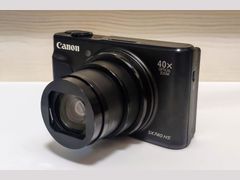
The WX500 sits in a family of small Sony zooms. Imaging Resource calls the 2013 HX50V its nearest predecessor, the HX90V launched alongside it with the same sensor and 30x lens, and the 2016 HX80 is basically an HX90V without GPS. Imaging Resource also lists Canon's later SX740 HS among similar cameras.
| Model | Year | Sensor | Why look for it |
|---|---|---|---|
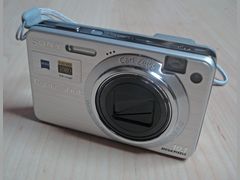 Cyber-shot HX50V | 2013 | 20.4 MP 1/2.3-inch | The nearest predecessor: a 30x zoom with a Sony G lens instead of Zeiss, plus manual focus. MPB listed used copies at $274 to $294 when it had no WX500. |
| Cyber-shot WX350 | 2014 | 18.2 MP 1/2.3-inch Exmor R | The same sensor and processor in an even smaller body with a 20x zoom. Photography Blog's pick if you want to save money. |
| Cyber-shot WX500 | 2015 | 18.2 MP 1/2.3-inch Exmor R CMOS | This camera: a 30x Zeiss lens, a flip-up screen and a control dial around the lens, but no viewfinder, no GPS and no grip, for about $330 at launch. |
| Cyber-shot HX90V | 2015 | 18.2 MP 1/2.3-inch Exmor R CMOS | The same sensor, lens and tilting screen plus a pop-up electronic viewfinder, GPS and a handgrip, for $429.95 at launch. |
| Cyber-shot HX80 | 2016 | 18.2 MP 1/2.3-inch | An HX90V without GPS or the control ring, so it keeps the viewfinder, for about $350 at launch. See our HX80 page. |
Sources: imaging-resource.com, imaging-resource.com, imaging-resource.com, imaging-resource.com, photographyblog.com, mpb.com
Sony Cyber-shot WX500 reviews: what reviewers and owners say, topic by topic
We sorted 27 opinions about the Sony WX500 from 5 pages and videos on 5 websites and channels. Each row shows how many people raised a topic and how many of them were positive. Open a row to read short quotes, each linked to its source.
This page rests on a small base, fewer opinions than most camera pages here have: 27 in all, made up of 23 checked text quotes from four pages plus four points from one YouTube unboxing. Eighteen of the text quotes come from three reviews written when the camera was new (Tom's Guide, Photography Blog and an Imaging Resource first look). The only owner voices are four posts in one iFixit thread about a black screen, so the counts show what reviewers noticed, not how common a fault is. Reddit threads where owners discuss the WX500 could not be read. Only two themes are counted, because only they have three or more comments pointing the same way: video as a strength, which rests on a Tom's Guide verdict, a spec mention in the Imaging Resource first look and the unboxing video, and the black screen as a weakness, which rests on that one thread. Points made by only one or two sources, such as the flip-up screen, the missing grip or the pocket size, appear in the summaries but are not counted as strengths or weaknesses.
Screen and viewfinder40% positiveof 5
Photography Blog and a YouTube first look both like the screen that flips up 180 degrees for selfies, and Photography Blog adds low-angle shots. There is no viewfinder, and Tom's Guide found the screen hard to see in bright sun at its default setting, though it says the brightness can be adjusted by hand. Two owners on iFixit report a screen that went black.
“The moment I turn on my camera it just shows black screen”
Princess Kaguya, iFixit Answers: How do repair my DSC WX500 lcd screen 2020-09Owner
“making low-angle shooting a doddle, and as it’ll flip up through 180 degrees to face forward, shooting a selfie is just as easy”
Mark Goldstein, Photography Blog: Sony Cyber-shot DSC-WX500 Review 2015-09Hands-on review
“The display is difficult to see in bright sunlight at its default settings but you can easily adjust the brightness manually”
Theano Nikitas, Tom's Guide: Sony Cyber-shot DSC-WX500 ReviewHands-on review
“when i put it to selfie/vlog mode the screen is fully black”
S.B, iFixit Answers: How do repair my DSC WX500 lcd screen 2023-04Owner
Low light and flash67% positiveof 3
Photography Blog found ISO 800 shots clean, with little grain and no color speckling, and a YouTube first look shows the pop-up flash. Imaging Resource calls the flash range at full zoom restrictive, at 8.2 to 9.8 feet.
“In low light, ISO 800 images have impressively low levels of grain noise and no colour speckling.”
Mark Goldstein, Photography Blog: Sony Cyber-shot DSC-WX500 Review 2015-09Hands-on review
“a rather restrictive 8.2-9.8 feet (2.5-3.0m) at telephoto”
Mike Tomkins, Imaging Resource: Sony WX500 Review (first look) 2015-04
Ease of use67% positiveof 3
Tom's Guide calls it easy to use at any skill level, and Imaging Resource likes the control dial around the lens, part of a layout shared with the RX100 III. Photography Blog's complaint is the small, tightly packed rear buttons with no touchscreen to make up for them.
“The restricted real estate available for rear panel controls makes the buttons small and tightly packed, and you don’t get a touchscreen to compensate.”
Mark Goldstein, Photography Blog: Sony Cyber-shot DSC-WX500 Review 2015-09Hands-on review
“including an intuitive control dial around the lens barrel”
Mike Tomkins, Imaging Resource: Sony WX500 Review (first look) 2015-04
“Sony Cyber-shot DSC-WX500 is easy to use regardless of your skill level”
Theano Nikitas, Tom's Guide: Sony Cyber-shot DSC-WX500 ReviewHands-on review
Reliability today0% positiveof 3
All three reliability reports come from one iFixit thread: an owner whose flipped-up screen stayed black, another who replaced the LCD without curing it, and a commenter who says the repair needs professional tools. That shows the fault exists, not how often it happens.
“i also try to fix the lcd and change with new but it still black”
Riska Savery, iFixit Answers: How do repair my DSC WX500 lcd screen 2024-05Owner
“when I flip my camera screen there is no dsplay coming out its like a black screen”
Steven Anderon, iFixit Answers: How do repair my DSC WX500 lcd screen 2018-03Owner
“If you want to repair it, you will need a set of professional tools.”
DesertKiwi, iFixit Answers: How do repair my DSC WX500 lcd screen 2020-09
Video100% positiveof 3
All three video comments are positive: Tom's Guide found the footage clean with good stereo sound for a built-in mic, Imaging Resource points to 50 Mbps Full HD at up to 60 frames per second, and a YouTube first look shows the 30x zoom reaching distant subjects in video.
“the footage is clean and crisp, with good (for a built-in microphone) stereo sound.”
Theano Nikitas, Tom's Guide: Sony Cyber-shot DSC-WX500 ReviewHands-on review
“the Sony WX500 can record not just stills, but also XAVC S-compressed 50Mbps Full HD movies at up to 60 frames per second”
Mike Tomkins, Imaging Resource: Sony WX500 Review (first look) 2015-04
PositiveMixedNegative
How to get better photos from the Sony WX500
The WX500 does well in its auto modes, but a few settings matter on a small sensor behind a long lens. These come from Sony's manual and the 2015 and 2016 reviews.
- 1
Keep the zoom optical
Sony's zoom table lists 30x at the full 18M size; the 40x and 56x figures at the smaller M and S sizes come from Smart Zoom. Clear Image Zoom and Digital Zoom reach 60x and 120x at full size, but they are not optical, so stay within 30x when detail matters.
- 2
Hold it still in dim light
Optical SteadyShot can't be switched off, but you can set it to Intelligent Active, Active or Standard. Photography Blog saw slight blur in darker scenes unless the camera was held very still, so brace it on something or use the self-timer.
- 3
Back off at full zoom
At the telephoto end the lens focuses no closer than about 250 cm (8.2 feet), against about 5 cm at wide angle. If a zoomed-in subject won't sharpen, step back or zoom out.
- 4
Choose the night mode yourself
Superior Auto merges several frames to cut noise, but in Photography Blog's night test its metering was way off and the result far too bright. The same scene was also shot in Night Scene mode, which chose 1/8 second at ISO 2000, and in Shutter priority, which gave a 1-second exposure at ISO 200, so you can pick either yourself.
- 5
Use Shutter priority for long exposures
Shutter speeds run to 30 seconds in Shutter priority or Manual, but only 4 seconds in Auto or Program and 8 seconds in Aperture priority. The smallest aperture is f/8 at every focal length, which limits long exposures in daylight.
- 6
Turn up the screen outdoors
The screen is hard to see in bright sun at its default setting. There are five brightness levels, and Tom's Guide says you can adjust the brightness manually.
- 7
Try Picture Effects for a lo-fi look
Toy Camera gives a soft image with shaded corners, and Retro Photo gives sepia tones and faded contrast. The Picture Effect menu is not available in Intelligent Auto or Superior Auto, where the Photo Creativity screen offers a Picture Effect choice instead. For the hard flash look of older compacts, raise the flash by hand; our Y2K digicam look guide explains it.
Sources: helpguide.sony.net, helpguide.sony.net, photographyblog.com, imaging-resource.com, tomsguide.com, helpguide.sony.net, helpguide.sony.net
Sony WX500 battery, charging and memory cards
The WX500 takes only Sony's NP-BX1, a 1240 mAh lithium-ion pack, and Sony's troubleshooting for a camera that won't turn on starts by checking that the battery is an NP-BX1. Sources disagree a little on how long it lasts: Sony rates it at about 400 shots under CIPA conditions and Imaging Resource lists 390. For movies, Sony says about 75 minutes of actual shooting or 110 minutes of continuous recording, where Tom's Guide reported 200 minutes.
It charges inside the camera over micro USB, in about 230 minutes with the supplied adaptor. The lamp stays lit while charging, goes off when done and flashes on an error or when the temperature is out of range. In the cold, Sony suggests keeping the spare in a pocket close to your body. To run the camera from the wall with no battery inside, Sony names the AC-UD10 or AC-UD11 adaptor, sold separately.
One slot takes SD, SDHC or SDXC cards or Memory Stick PRO Duo, and microSD works in an adaptor. XAVC S video needs an SDXC card of 64 GB or more rated Class 10 or UHS Speed Class 1. Format the card in the camera the first time, and if a computer without exFAT support offers to format an SDXC card, say no, because that erases it.
| Item | What it is | Price |
|---|---|---|
| Sony NP-BX1 | Genuine 1240 mAh battery | $58.00 |
| Watson NP-BX1 | Third-party 1150 mAh replacement | $19.99 |
| Sony battery and travel charger kit | NP-BX1 plus a USB charger | $65.00 |
| SanDisk 64GB Ultra SDXC | UHS-I, U1/Class 10, meets Sony's rule for XAVC S; sale price, regularly $37.99 | $23.99 |
At the 18M Fine setting, Sony counts about 280 photos per 2 GB and about 4,600 per 32 GB, so even a modest card holds thousands of full-size JPEGs.
Sources: helpguide.sony.net, photographyblog.com, helpguide.sony.net, imaging-resource.com, tomsguide.com, helpguide.sony.net, helpguide.sony.net, helpguide.sony.net, helpguide.sony.net, helpguide.sony.net, helpguide.sony.net, bhphotovideo.com, bhphotovideo.com
Is the Sony WX500 good for vlogging and video?
Yes, it records video: Full HD 1080 at up to 60 frames per second, in XAVC S at about 50 Mbps, AVCHD at up to about 28 Mbps, or MP4, all with stereo sound. Tom's Guide found the footage clean and crisp with good sound for a built-in microphone, and five-axis Optical SteadyShot steadies handheld shots.
For vlogging, the screen flips up 180 degrees so you can see yourself, and a YouTube first look shows the 30x zoom reaching distant subjects in video. The limits: no microphone jack, no 4K, clips stop at 29 minutes, the flash can't be used while recording, and Sony rates a battery at about 75 minutes of actual movie shooting.
XAVC S records the most data, about 50 Mbps, but needs a 64 GB or larger SDXC card. Sony says AVCHD plays more easily on devices other than computers.
Sources: imaging-resource.com, imaging-resource.com, helpguide.sony.net, tomsguide.com, youtube.com, helpguide.sony.net, helpguide.sony.net, helpguide.sony.net
How to get photos off a Sony WX500
The simplest way is a card reader: take out the SD card and copy the DCIM folder. To use the cable instead, leave the battery in, set USB Connection to Mass Storage in the Setup menu and plug in micro USB; Windows and Mac then see the camera as a drive.
Over Wi-Fi, Send to Smartphone sends photos from the memory card at Original, 2M or VGA size, and Photography Blog timed about eight seconds for a full-resolution image. Android phones can pair by NFC, while iPhones pair by hand. The manual names Sony's PlayMemories Mobile app, and Sony says Imaging Edge Mobile is its successor, but Sony's list of supported cameras could not be read, so try it with your phone before counting on it. Send to Computer needs Sony's PlayMemories Home software on the computer.
Sony closed the PlayMemories Camera Apps store on August 31, 2025, so the in-camera apps that 2015 and 2016 reviews mention can no longer be added.
Sources: helpguide.sony.net, helpguide.sony.net, photographyblog.com, imaging-resource.com, support.d-imaging.sony.co.jp, helpguide.sony.net, playmemoriescameraapps.com
What to check before buying a used Sony WX500
B&H no longer sells it new and MPB had none, so most WX500s now change hands on Mercari, Poshmark and eBay. Run these checks in person or ask the seller for a video.
- 1
Test the screen both ways
Look at the screen with it closed, then flip it up 180 degrees. Owners on iFixit report screens that went black, sometimes only in selfie position, and one says a new LCD didn't fix it.
- 2
Put a card in first
By default the shutter fires with no card inserted and nothing is saved, so bring a card and check that the photos play back.
- 3
Run the lens
Turn the camera on and off a few times and zoom from end to end; the lens should extend and retract cleanly. Sony says never to force a lens that has stopped.
- 4
Watch for error codes
A code such as C:13 points to the card, but E:94 means repair is required, according to Sony's list of self-diagnosis codes.
- 5
Ask whether the clock holds
A Clock Set screen at every start means the internal backup battery is flat. Sony says it recovers after 24 hours or more with a charged battery inside and the power off.
- 6
Check what comes with it
New, it came with an NP-BX1 battery, a micro USB cable, an AC-UB10C/UB10D adaptor and a wrist strap. One eBay seller warns the battery in a Japan-market copy may be third-party.
Sources: ifixit.com, helpguide.sony.net, helpguide.sony.net, helpguide.sony.net, helpguide.sony.net, helpguide.sony.net, ebay.com
Sony WX500 problems: black screen, lens errors, batteries and cards
No recall for the WX500 turned up in the research. The black-screen reports come from one iFixit thread and the rest from Sony's own manual, so they show what can go wrong, not how often.
Screen goes black, sometimes only in selfie position
Raised in 5 opinions
- How you notice
- The screen shows black or nothing while the camera still works. On one iFixit thread, owners posting between 2018 and 2024 describe losing the picture when flipping the screen up, hearing the shutter with no menus visible, and a replacement LCD that stayed black.
- Fix
- An iFixit helper suggests first checking the photos on the card: if they are fine, the screen or one of its two cables (backlight power and image data) is the likely cause, and black only in selfie position may be a loose backlight cable. If the card has no images either, the helper points to the main board. Another commenter says the repair needs professional tools.
- Typical cost
- Unknown. No US repair-shop quote or part price for the WX500 screen turned up; get a written estimate and weigh it against used prices of $280 to $366.49.
Sources: ifixit.com
Lens stuck out or lens error
- How you notice
- The lens stops partway, or the camera shuts off with the barrel extended. Sony's Help Guide lists it as a troubleshooting case, and a repair channel, Hetztronics, has posted a WX500 lens repair video.
- Fix
- Sony says not to force the lens: insert a charged battery and turn the camera on again. If the error keeps coming back, Sony's troubleshooting says to consult a Sony dealer or authorized service facility.
- Typical cost
- Unknown. No US repair price for a WX500 lens turned up.
Sources: helpguide.sony.net, helpguide.sony.net, youtube.com
Self-diagnosis codes (C:32, C:13, E:61, E:62, E:91, E:94)
- How you notice
- A letter and numbers appear on the screen. Sony says C:32 is hardware trouble, C:13 means the card can't be read or written, E:61, E:62 and E:91 are malfunctions, and E:94 is a fault when writing or deleting data.
- Fix
- Turn the power off and on, and take the card out and put it back several times; format or replace the card for C:13, and try Setting Reset, then Initialize, for E:61, E:62 and E:91. E:94 needs a Sony dealer or authorized service facility, and Sony asks you to give all the numbers after the E.
- Typical cost
- A new card is cheap ($23.99 on sale for a SanDisk 64GB Ultra SDXC at B&H); no repair price for E:94 turned up.
Sources: helpguide.sony.net, helpguide.sony.net, bhphotovideo.com
Worn battery, or one that won't charge
- How you notice
- Any WX500 is now on an aging NP-BX1 or a third-party pack. Sony says capacity drops gradually with use, and its troubleshooting covers a pack that won't charge, a flashing charge lamp and a camera that shuts off suddenly to protect itself.
- Fix
- Reseat the battery and the USB cable, charge between 10 and 30 degrees C, wipe dirty battery contacts with a soft cloth or cotton swab, and replace the pack if its run time has dropped a lot.
- Typical cost
- $58.00 for a Sony NP-BX1 or $19.99 for a Watson replacement at B&H; Sony's kit with an NP-BX1 and a USB charger is $65.00.
Sources: helpguide.sony.net, helpguide.sony.net, helpguide.sony.net, bhphotovideo.com
Clock Set screen every time it turns on
- How you notice
- The date and time reset because the internal backup battery has run down. Sony says it is completely discharged after about a month without use.
- Fix
- Insert a charged battery, or connect the supplied AC adaptor, and leave the camera for 24 hours or more with the power off, then set the clock again.
- Typical cost
- $0 if it recharges; Sony lists no separate part for it.
Sources: helpguide.sony.net, helpguide.sony.net
Memory card errors
- How you notice
- A '--E-' message, a C:13 code, or photos that won't import, often on a card formatted on a computer. SDXC cards also can't be read by devices without exFAT support.
- Fix
- Remove and reinsert the card, then format it in the camera (this erases it). Before putting an SDXC card in a computer or reader, check that it supports exFAT, and never format the card when a computer asks you to.
- Typical cost
- $23.99 on sale for a 64 GB SDXC card and $9.99 for a USB card reader at B&H.
Sources: helpguide.sony.net, helpguide.sony.net, helpguide.sony.net, bhphotovideo.com, bhphotovideo.com
PlayMemories Camera Apps are gone
- How you notice
- Reviews from 2015 and 2016 mention apps added to the camera from Sony's store, but Sony ended the PlayMemories Camera Apps service on August 31, 2025, so no new apps can be installed.
- Fix
- Use the built-in Wi-Fi with Imaging Edge Mobile, which Sony calls the successor to PlayMemories Mobile, or copy photos with a card reader. Sony's supported-camera list for Imaging Edge Mobile could not be read, so test it with your phone.
- Typical cost
- $0
Sources: playmemoriescameraapps.com, support.d-imaging.sony.co.jp, helpguide.sony.net
Photos taken with a Sony Cyber-shot DSC-WX500
Wikimedia Commons contributors took these photos with a WX500, from a mountain village in Italy to a train station in Taiwan; each file's EXIF data names the camera.

Poffabro, Friuli Venezia Giulia, Italy, 2020Photo: Shabicht, CC BY-SA 4.0 
Lucia, Piran, Slovenia, 2020Photo: Shabicht, CC BY-SA 4.0 
Torres de Colon, Madrid, 2017Photo: Triplecaña, CC BY-SA 4.0 
Xincheng (Taroko) station, Taiwan, 2016Photo: 交通部鐵路改建工程局東部工程處, CC BY-SA 4.0 
Sunset at Waigeo islandPhoto: Lord Mountbatten, CC BY-SA 4.0 
Cellar ruins at Waxenberg, Upper Palatinate, Germany, 2016Photo: Blechmodelle, CC0
How much is a Sony WX500 worth in 2026?
The WX500 cost about $330 at launch in 2015, and Tom's Guide listed it at $300 in 2016. B&H now marks it No Longer Available and MPB had none, so used marketplaces are the only route. On November 2, 2026 we found three: a Mercari copy listed at $280 in like-new condition and marked sold, an eBay import from Japan at $366.49, and a Poshmark asking price of $316.
Mercari
Used, like new (marked sold), Body, listed June 8, 2026 as lightly used and now marked sold
$280
See listingeBay (Phoenix Japan)
Used, Japan-market import, White WX500 shipped from Japan; the seller says it works and the battery may be third-party; shipping to a US address not confirmed
$366.49
See listingPoshmark
Used, asking price, Seller notes minor screen scratches; buyers in the comments offered $275, no sale shown
$316
See listingB&H Photo
New, Product page says No Longer Available
Not sold
See listingMPB
Used, good (HX50V, not the WX500), The 2013 predecessor, three listings with an NP-BX1 and a 6-month warranty; MPB had no WX500
$274-$294
See listing
Prices checked on November 2, 2026. They move every week, so treat them as a range, not a quote. Mercari, eBay, B&H and MPB block automated checks, so those pages were read in a browser; the Poshmark price was checked automatically. Only the Mercari listing is marked sold; the others are asking prices. The eBay page showed shipping and import fees for a buyer outside the US, so what you would pay to a US address could not be confirmed; check it before you buy. Two older Poshmark listings ($130 and $450) come from sellers last active in 2019 and June 2023, so they are left out.
Video reviews worth your time

Sony CyberShot DSC WX500 (Unboxing + First Look)
The Sony Cyber-shot DSC-WX500 is a compact travel camera featuring a 30x optical zoom lens, pop-up flash, and a 180-degree flip-up selfie screen.
Questions people ask about the Sony WX500
Is the Sony WX500 a good camera?
For daylight travel, yes. Reviewers in 2015 and 2016 liked its pocket size, its 30x optical zoom (24-720mm equivalent), its bright color and its clean 1080p video; Photography Blog rated it 4 to 4.5 out of 5 and Tom's Guide gave it an Editor's Choice badge. The weak spots are handling (almost no grip, small buttons), no viewfinder or RAW, and a black-screen fault some owners report.
Sources: photographyblog.com, tomsguide.com
When did the Sony WX500 come out?
Sony announced it in April 2015, and Imaging Resource posted its first look on April 13, 2015. It went on sale on June 30, 2015, the same day as its HX90V sibling, in black or white for about $330.
Sources: imaging-resource.com, imaging-resource.com
How much is a Sony WX500 worth now?
B&H no longer sells it new, so you are buying used, and listings are scarce. On November 2, 2026 we found one Mercari copy listed in June 2026 at $280 and now marked sold, an eBay import from Japan at $366.49, and a Poshmark asking price of $316 that buyers had met with $275 offers. MPB had no WX500, only the older HX50V at $274 to $294.
Sources: mercari.com, ebay.com, poshmark.com, mpb.com
Does the Sony WX500 have a viewfinder or RAW?
No to both. It has a 3-inch, 921,000-dot screen that flips up 180 degrees but no viewfinder, and it saves JPEGs only. Photography Blog's spec table lists a 0.2-type electronic viewfinder, but the same review's conclusion says you don't get one, and Imaging Resource's specs say none. Photography Blog notes that the HX90V and the Panasonic TZ70 (also sold as the ZS50) offer a viewfinder and cost more, and that the TZ70 can shoot RAW.
Sources: imaging-resource.com, imaging-resource.com, photographyblog.com
Which Sony Cyber-shot is best: WX500, HX90V or WX350?
All three use the same 18.2 MP sensor. Photography Blog suggests the 20x WX350 if you want the WX500's image quality for less money in an even smaller body, and notes that the HX90V adds an electronic viewfinder but costs more: $429.95 at launch against about $330 for the WX500. For the rest of the line, see our [Sony Cyber-shot guide](/cameras/sony-cyber-shot/).
Sources: photographyblog.com, imaging-resource.com
Why are my Sony WX500 photos blurry?
Usually camera shake or focus distance. Photography Blog saw slight blur in darker scenes unless the camera was held very still; stabilization can't be turned off but can be set to Intelligent Active, Active or Standard. At full zoom the lens can't focus closer than about 250 cm (8.2 feet), so a nearby subject at 720mm won't sharpen.
Sources: photographyblog.com, helpguide.sony.net
Why won't my Sony WX500 turn on?
Start with the battery: Sony's troubleshooting says to check that it is a charged NP-BX1, the only pack the camera supports. If the lens stopped partway, don't force it; insert a charged battery and turn the camera on again. If an error keeps coming back, Sony says to consult a Sony dealer or authorized service facility.
Sources: helpguide.sony.net, helpguide.sony.net
How do I get pictures off a Sony WX500?
Use a card reader, or connect micro USB with the battery in and USB Connection set to Mass Storage so the computer sees a drive. Over Wi-Fi, Send to Smartphone sends photos from the card, about eight seconds per full-size image in Photography Blog's review. Sony says Imaging Edge Mobile replaced the PlayMemories Mobile app the manual names.
Sources: helpguide.sony.net, photographyblog.com, support.d-imaging.sony.co.jp
What people compare it with
Sony Cyber-shot HX90V
Launched the same day with the same sensor and 30x lens, plus a pop-up viewfinder, GPS and a handgrip, for $429.95 at launch.
The 2016 follow-up: basically an HX90V without GPS or the control ring, so it keeps the pop-up viewfinder, at about $350 at launch. MPB listed it at $494 to $619 used.
Panasonic Lumix ZS50 (TZ70)
Photography Blog's rival with a 30x zoom, RAW, focus peaking and an electronic viewfinder, on a 12 MP sensor.
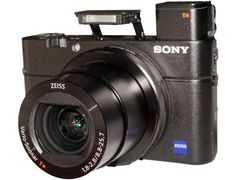
Shares the WX500's control layout and processor type with a much larger 1-inch-type sensor, which Imaging Resource calls the tradeoff for the WX500's far-reaching lens.
Every source behind this page
Read them yourself. How we pick and count them is in our methodology.
Show all 48 sources
Manuals and references 43
- helpguide.sony.net: Help Guide
- helpguide.sony.net: Help Guide
- helpguide.sony.net: Help Guide
- helpguide.sony.net: Help Guide
- helpguide.sony.net: Help Guide
- helpguide.sony.net: Help Guide
- helpguide.sony.net: Help Guide
- helpguide.sony.net: Help Guide
- helpguide.sony.net: Help Guide | The product stops with the lens portion extended./The product turns off with the lens portion extended.
- helpguide.sony.net: Help Guide | The Clock Set screen appears when you turn on the product.
- helpguide.sony.net: Help Guide
- helpguide.sony.net: Help Guide | “--E
- helpguide.sony.net: Help Guide | Self
- helpguide.sony.net: Help Guide
- helpguide.sony.net: Help Guide
- helpguide.sony.net: Help Guide
- helpguide.sony.net: Help Guide
- helpguide.sony.net: Help Guide
- helpguide.sony.net: Help Guide
- helpguide.sony.net: Help Guide
- helpguide.sony.net: Help Guide
- helpguide.sony.net: Help Guide
- helpguide.sony.net: Help Guide
- helpguide.sony.net: Help Guide
- helpguide.sony.net: Help Guide
- helpguide.sony.net: Help Guide
- helpguide.sony.net: Help Guide | Charging the battery pack while it is inserted in the camera
- helpguide.sony.net: Help Guide | Battery life and the number of images that can be recorded/played back using a battery pack
- helpguide.sony.net: Help Guide
- helpguide.sony.net: Help Guide | Checking the camera and the supplied items
- helpguide.sony.net: Help Guide
- helpguide.sony.net: Help Guide
- poshmark.com: Other | Sony Dscwx50
- support.d-imaging.sony.co.jp: Imaging Edge Mobile
- ebay.com: Error Page
- imaging-resource.com: Sony HX50V Review: Lab Tests & Sample Images
- imaging-resource.com: Sony HX80 Review: Lab Tests & Sample Images
- imaging-resource.com: Sony HX90V Review
- imaging-resource.com: Sony WX500 Review
- imaging-resource.com: Sony WX500 Review: Lab Tests & Sample Images
- mercari.com: Just a moment...
- playmemoriescameraapps.com: PlayMemories Camera Apps
- youtube.com: watch
Editorial reviews 3
Forums 1
Video reviews 1
Keep reading
Digicams
Vintage Sony Cyber-shot CCD cameras: which models to look for, used prices of $59.99 to $265 (Oct 2026), batteries, Memory Stick cards and common faults.
Digicams
Sony Cyber-shot HX80: what owners and reviewers say about its 30x zoom, pop-up viewfinder and low light, the faults to check, and used prices from $494.
Digicams
Canon PowerShot SX740 HS: what owners and reviewers say about its 40x zoom, low light and 4K, the faults to check, and why it now sells above $549.99.
Digicams
Sony RX100 III: what reviewers and owners say, the lens and battery problems to check, best settings, and used prices from $399 at US dealers in October 2026.
Digicams
The best vintage digital camera for most people is a Canon ELPH like the SD1000, $199 at a shop that tests. 7 digicam picks, US prices and what to check.
Digicams
A cheap digicam is listed at about $70 to $150 at US shops that test them, or $20 for an antique-shop find. 7 picks, October 2026 prices, cards and batteries.